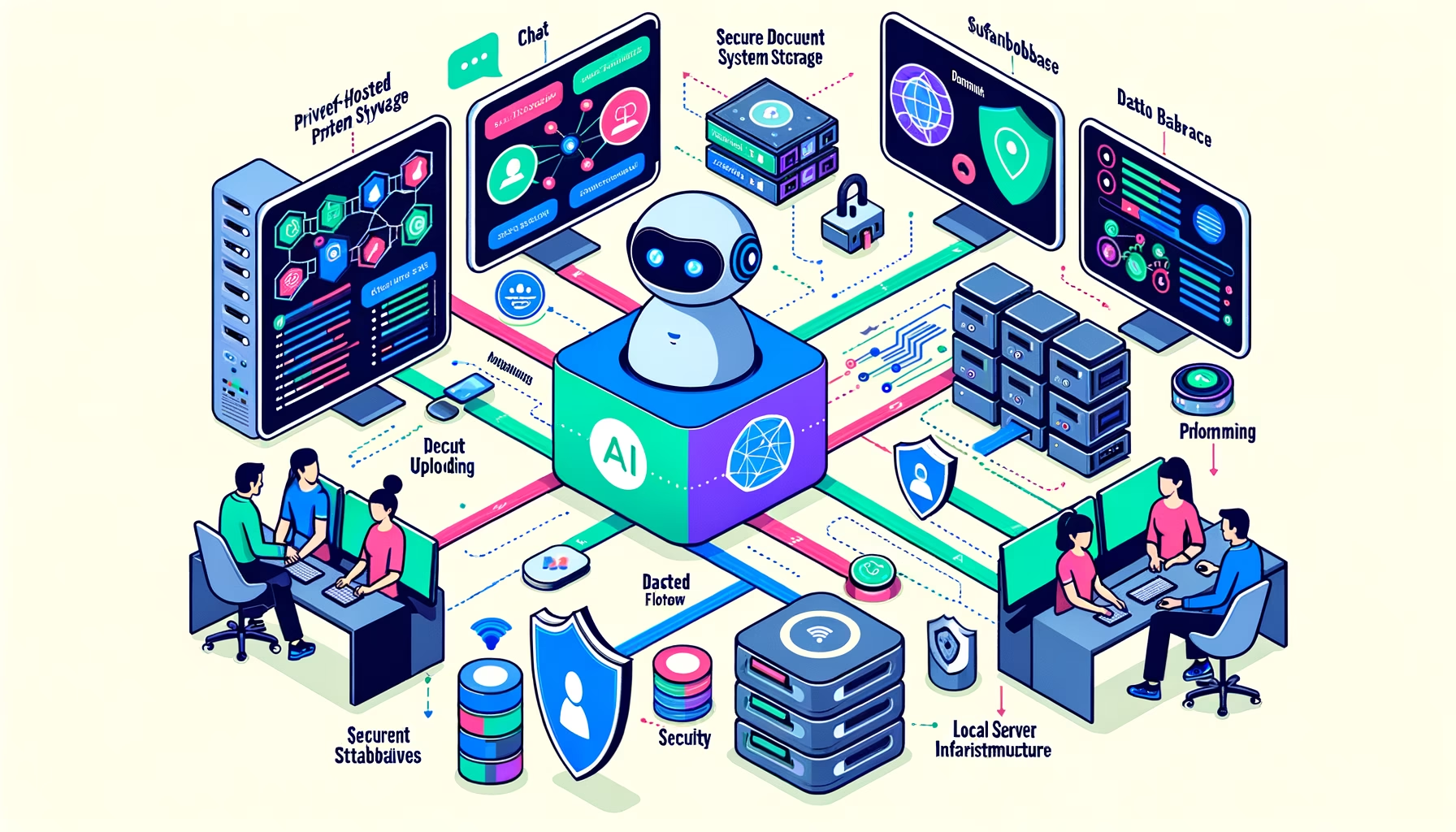

In an era where data privacy concerns are at an all-time high, the challenge of leveraging powerful Large Language Models (LLMs) while maintaining complete control over personal data has become increasingly important. This comprehensive guide explores how to build a self-hosted, end-to-end platform that provides each user with a personal, agentic chatbot capable of autonomously searching through files with explicit user permission.
The result? Full control, 100% privacy, all the benefits of LLM technology without privacy leaks, token costs, or external dependencies.
The Challenge: Privacy vs. Functionality
The fundamental question driving this project was:
How can we supercharge an LLM with personal data without sacrificing privacy to big tech companies?
This led to an ambitious goal: Build an agentic chatbot equipped with tools to access a user’s personal notes securely, without compromising privacy.
Key Requirements
- Multi-user support: Not a shared assistant, but a private agent for every user
- Granular access control: Users have full control over which files their agent can access
- Complete privacy: All processing happens locally with no external dependencies
- Scalable architecture: Support for multiple concurrent users and large file volumes
System Architecture Overview
The system is built around three core flows:
Core System Flows
A) User File Management
Users authenticate through the frontend, upload or delete files, and assign each file to specific groups that determine access permissions.
B) Document Embedding and Storage
Uploaded files are chunked, embedded, and stored in the database with strict access controls ensuring only authorized users can retrieve or search those embeddings.
C) Agentic Chat Interface
Users interact with their private agent equipped with semantic vector-search capabilities, accessing only documents they have permission to view.
System Components
The platform consists of six key components working in harmony:
Component Details
1. Python API Application
The heart of the system, exposing REST endpoints for the frontend and managing message queue communications.
2. Frontend Interface (Streamlit)
A rapid-prototyping frontend that provides user authentication, file management, and chat interfaces. While Streamlit was chosen for speed of development, the modular architecture allows easy replacement with more sophisticated frameworks.
3. Blob Storage (MinIO)
An open-source, high-performance distributed object storage system handling all file storage with excellent Python integration.
4. Vector Database (PostgreSQL + pgvector)
PostgreSQL manages relational data (document metadata, users, groups, text chunks) while the pgvector extension handles vector embeddings. This unified approach enables complex queries joining vector searches with user permissions.
5. Local LLM (Ollama)
Hosts two lightweight local models: one for generating embeddings and another for chat functionality. This ensures complete privacy while maintaining impressive performance.
6. Message Queue (RabbitMQ)
Provides system responsiveness by handling file processing asynchronously and enables horizontal scalability through multiple worker processes.
Building the Agentic Framework
LangGraph Agent Architecture
The agent is built using LangGraph, which provides a powerful framework for defining autonomous agent behavior. The workflow is intentionally simple but effective.
Agent Capabilities
The agent can:
- Autonomously inspect available tools and their descriptions
- Decide when tool usage is necessary to answer user questions
- Perform semantic vector searches through authorized documents
- Loop through reasoning cycles until sufficient information is gathered
- Maintain conversation context across multiple interactions
Implementation Deep Dive
Flow 1: File Upload and Management
When a user uploads files, the system processes them through a carefully orchestrated sequence:
Process Breakdown
- Authentication: User credentials are validated via secure tokens
- File Storage: Documents are saved to blob storage with unique identifiers
- Metadata Recording: File information and access permissions are stored in the database
- Queue Processing: File IDs are queued for background embedding processing
- Immediate Response: Users receive confirmation without waiting for heavy processing
This asynchronous approach ensures responsive user experience even with large files or high upload volumes.
Flow 2: Document Embedding Pipeline
The embedding process transforms uploaded documents into searchable vector representations:
Embedding Workflow
- Message Retrieval: Worker processes consume file IDs from the message queue
- Metadata Lookup: File information is retrieved with access control validation
- File Processing: Documents are downloaded, text extracted, and chunked into manageable segments
- Vector Generation: Each chunk is sent to the local Ollama instance for embedding generation
- Database Storage: Chunks and their corresponding vectors are stored with access control metadata
Benefits of Asynchronous Processing
- Load Smoothing: Documents are processed sequentially rather than overwhelming the system
- Horizontal Scaling: Multiple workers can process files in parallel
- Resource Management: Heavy computational tasks don’t block user interactions
Flow 3: Intelligent Chat Interface
The chat system orchestrates multiple components to deliver contextual, private responses:
Chat Process Flow
- User Authentication: Every chat request validates user identity
- Context Retrieval: Previous conversation messages are loaded for continuity
- Agent Invocation: The LangGraph agent begins processing the user query
- Tool Decision: The LLM determines if additional information is needed
- Vector Search: If required, semantic search is performed on authorized documents
- Response Generation: The agent synthesizes information and streams responses back
Privacy and Security Features
- User Isolation: Each user can only access their authorized documents
- Permission Validation: Every search query respects group-based access controls
- Local Processing: All reasoning and embedding generation happens on local infrastructure
Technical Implementation Details
Database Schema Design
The PostgreSQL database uses a carefully designed schema to support multi-tenancy and access control:
-- Core tables supporting the system
CREATE TABLE users (
    id SERIAL PRIMARY KEY,
    username VARCHAR(255) UNIQUE NOT NULL,
    email VARCHAR(255) UNIQUE NOT NULL,
    created_at TIMESTAMP DEFAULT CURRENT_TIMESTAMP
);

CREATE TABLE user_groups (
    id SERIAL PRIMARY KEY,
    name VARCHAR(255) NOT NULL,
    description TEXT
);

CREATE TABLE documents (
    id SERIAL PRIMARY KEY,
    filename VARCHAR(255) NOT NULL,
    storage_location VARCHAR(500) NOT NULL,
    uploaded_by INTEGER REFERENCES users(id),
    upload_date TIMESTAMP DEFAULT CURRENT_TIMESTAMP
);

CREATE TABLE document_chunks (
    id SERIAL PRIMARY KEY,
    document_id INTEGER REFERENCES documents(id),
    chunk_text TEXT NOT NULL,
    embedding vector(1536), -- pgvector extension
    chunk_index INTEGER NOT NULL
);

CREATE TABLE document_permissions (
    document_id INTEGER REFERENCES documents(id),
    group_id INTEGER REFERENCES user_groups(id),
    PRIMARY KEY (document_id, group_id)
);
Vector Search Implementation
The system leverages PostgreSQL’s pgvector extension for efficient similarity searches:
def search_documents(user_id: int, query_embedding: List[float], limit: int = 5):
    """
    Perform semantic search on documents accessible to the user
    """
    query = """
    SELECT dc.chunk_text, dc.embedding <-> %s as distance, d.filename
    FROM document_chunks dc
    JOIN documents d ON dc.document_id = d.id
    JOIN document_permissions dp ON d.id = dp.document_id
    JOIN user_group_memberships ugm ON dp.group_id = ugm.group_id
    WHERE ugm.user_id = %s
    ORDER BY dc.embedding <-> %s
    LIMIT %s
    """
    return execute_query(query, [query_embedding, user_id, query_embedding, limit])
Agent Tool Definition
Tools are defined using LangGraph’s framework, providing the agent with specific capabilities:
from langchain.tools import tool
from typing import List

@tool
def vector_search_tool(query: str, user_id: int) -> List[dict]:
    """
    Perform semantic search through user's authorized documents.

    Args:
        query: The search query string
        user_id: ID of the user making the request

    Returns:
        List of relevant document chunks with metadata
    """
    # Generate embedding for the query
    query_embedding = generate_embedding(query)

    # Search through authorized documents
    results = search_documents(user_id, query_embedding)

    return [
        {
            "content": result["chunk_text"],
            "filename": result["filename"],
            "relevance_score": 1 - result["distance"]
        }
        for result in results
    ]
Security and Privacy Considerations
Access Control Implementation
The system implements multiple layers of security:
1. Authentication Layer
- JWT-based token authentication
- Secure session management
- User identity validation on every request
2. Authorization Layer
- Group-based access control for documents
- Permission validation at the database level
- User isolation in all search operations
3. Data Privacy
- All processing happens locally
- No external API calls or data transmission
- Complete control over data lifecycle
Multi-Tenancy Architecture
The system ensures strict data isolation between users:
class UserContext:
    """Context manager ensuring user isolation"""

    def __init__(self, user_id: int):
        self.user_id = user_id

    def get_authorized_documents(self) -> List[int]:
        """Get list of document IDs user can access"""
        query = """
        SELECT DISTINCT d.id
        FROM documents d
        JOIN document_permissions dp ON d.id = dp.document_id
        JOIN user_group_memberships ugm ON dp.group_id = ugm.group_id
        WHERE ugm.user_id = %s
        """
        return execute_query(query, [self.user_id])

    def can_access_document(self, document_id: int) -> bool:
        """Check if user can access specific document"""
        return document_id in self.get_authorized_documents()
Deployment and Infrastructure
Docker Composition
The entire system can be deployed using Docker Compose:
version: '3.8'
services:
  app:
    build: ./app
    ports:
      - "8000:8000"
    environment:
      - DATABASE_URL=postgresql://user:pass@db:5432/chatbot
      - RABBITMQ_URL=amqp://guest:guest@rabbitmq:5672/
    depends_on:
      - db
      - rabbitmq
      - ollama

  frontend:
    build: ./frontend
    ports:
      - "8501:8501"
    depends_on:
      - app

  db:
    image: pgvector/pgvector:pg15
    environment:
      - POSTGRES_DB=chatbot
      - POSTGRES_USER=user
      - POSTGRES_PASSWORD=pass
    volumes:
      - postgres_data:/var/lib/postgresql/data

  rabbitmq:
    image: rabbitmq:3-management
    ports:
      - "5672:5672"
      - "15672:15672"

  minio:
    image: minio/minio
    ports:
      - "9000:9000"
      - "9001:9001"
    environment:
      - MINIO_ROOT_USER=minioadmin
      - MINIO_ROOT_PASSWORD=minioadmin
    command: server /data --console-address ":9001"

  ollama:
    image: ollama/ollama
    ports:
      - "11434:11434"
    volumes:
      - ollama_data:/root/.ollama

volumes:
  postgres_data:
  ollama_data:
Resource Requirements
Minimum Requirements:
- 8GB RAM (16GB recommended)
- 4 CPU cores
- 50GB storage space
- Docker and Docker Compose
Recommended Setup:
- 16GB+ RAM for better performance
- GPU support for faster embedding generation
- SSD storage for database performance
- Load balancer for production deployment
Real-World Usage Example
Document Upload Scenario
Consider a user uploading meeting notes:
Meeting Notes - Project Greenfield
Date: November 21st, 2024

Attendees:
- Gert Vektorman (Developer, Super Data Solutions, Groningen)
- Project Team

Discussion Points:
- Interest in implementing agentic RAG at company
- Agreed to meet end of December
- Gert's preferred language: Python
- Project codename: "Project Greenfield"

Next Steps:
- Create test implementation
- Schedule follow-up meeting
Chat Interaction
User Query: “What did we discuss with Gert about the implementation?”
Agent Process:
- Receives query and determines vector search is needed
- Generates embedding for the query
- Searches through user’s authorized documents
- Finds relevant chunks from the meeting notes
- Synthesizes response with context
Agent Response:
“Based on your meeting notes from November 21st, you discussed implementing agentic RAG with Gert Vektorman from Super Data Solutions in Groningen. Gert showed strong interest in the implementation, and you agreed to create a test implementation for the project codenamed ‘Project Greenfield’. You also noted that Gert prefers Python as his programming language, and you scheduled a follow-up meeting for the end of December.”
Performance Benchmarks
System Performance Metrics
Based on testing with a MacBook Pro (M1, 16GB RAM):
File Processing:
- PDF processing: ~2-3 seconds per page
- Text extraction: ~500ms per document
- Embedding generation: ~100ms per chunk
- Database insertion: ~50ms per chunk
Chat Performance:
- Query processing: ~200ms
- Vector search: ~100ms for 10k chunks
- Response generation: ~1-2 seconds
- Total response time: ~2-3 seconds
Scalability Metrics:
- Concurrent users supported: 10-20 (single instance)
- Documents per user: 1000+ (tested)
- Total system capacity: 100k+ chunks
- Memory usage: ~4GB under normal load
Best Practices and Tips
Development Best Practices
1. Code Organization
- Separate concerns into distinct modules
- Use dependency injection for testability
- Implement comprehensive logging
- Follow security-first development principles
2. Database Optimization
- Create appropriate indexes for vector operations
- Use connection pooling for better performance
- Implement proper backup and recovery procedures
- Monitor query performance regularly
3. Security Implementation
- Validate all user inputs
- Implement rate limiting
- Use secure communication protocols
- Regular security audits and updates
Operational Considerations
1. Monitoring and Alerting
- Track system performance metrics
- Monitor embedding queue length
- Alert on authentication failures
- Log all security-relevant events
2. Backup and Recovery
- Regular database backups
- Document storage redundancy
- Configuration backup procedures
- Disaster recovery planning
Future Roadmap
Short-term Goals (3-6 months)
- Enhanced user interface with Angular/React
- Advanced file management features
- Performance optimizations
- Mobile-responsive design
Medium-term Goals (6-12 months)
- Multi-modal support (images, audio)
- Advanced analytics and insights
- API integrations
- Enterprise features
Long-term Vision (1+ years)
- Federated learning capabilities
- Advanced AI reasoning
- Marketplace for custom tools
- Open-source community ecosystem
Conclusion
Building a self-hosted, privacy-first agentic chatbot represents a significant step toward democratizing AI while maintaining complete control over personal data. This comprehensive system demonstrates that it’s entirely feasible to create powerful, intelligent assistants without sacrificing privacy or relying on external services.
Key Achievements
- Complete Privacy: All processing happens locally with no external dependencies
- Multi-user Support: Scalable architecture supporting multiple concurrent users
- Granular Access Control: Fine-grained permissions for document access
- Production Ready: Robust architecture suitable for real-world deployment
- Extensible Design: Modular components allow for easy enhancement and customization
Technical Learnings
The development process revealed several important insights:
- PostgreSQL + pgvector provides excellent performance for vector operations while maintaining relational data integrity
- LangGraph significantly simplifies agent development and tool integration
- Local LLMs with Ollama offer impressive performance for privacy-conscious applications
- Asynchronous processing is essential for responsive user experience with heavy computational tasks
- Proper access control can be elegantly implemented at the database level
Impact and Applications
This system opens up numerous possibilities:
- Personal Knowledge Management: Transform personal notes into an intelligent, searchable assistant
- Team Collaboration: Secure, private AI assistance for sensitive business documents
- Research Applications: Academic and scientific research with complete data control
- Enterprise Solutions: Corporate knowledge bases with strict access controls
- Educational Tools: Personalized learning assistants with student privacy protection
The future of AI assistance lies not just in powerful models, but in systems that respect user privacy while delivering exceptional functionality. This project demonstrates that we can have both – cutting-edge AI capabilities and complete data sovereignty.
By open-sourcing approaches like this, we can build a future where AI serves users without compromising their fundamental right to privacy and data control.
This implementation represents a working prototype that can be extended and customized for specific use cases. The modular architecture ensures that individual components can be upgraded or replaced as technology evolves, making it a sustainable foundation for long-term AI assistant development.