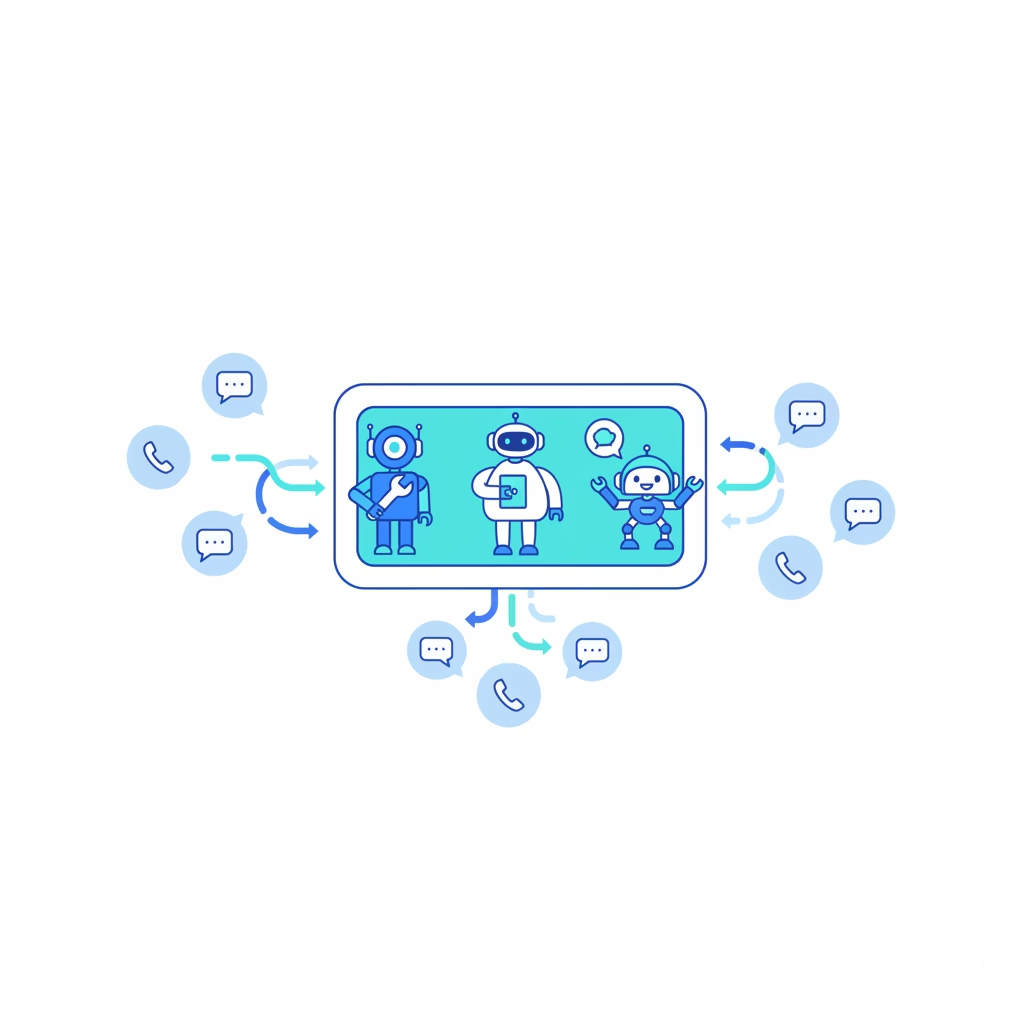

OpenClaw multi-agent routing is how one Gateway process runs several isolated agents at once and sends each incoming message to the right one. Not with a clever language model guessing who should answer. With a short list of rules you write yourself, evaluated most-specific-first. That distinction sounds boring. It is also the entire point, and it is why the OpenClaw version of “multi-agent” behaves very differently from the multi-agent swarms you have been reading about all year.
If you have wired up one OpenClaw agent already and now want a work bot and a home bot, or a support persona and a marketing persona, sharing one server, this is the piece that makes them stop stepping on each other.
Two very different things get called “multi-agent”
Before any config, clear up the word, because two camps use it and they mean opposite things.
The first camp means LLM orchestration: a lead model reads your task, spawns three to five worker models, farms out subtasks, and stitches the answers back together. Anthropic’s own research system is the poster child. It beat single-agent Claude Opus 4 by 90.2% on their internal research eval, and it burned about 15 times the tokens of a normal chat to do it. In their analysis, token usage alone explained 80% of the performance variance. That is the trade: more parallel brains, much bigger bill.
The second camp, the OpenClaw one, means routing and isolation: several independent agents, each with its own files, memory, and login, running side by side, with a deterministic rule deciding which agent owns which conversation. No model is deciding anything at routing time. A binding does.
Keeping these straight matters because the failure modes differ. Orchestration fails on cost and latency. Routing fails on ambiguity. This post is about the second kind, and near the end I will show you where OpenClaw does the first kind too (sub-agents), so you know which tool you actually reached for.

What “one agent” really means in OpenClaw
An agent in OpenClaw is not just a personality prompt. It is a full boundary. Each agent gets its own:
- Workspace — the files,
AGENTS.md,SOUL.md,USER.md, local notes, and persona rules. - State directory (
agentDir) — auth profiles, the model registry, per-agent config. - Session store — chat history and routing state in its own SQLite file at
~/.openclaw/agents/<agentId>/agent/openclaw-agent.sqlite.
That is the isolation people actually want when they say “keep my work bot separate from my home bot.” Separate auth, separate history, separate workspace. Tell the home bot something private and it does not leak into a work reply, because the two never share a session store.
If you configure nothing, you still have one agent. Its agentId is main, its workspace is ~/.openclaw/workspace, and every direct chat collapses into agent:main:main. Multi-agent is what you opt into when one persona is no longer enough.
One caveat worth reading twice: the workspace is the default working directory, not a hard sandbox. Relative paths stay inside it; absolute paths can reach elsewhere on the host unless you turn on sandboxing. Isolation of state is not the same as isolation of the filesystem. More on locking that down later.
Bindings: the rule that does the routing
A binding maps a channel account to an agent. That is the whole routing engine. When a message lands, OpenClaw looks at three things — the channel, the account it arrived on, and the peer (the specific DM or group) — and picks the agent whose binding is the closest match.
Here is a two-agent setup: a WhatsApp personal number goes to a home agent, a WhatsApp biz number goes to a work agent, and one specific group is forced over to work even though it arrives on the personal number.
{
  agents: {
    entries: {
      home: { default: true, name: "Home", workspace: "~/.openclaw/workspace-home" },
      work: { name: "Work", workspace: "~/.openclaw/workspace-work" },
    },
  },

  // Deterministic routing: first match wins, most-specific first.
  bindings: [
    { agentId: "home", match: { channel: "whatsapp", accountId: "personal" } },
    { agentId: "work", match: { channel: "whatsapp", accountId: "biz" } },

    // Per-peer override: send one group to work, even on the personal number.
    {
      agentId: "work",
      match: {
        channel: "whatsapp",
        accountId: "personal",
        peer: { kind: "group", id: "1203630...@g.us" },
      },
    },
  ],
}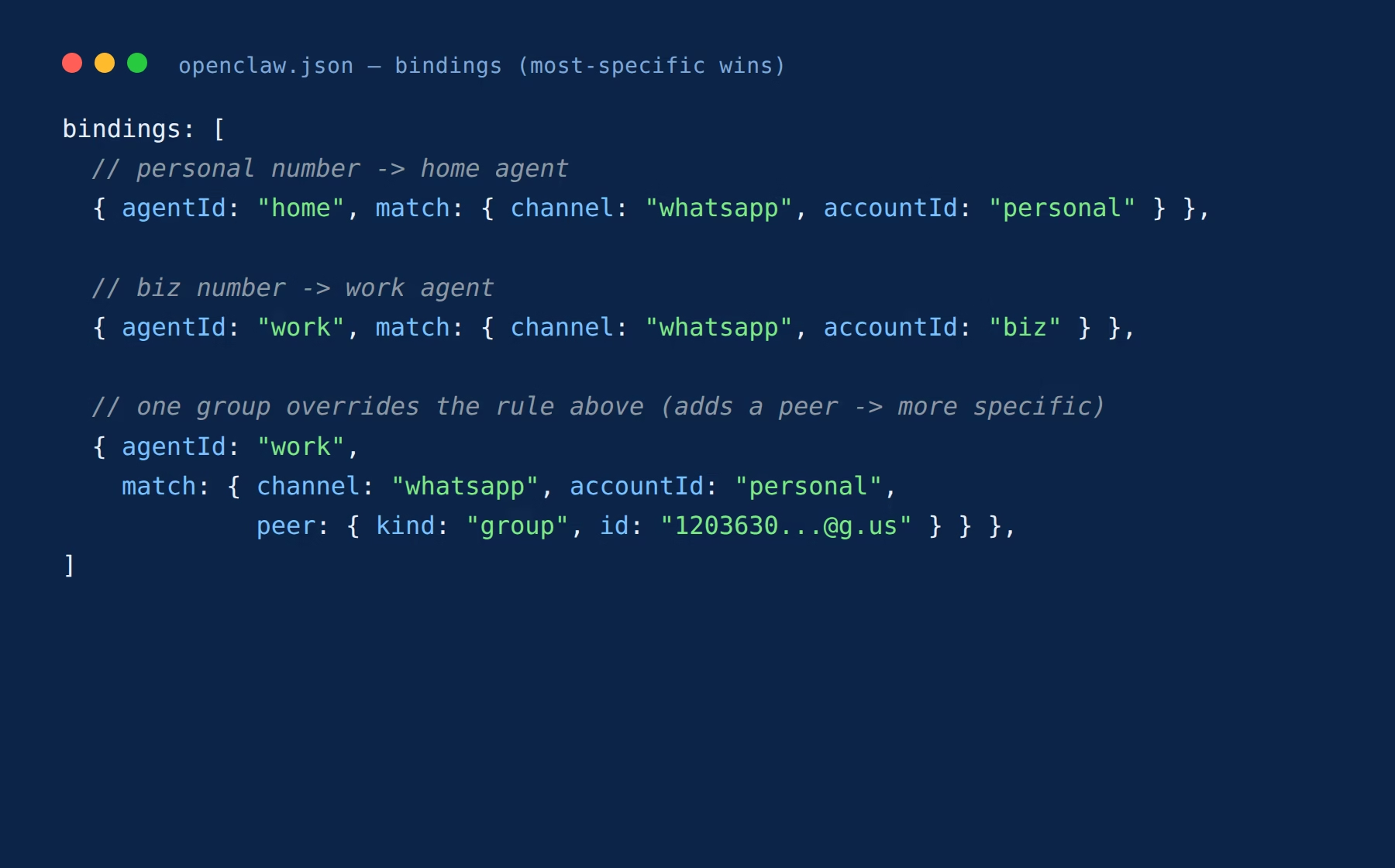
Read that last binding carefully. It is more specific than the plain personal rule because it also names a peer, so it wins for that one group and nothing else. This is the mental model for the whole system: add specificity to override, never reorder your brain to guess what fires.
The tiers, in the order they are checked
Routing walks from most specific to least, and stops at the first hit:
- Exact peer (a specific DM id or group id)
- Parent peer (a thread inheriting from its parent conversation)
- Peer wildcard
- Guild plus roles
- Guild
- Team
- Account
- Channel
- Default agent (the fallback)
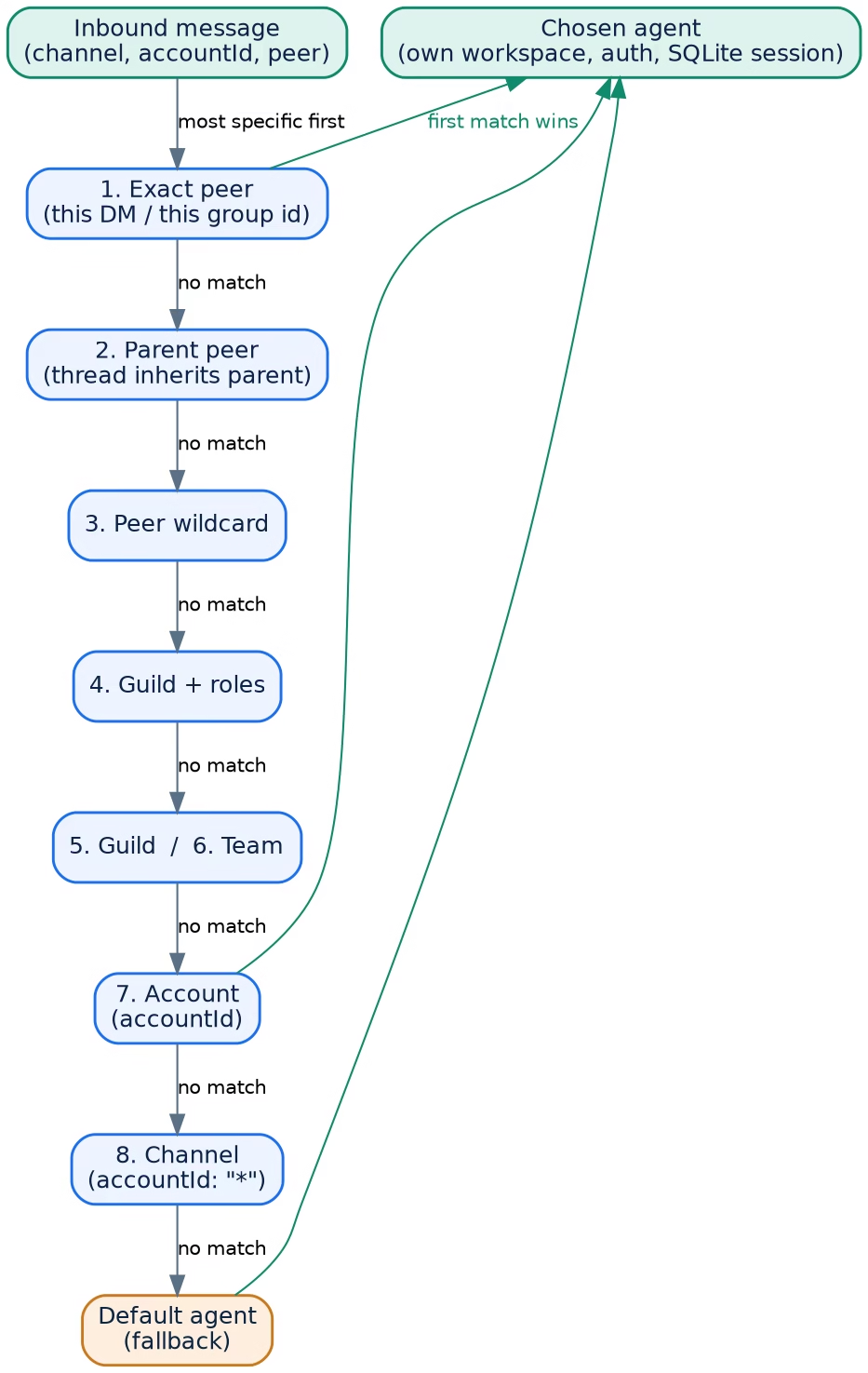
Three rules save you most of the debugging. If two bindings tie inside the same tier, the first one in config order wins. If a binding lists several match fields, all of them must match — it is AND, not OR. And a binding that omits accountId matches only the default account, not every account; use accountId: "*" when you want a channel-wide catch-all. That last one bites people constantly, so I will come back to it.
One number, several people: the split you should not oversell
You can route different DMs on a single WhatsApp number to different agents by matching the sender’s phone number:
{
  agents: {
    entries: {
      alex: { default: true, workspace: "~/.openclaw/workspace-alex" },
      mia:  { workspace: "~/.openclaw/workspace-mia" },
    },
  },
  bindings: [
    { agentId: "alex", match: { channel: "whatsapp", peer: { kind: "direct", id: "+15551230001" } } },
    { agentId: "mia",  match: { channel: "whatsapp", peer: { kind: "direct", id: "+15551230002" } } },
  ],
  channels: {
    whatsapp: {
      dmPolicy: "allowlist",
      allowFrom: ["+15551230001", "+15551230002"],
    },
  },
}
It works, but know its edges before you build on it. Replies still come from the same WhatsApp number — there is no per-agent sender identity, so both people see the same “from.” Access control (pairing and allowlists) is global per account, not per agent. And direct chats collapse to each agent’s main session key, so genuinely separate histories mean one agent per person, which is exactly what the config above does. If you need real per-user identity, give each persona its own number and bind by accountId.
Why deterministic beats “let the model decide”
Here is the opinion this post is built on: for routing, deterministic is not the primitive version, it is the correct version.
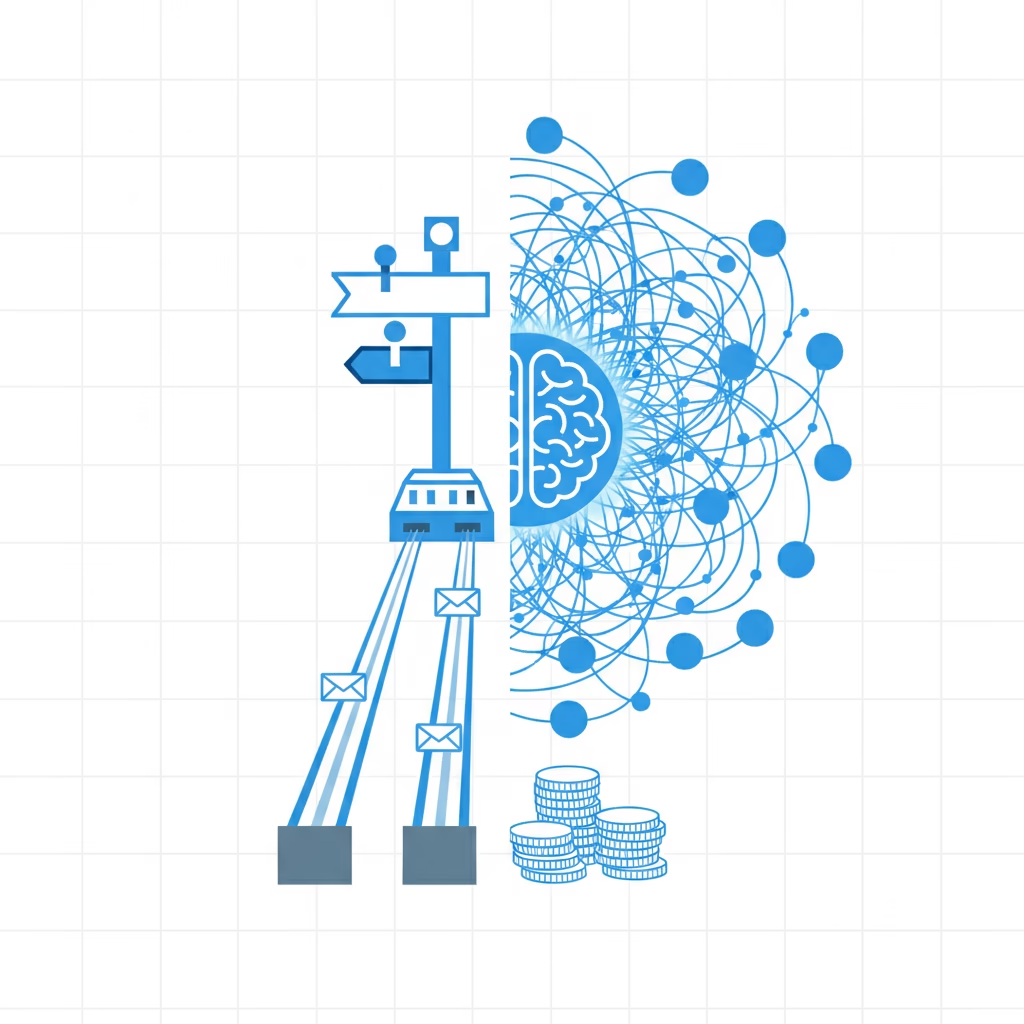
The orchestration crowd is not wrong that multi-agent can win. Anthropic’s 90.2% is real. But look at what it costs — 15x the tokens — and where it applies. Their own writeup is blunt that the pattern fits breadth-first research where paths are independent and the information exceeds one context window. It is a poor fit for coding, debugging, and workflows where agents share context and depend on each other, because a coordinator adds latency and every hop multiplies spend. Independent analyses put a three-agent orchestration at roughly ten times the cost of a single agent for the same job. You pay that on every message, whether the task needed it or not.
OpenClaw routing spends none of that. A binding is a table lookup. It is instant, it is free, and it is testable — you can read the config and know exactly which agent answers a given chat before a single token is spent. When your problem is “which persona owns this conversation,” a language model in the routing path is cost and nondeterminism you did not need.
When you do want the orchestration flavor — one agent farming out parallel research and synthesizing it — OpenClaw has a separate tool for that: sub-agents. A running agent spawns background sub-agents programmatically, they work in isolated sessions, and they report findings back for the parent to synthesize. That is orchestration, and it is deliberately not the routing layer. Routing decides who talks to the user. Sub-agents decide how one agent gets heavy work done. Reaching for the right one is half the battle.
Per-agent guardrails: sandbox and tools
Because each agent is a real boundary, you can hand different agents different amounts of rope. A personal agent can run unsandboxed with every tool; a family or shared agent can be locked to read-only inside a container:
{
  agents: {
    entries: {
      personal: {
        default: true,
        workspace: "~/.openclaw/workspace-personal",
        sandbox: { mode: "off" },
      },
      family: {
        workspace: "~/.openclaw/workspace-family",
        sandbox: { mode: "all", scope: "agent" },
        tools: {
          allow: ["read"],
          deny: ["exec", "write", "edit", "apply_patch"],
        },
      },
    },
  },
}
Two gotchas. These allow/deny lists are tools, not skills — if a skill shells out to a binary, that agent still needs exec allowed. And elevated commands have both a global gate and a per-agent gate; the per-agent one can only tighten the global one, never loosen it. Both must say yes.
The mistakes that eat an afternoon
Three recurring ones, in rough order of how often they bite:
Omitting accountId and expecting a catch-all. A binding without accountId matches only the default account. Add a second account and it silently does not route. Use accountId: "*" when you mean “any account on this channel,” and add explicit-account bindings above it for the exceptions.
Reusing an agentDir across agents. Do not. Shared state directories collide on auth and sessions. If a secondary agent’s OAuth credential expires, OpenClaw reads through to the default agent’s credential for the same profile and adopts whichever token is freshest — handy as a fallback, confusing if you expected hard separation. Want a fully independent login? Sign in from that agent. Only portable static api_key or token profiles copy cleanly; OAuth refresh material does not travel by default.
Forgetting that plugin storage has its own rules. Adding a second agent does not automatically split every global plugin store. Memory Wiki, for instance, uses one shared vault until you set its scope to agent. If two personas must not share compiled knowledge, configure that explicitly.
After any binding change, restart and verify. Reading the table beats guessing:
openclaw gateway restart
openclaw agents list --bindings
openclaw channels status --probe
Frequently asked questions
Is OpenClaw multi-agent routing the same as a multi-agent LLM system?
No. Routing sends each message to one of several isolated agents using deterministic rules — no model runs at routing time. A multi-agent LLM system has models delegating to each other at runtime. In OpenClaw that second pattern is sub-agents, a separate feature.
Do multiple agents mean multiple servers?
No. Every agent runs inside one Gateway process on one server. They share the infrastructure and stay isolated at the workspace, auth, and session level.
How does OpenClaw pick which agent answers?
Bindings, evaluated most-specific-first across a fixed tier order (exact peer down to default agent). First match wins; if a binding names several fields, all must match.
Can two people share one WhatsApp number but get different agents?
Yes, by binding on each sender’s phone number, but replies come from the same number and access control is global per account. For true per-user separation, give each persona its own number.
When should I actually run multiple agents?
When you need separate personas, separate logins, separate memory, or different tool and sandbox policies on one box. If you only need one personality answering on several channels, a single agent is simpler and cheaper.
Start with two, not ten
The fastest way to understand routing is to build the smallest real version of it. Add one second agent with openclaw agents add work, bind it to one account, send a message, and run openclaw agents list --bindings to watch the rule fire. Once two agents route cleanly and never cross-talk, scaling to five is just more rows in the same table. Get the boring, deterministic core right first — the fancy orchestration can wait until you have a problem that actually needs 15x the tokens.