

OpenClaw agent memory is not a database you query and never see. It is a folder of plain Markdown files sitting in your agent’s workspace, and the model remembers exactly what those files say. Nothing more. There is no hidden state, no secret embedding vault deciding what your agent “really” knows. If you want to read your agent’s memory, you open a text file. If you want to change it, you edit that file. That single design choice separates OpenClaw from most of the agent-memory products shipping in 2026, and it is worth understanding before you trust an agent to remember anything that matters.
Most guides on this topic march you straight to a vector database. Pick Pinecone or Weaviate, embed everything, retrieve by cosine similarity, done. That works, but it hides your agent’s memory inside an opaque index you cannot read over morning coffee. OpenClaw makes the opposite bet: files first, search on top. Here is how it actually works, what goes where, and why the boring version wins more often than the clever one.
Files on disk, not hidden state
The core promise is blunt. The model only remembers what gets written to disk. When a session ends, anything not saved to a file is gone. That sounds like a limitation until you have spent an afternoon trying to figure out why a competing agent “forgot” a preference it swore it had learned. With OpenClaw you never guess. You cat the file.
An agent has four memory-related files, each with a different job:
USER.md:the compact user model. Stable preferences, communication style, relationships, and active-project context, written as directives. Loaded at the start of a session on its own small budget.MEMORY.md:long-term memory. Durable, non-profile facts and standing decisions. Also loaded at session start.memory/YYYY-MM-DD.md:daily notes. Running observations and session summaries. Today’s and yesterday’s dated notes load automatically on a bare/newor/reset.DREAMS.md:the Dream Diary. Summaries from the background consolidation sweep, written for a human to review.
You do not have to memorize any of that to use it. If you want the agent to remember something, you tell it: “Remember that I prefer TypeScript.” It writes the note to the right file and moves on. The structure matters when you want to audit, prune, or debug memory yourself, which you eventually will.
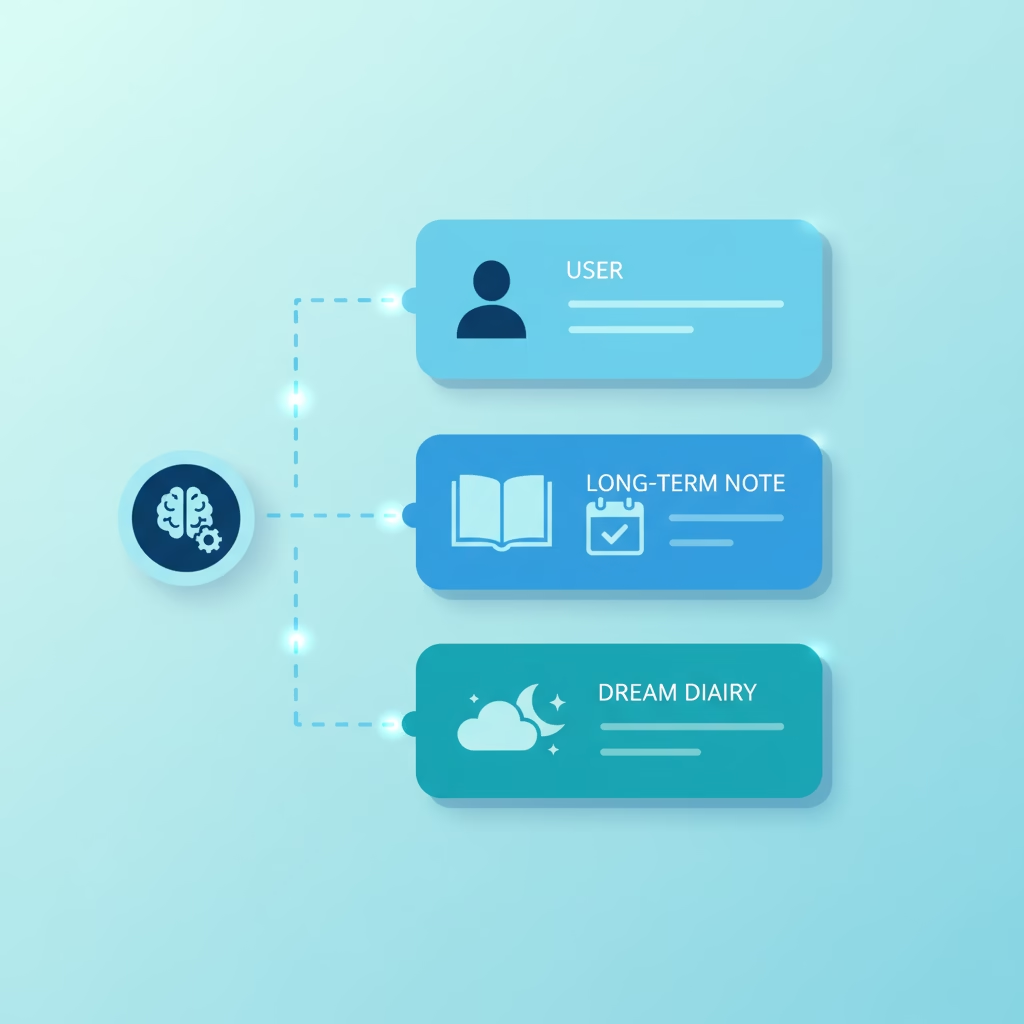
What goes where, and why the split matters
The mistake people make is dumping everything into one file. OpenClaw splits memory by how durable and how compact each layer needs to be, and the split is doing real work.
USER.md is the profile layer. It holds imperative directives with observed-date and active-or-superseded metadata. The important rule: when a preference changes, you supersede it in place. You do not append a contradictory line and leave both active. An agent that “knows” you prefer both dark mode and light mode knows nothing.
MEMORY.md is the curated summary layer. Durable facts and decisions that should be in front of the model the moment a session starts. It is explicitly not a raw transcript or an exhaustive archive. The moment it reads like a log, it has failed at its job.
memory/YYYY-MM-DD.md is the working layer. This is where detail lives. These files are indexed for search but are not injected into the prompt on every turn, which is exactly why they can be verbose. You get a cheap place to keep everything and an expensive place (the bootstrap prompt) that stays lean.
That last point is the one to internalize. Bootstrap context has a budget. If MEMORY.md grows past it, OpenClaw keeps the full file on disk but truncates the copy it injects into context. Your file is safe; your prompt just stops seeing all of it. When that happens, the fix is to push detail down into memory/*.md and keep only a durable summary up top. You can check raw versus injected sizes with /context list, /context detail, or openclaw doctor.
Dreaming: how notes become long-term memory
Here is where OpenClaw stops being a filing cabinet and starts acting like memory. You do not hand-promote every useful daily note into MEMORY.md. A background process called dreaming does it for you.
Dreaming runs on a schedule. When enabled, the memory-core plugin auto-manages a recurring cron job for a full sweep. The sweep collects short-term recall signals, scores candidate notes, and promotes only the ones that clear a set of gates: a score threshold, how often the note actually gets recalled, and how varied the queries hitting it are. A note nobody ever retrieves does not graduate. A note that answers ten different questions does.
Two details make this safe rather than just clever. First, a bounded sub-agent rewrite merges duplicates and supersedes stale entries after the deterministic gate runs, so MEMORY.md gets tidier over time instead of just longer. Second, untrusted and system-derived candidates are taint-gated: they never enter the consolidation prompt or the durable promotion path. Something a random webpage told your agent does not quietly become a “fact” it believes next week.
Everything the sweep does gets written to DREAMS.md for you to review. Promotion counts, highlights, the lot. Memory that consolidates itself but shows you its work.

This is a known research pattern, not a gimmick
The dreaming design is not invented from nothing. OpenClaw’s docs point at two lines of research, and both hold up.
The scheduling motivation follows sleep-time compute (arXiv:2504.13171), a 2025 paper from Letta and UC Berkeley. Its idea: instead of doing all the reasoning at the moment a user asks, let the model “think” during idle time about the context it already has, and cache the useful results. The paper reports cutting the test-time compute needed to hit a given accuracy by roughly 5x on their stateful benchmarks, and pushing accuracy up by scaling that offline work. Consolidating memory while the agent is idle is the same move, applied to what it remembers instead of what it computes.
The reflection design follows the Generative Agents work from Park et al. (Stanford and Google, 2023), the “Smallville” simulation where 25 language-model characters formed relationships and planned a Valentine’s Day party on their own. Its memory stream scored each observation by importance and periodically paused to synthesize higher-level reflections that guided later behavior. OpenClaw’s threshold-gated, provenance-aware promotion is the production-grade descendant of that: score, gate, consolidate, keep the trail.
If you have read either paper, OpenClaw’s memory model will feel familiar in the best way. It is applied research, not a marketing word.
Search: files do not mean grep-only
The obvious objection to file-based memory is retrieval. Surely you lose semantic search? You do not. The agent has three tools, and they run on top of the files:
memory_search:finds relevant notes by meaning, even when your wording differs from what was written.memory_get:reads a specific file or line range exactly.intent:creates, lists, or cancels event-conditioned standing intents (the “when X happens, do Y” kind; clock-time reminders stay with scheduled tasks).
When an embedding provider is configured, memory_search runs hybrid search: vector similarity for meaning combined with keyword matching for exact terms like IDs and code symbols. That keyword half matters more than people expect. Pure embeddings are famously bad at exact strings; hybrid catches the ticket number and the function name that a cosine score would smear over. OpenClaw defaults to OpenAI embeddings, but you can point memory.search.provider at Gemini, Voyage, Mistral, Bedrock, a local GGUF, Ollama, and more.
So the trade-off everyone assumes, human-readable files or semantic retrieval, is a false one here. You get both. The files stay the source of truth; the index is a rebuildable layer over them.
# Inspect and manage the memory index from the CLI
openclaw memory status          # index status and active provider
openclaw memory search "leave policy"   # search from the terminal
openclaw memory index --force   # rebuild the index from the files
The backend is swappable
The default backend is SQLite-based and needs no extra dependencies. It handles keyword, vector, and hybrid search out of the box. That is the right default for almost everyone. But if your needs grow, the backend is a plugin choice, not a rewrite:
- Builtin:SQLite, zero setup, the default.
- QMD:a local-first sidecar with reranking, query expansion, and the ability to index directories outside the workspace.
- Honcho:AI-native cross-session memory with user modeling and multi-agent awareness.
- LanceDB:LanceDB-backed with auto-recall, auto-capture, and local Ollama embeddings.
There is also a memory-wiki plugin for teams that want durable knowledge to behave like a maintained wiki, with structured claims, evidence, contradiction tracking, and generated dashboards. It sits beside the active memory plugin rather than replacing it. Most people never need it. The ones who do tend to know exactly why.
Action-sensitive memories: the detail that prevents mistakes
One part of OpenClaw’s memory model is easy to skim and expensive to skip. Most notes are ordinary facts. Some notes change what the agent should do later, and those need more than the fact. They need the boundary around acting on it.
When a note involves an approval requirement, a temporary constraint, a handoff to another session, an expiry condition, or an instruction to avoid a tempting action, capture when it is safe to act, not just what is true. A good action-sensitive memory makes clear what changes future behavior, under what condition it applies, when it expires or what unlocks it, and who the source is.
The API migration is being designed in another session. Future turns
should not edit the API implementation from this thread; use findings
here only as design input until the migration plan lands.
One honest caveat, straight from the docs: memory can preserve approval context, but it does not enforce policy. A note that says “don’t deploy without sign-off” is a reminder, not a guardrail. For hard controls you use OpenClaw’s approval settings, sandboxing, and scheduled tasks. Memory summarizes the context around a rule; it is not the lock on the door.
Bringing memory in from other tools
If you are moving from another assistant, you do not start cold. The Control UI can import existing local Markdown memory from Codex, Claude Code, and Hermes under Settings → Import Memory. It copies only Markdown memory files, leaves the sources untouched, and keeps imports separate under memory/imports/<source>/ where they are searchable but not merged into your bootstrap MEMORY.md. Credentials, settings, and raw transcripts are never part of that copy. It is a memory-only action by design.
Why file-first is the right default
Step back and the argument is simple. An agent’s memory is one of the few parts of the system you genuinely need to trust. You need to know what it knows, correct what it gets wrong, and version what changes. A folder of Markdown files gives you all three for free. It drops into Git. A teammate can read it. There is no vendor lock and no thread ID holding your agent’s history hostage. This is exactly the “Markdown-first” approach that a growing number of teams reported running in production through 2026, precisely because the memory stays legible.
The usual counter, that files cannot scale to real retrieval, does not land against OpenClaw, because the hybrid search and swappable backends are already there. You give up nothing on recall and gain everything on transparency. The clever opaque index is the thing you reach for when the boring legible one truly runs out, and for most agents it never does.
Frequently asked questions
Where does OpenClaw store agent memory?
In plain Markdown files inside the agent’s workspace, by default ~/.openclaw/workspace. The key files are USER.md, MEMORY.md, dated notes under memory/YYYY-MM-DD.md, and DREAMS.md. The model only remembers what those files contain.
What is the difference between USER.md and MEMORY.md?
USER.md is the compact profile layer: stable preferences and personal context as directives. MEMORY.md is durable, non-profile facts and standing decisions. Both load at the start of a session, on separate budgets.
What is dreaming in OpenClaw?
Dreaming is the default background sweep that reads short-term recall signals, scores candidate notes, and promotes only qualified ones into long-term MEMORY.md. It runs on a schedule, merges duplicates, taint-gates untrusted material, and logs its work to DREAMS.md.
Does file-based memory mean no semantic search?
No. The memory_search tool runs hybrid search over the files, combining vector similarity with keyword matching when an embedding provider is set. The files stay the source of truth; the search index is a rebuildable layer on top.
Can I move memory from Claude Code or Codex into OpenClaw?
Yes. The Control UI’s Import Memory action copies Markdown memory from Codex, Claude Code, or Hermes into memory/imports/, where it is searchable but kept separate from your bootstrap MEMORY.md. Only Markdown is copied; credentials and settings are not.
Where to go next
The fastest way to understand OpenClaw memory is to use it. Start one agent, tell it three things worth remembering, then open MEMORY.md and read what it wrote. Let it run a few days and check DREAMS.md to watch dreaming promote your daily notes on its own. Once you trust what you can see, tune the rest: point memory.search.provider at your preferred embeddings, and read the dreaming and memory-search docs when you want to go deeper. For hard operational rules, pair memory with scheduled tasks rather than trusting a note to enforce them.