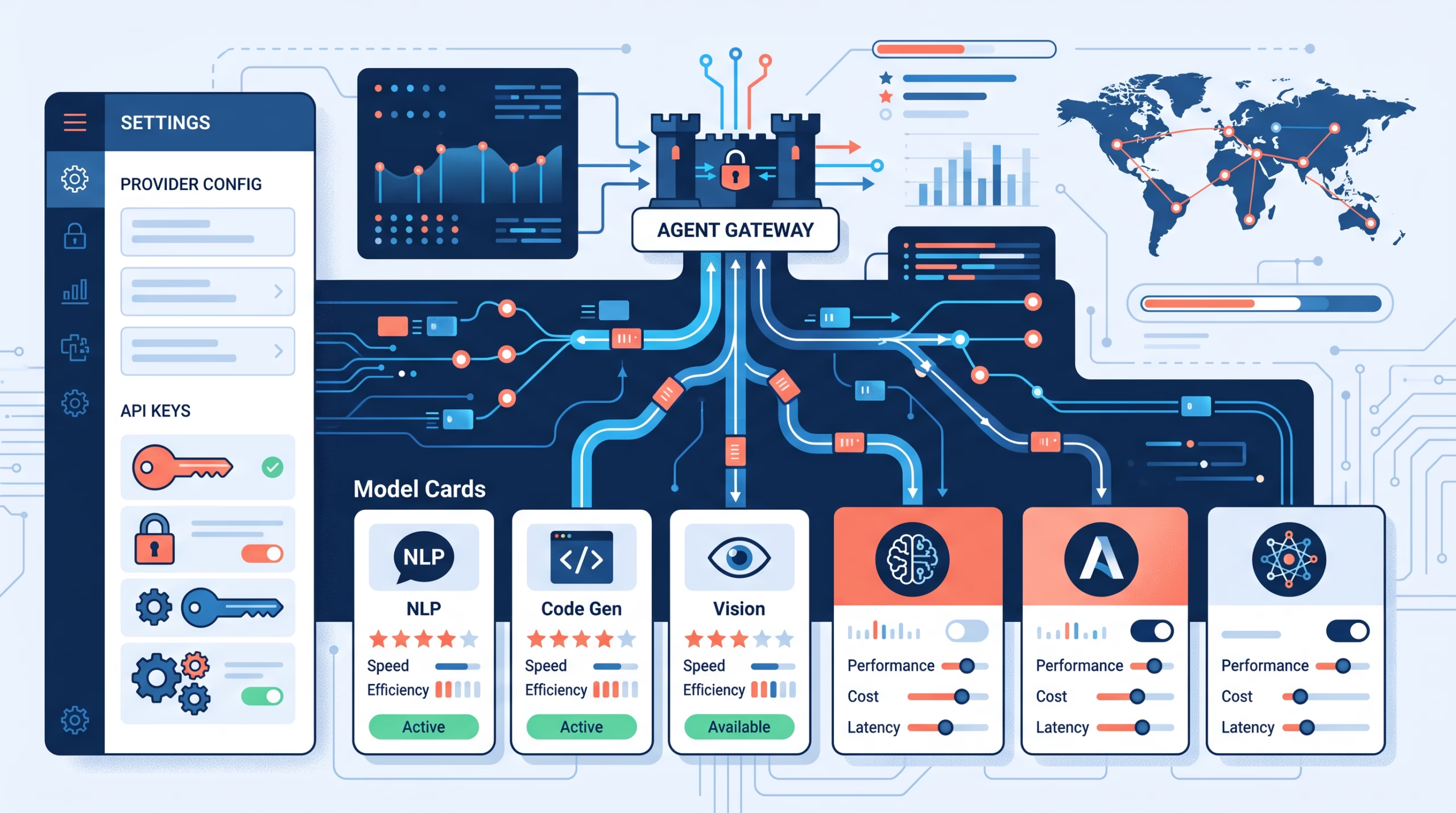

OpenClaw model providers look simple at first: add a key, pick a model, start chatting. That is fine for a test agent. It is not enough for an agent that runs cron jobs, handles private context, calls tools, or talks to users through Telegram, Slack, WhatsApp, or email.
For a real OpenClaw setup, provider choice is not a brand preference. It is an operating decision. Your primary model decides the agent’s default quality bar. Your fallback list decides what happens when that primary is slow, rate-limited, or down. Your auth profiles decide which account or key pays for the run. Your runtime policy decides whether a request stays in OpenClaw’s normal runner, uses a provider-owned path, or goes through a local CLI style backend.
That split is the part people miss. If you treat “model provider” as one setting, small changes become risky. Add a new key and suddenly the default changes. Switch models mid-session and cache behavior shifts. Use a weak fallback for a tool-heavy agent and the next outage turns into a bad tool call. OpenClaw gives you enough control to avoid that, but only if you choose providers with intent.
OpenClaw model providers are not just API keys
OpenClaw model references use a plain format: provider/model. You might see refs like openai/gpt-5.6-sol, anthropic/claude-opus-5, or a local ref such as lmstudio/my-local-model. The provider prefix matters because it tells OpenClaw where the request goes and which plugin or configured provider row owns the behavior.
The main CLI flow is direct enough:
openclaw onboard
openclaw models list
openclaw models set <provider/model>
The important detail is what OpenClaw does not do. Adding provider auth does not replace an existing primary model by surprise. Reauthenticating a provider also preserves the current primary unless you explicitly ask to set a new default with openclaw models set or openclaw models auth login --provider <id> --set-default.
That is the right behavior. A provider key should make a model available. It should not rewrite the personality, cost profile, context behavior, or tool-call reliability of every agent on the box.
Start with the job the agent does
Before choosing a provider, write down what the agent actually does. Not the marketing category. The work.
- Does it call tools that can spend money, change files, send messages, or update tickets?
- Does it read untrusted input from chat channels, webhooks, email, or scraped pages?
- Does it need long context, or does it mostly handle short command-style turns?
- Does latency matter more than reasoning depth?
- Does data residency matter?
- Can a failed run wait, or does it need a fallback in the same turn?
For tool-enabled agents and untrusted inputs, do not make an older or weaker model the default just because it is cheap. OpenClaw’s own model policy guidance says to use the strongest latest-generation model available as the primary, use fallbacks for cost and latency-sensitive work, and avoid weaker tiers for tool-enabled or untrusted-input agents. That is good advice. A cheap model that makes one bad destructive tool call is not cheap.
For lower-stakes tasks, the answer can be different. A summarizer that drafts meeting notes, a cron job that watches RSS feeds, or a utility model used for lightweight classification can tolerate a faster, cheaper provider. The trick is to separate those routes from the agent’s main decision-making model.
The default model should be boring on purpose
Your default model should not be the newest thing you are curious about. It should be the model you trust to handle the agent’s normal day without surprises.
In OpenClaw, the configured default lives under settings such as agents.defaults.model.primary. A per-agent primary can override that shared default. The default is the model new or unpinned sessions inherit, and it is also the model most operators forget they changed until something feels off.
Pick a default that has:
- Good tool-call behavior for your agent’s tool set
- Enough context for normal sessions before compaction
- Predictable latency under your usual traffic
- A price you can live with on routine turns
- Stable auth, billing, and quota headroom
Then leave it alone until you have a reason to change it. When you do test a new model, use a new session or a session-scoped model selection first. Mid-session model switches can change context handling, prompt-cache behavior, tool behavior, and cost. That is not always wrong, but it should be deliberate.
Use fallbacks as recovery rules, not taste tests
Fallbacks answer one question: if the selected primary cannot complete the run, what is the least surprising recovery path?
That is different from asking, “Which model might be fun to try next?” A fallback should be close enough to the primary that the agent still behaves within the same operating envelope. If the primary is a strong tool-using model, the fallback should also be strong at tool calls. If the primary has a large context window, the fallback needs enough context for the same workload or you should expect more failures during long sessions.
OpenClaw’s selection behavior draws a useful line:
- A configured default can use configured fallbacks.
- An automatic fallback is temporary recovery state.
- An explicit user session model selection is strict.
That last point matters. If a user pins a session to a specific provider/model, OpenClaw does not silently drift to another configured model when that selected model fails. It fails visibly. For operators, that is a feature. A visible failure is annoying. A silent model change can be much worse, especially when the agent is acting on files, infrastructure, or messages.
Auth rotation is not the same as model fallback
OpenClaw can rotate provider keys and auth profiles, but that is not the same thing as changing the model. This distinction saves a lot of debugging.
Provider auth can come from a short, defined priority chain. The model provider docs list patterns such as OPENCLAW_LIVE_<PROVIDER>_KEY, <PROVIDER>_API_KEYS, <PROVIDER>_API_KEY, and numbered keys like <PROVIDER>_API_KEY_1. OpenClaw keeps the priority order, deduplicates values, and retries with the next key only on rate-limit style responses. Ordinary non-rate-limit failures fail immediately.
That is a good boundary. If one OpenAI key is rate-limited, trying another OpenAI key for the same model may be exactly what you want. If the request is malformed, rotating keys will not fix it. If the selected model itself is unavailable, model fallback may be the right path. Different problem, different recovery.
For subscription-backed or OAuth-backed setups, profiles add another layer. OpenClaw can keep multiple profiles for a provider and choose among them using configured order, stored profiles, cooldowns, and session stickiness. The session stickiness exists for a reason: provider caches are more useful when the same session keeps using the same profile when possible.
Hosted, local, proxy, or subscription-backed?
Most OpenClaw installs end up using more than one provider style. That is fine. The mistake is expecting each style to solve the same problem.
Hosted API providers
Hosted API providers are the easiest default for most operators. OpenAI, Anthropic, Google, and similar providers give you managed latency, current models, and fewer moving parts. They are usually the best starting point for agents that call tools, reason over code, or need reliable structured outputs.
The tradeoff is dependency. You inherit the provider’s rate limits, billing state, regional behavior, outages, and model catalog changes. That is why fallbacks and auth rotation matter.
Local models
Local models are attractive when privacy, cost control, or offline behavior matters. OpenClaw supports local and OpenAI-compatible providers through configured rows such as models.providers.<id>. The provider-local model ID sits inside the provider row, while the selected model ref includes the provider prefix.
For example, a provider row might define model ID my-local-model, while the primary selection uses local/my-local-model. That difference is small, but it prevents many broken configs.
Local models are not free operationally. You own the server, memory pressure, GPU limits, context limits, tool-call quirks, and timeout tuning. For simple private summarization, local can be excellent. For high-risk tool use, test hard before making it the primary.
OpenAI-compatible proxies
LiteLLM, OpenRouter, custom gateways, and other OpenAI-compatible routes can make provider management easier. LiteLLM’s router docs talk about load balancing, retries, cooldowns, fallbacks, and timeouts across deployments/providers. OpenRouter’s docs describe automatic model routing. Those tools can be useful, especially when you want one API shape over many providers.
Still, a proxy does not remove the need for OpenClaw-side intent. If the proxy auto-routes to a weaker model during a tool-heavy turn, OpenClaw only sees the effective route behavior. Keep high-risk agents on explicit model refs unless you have tested the proxy’s routing rules under the same workload.
Subscription-backed routes and CLI runtimes
OpenClaw also supports routes where auth, model refs, and runtimes are separate. OpenAI is the easiest place to get confused. An openai/<model> ref selects the canonical OpenAI provider/model. It does not, by itself, mean “use Codex.” Runtime selection depends on route compatibility or explicit runtime policy.
CLI runtimes have a similar split. You can use canonical refs such as anthropic/... or google/..., then set provider/model runtime policy when you want a local CLI backend. The model ref and the runner are related, but they are not the same setting.
OpenAI provider refs and runtime policy
The provider/runtime split deserves its own section because it is where many OpenClaw setups get messy.
Use openai/<model> for the canonical OpenAI provider ref. Let OpenClaw decide the compatible route when the provider/model runtime policy is unset or automatic, unless you have a reason to pin the runtime. If a recipe depends on the built-in OpenClaw runner, set agentRuntime.id: "openclaw". If it depends on Codex, set agentRuntime.id: "codex" and expect it to fail closed when the route is not compatible.
That fail-closed behavior is exactly what you want in production. A route that silently changes runtime can change streaming, request shaping, service-tier handling, prompt-cache behavior, and plugin auto-enable behavior. A clear failure is easier to fix than a quiet behavior change.
A practical setup checklist
Here is the provider checklist I would use for a new OpenClaw agent:
- Choose the primary model for the agent’s real job, not for the benchmark headline.
- Confirm tool-call behavior with the exact tools the agent will use.
- Set one or two fallbacks that preserve the same safety and context expectations.
- Keep utility models separate from the main model when cheap classification is enough.
- Add provider auth without changing the primary unless you mean to.
- Use auth order and multiple profiles for capacity before reaching for model fallback.
- Test rate-limit, bad-key, timeout, and unavailable-model cases.
- Use allowlists for teams or agents where model drift would be a security or cost problem.
- Start a new session for major model tests so old context and cache behavior do not cloud the result.
- Document the reason for every fallback. If nobody can explain why it is there, remove it.
That last line is harsh, but it keeps configs clean. A fallback list is not a trophy shelf. It is an incident plan.
Suggested internal and external links
- Internal: OpenClaw model failover
- Internal: OpenClaw secrets management
- External: OpenClaw model providers docs
- External: OpenClaw local models docs
FAQ about OpenClaw model providers
What is the best OpenClaw model provider?
There is no single best provider. For most tool-using agents, start with the strongest hosted model you can reliably access, then add fallbacks that preserve tool behavior and context size. For private or cost-sensitive work, test local or proxied models on lower-risk tasks first.
Does adding a provider change my primary model?
No, not by default. OpenClaw preserves the current primary when you add or reauthenticate a provider. To intentionally switch, use openclaw models set <provider/model> or pass --set-default during provider auth login.
Should I use automatic routing through a proxy?
Use it when the workload can tolerate provider variation and you trust the routing rules. For high-risk agents that call tools, explicit model refs are easier to reason about. A proxy is helpful, but it should not hide which model is making important decisions.
Can local models be the default in OpenClaw?
Yes. OpenClaw can use local and OpenAI-compatible providers through custom provider config. Make the local model the default only after you test context size, timeout behavior, tool-call formatting, and recovery paths under real prompts.
How many fallbacks should I configure?
Usually one or two. More fallbacks can make incidents harder to understand. Pick recovery models that match the primary’s job, then test the actual failure path before depending on it.
Final take
Choosing OpenClaw model providers is less about picking a favorite LLM brand and more about drawing clean operating boundaries. The primary model is the promise. Auth rotation is the capacity plan. Fallbacks are the recovery plan. Runtime policy is the execution contract.
Keep those choices separate and OpenClaw stays predictable. Mix them together and every provider change becomes a guessing game. For a self-hosted agent that can read memory, call tools, and speak through real channels, predictable wins.
CTA: If your OpenClaw agent already has more than one provider configured, audit the primary, fallbacks, auth order, and session pins before your next cron or user-facing workflow depends on them.