The OpenClaw BlueBubbles iMessage bridge is now a migration topic, not a setup path. OpenClaw no longer ships the BlueBubbles channel. The supported route for iMessage is the official @openclaw/imessage plugin, backed by imsg running on a Mac where Messages.app is signed in.
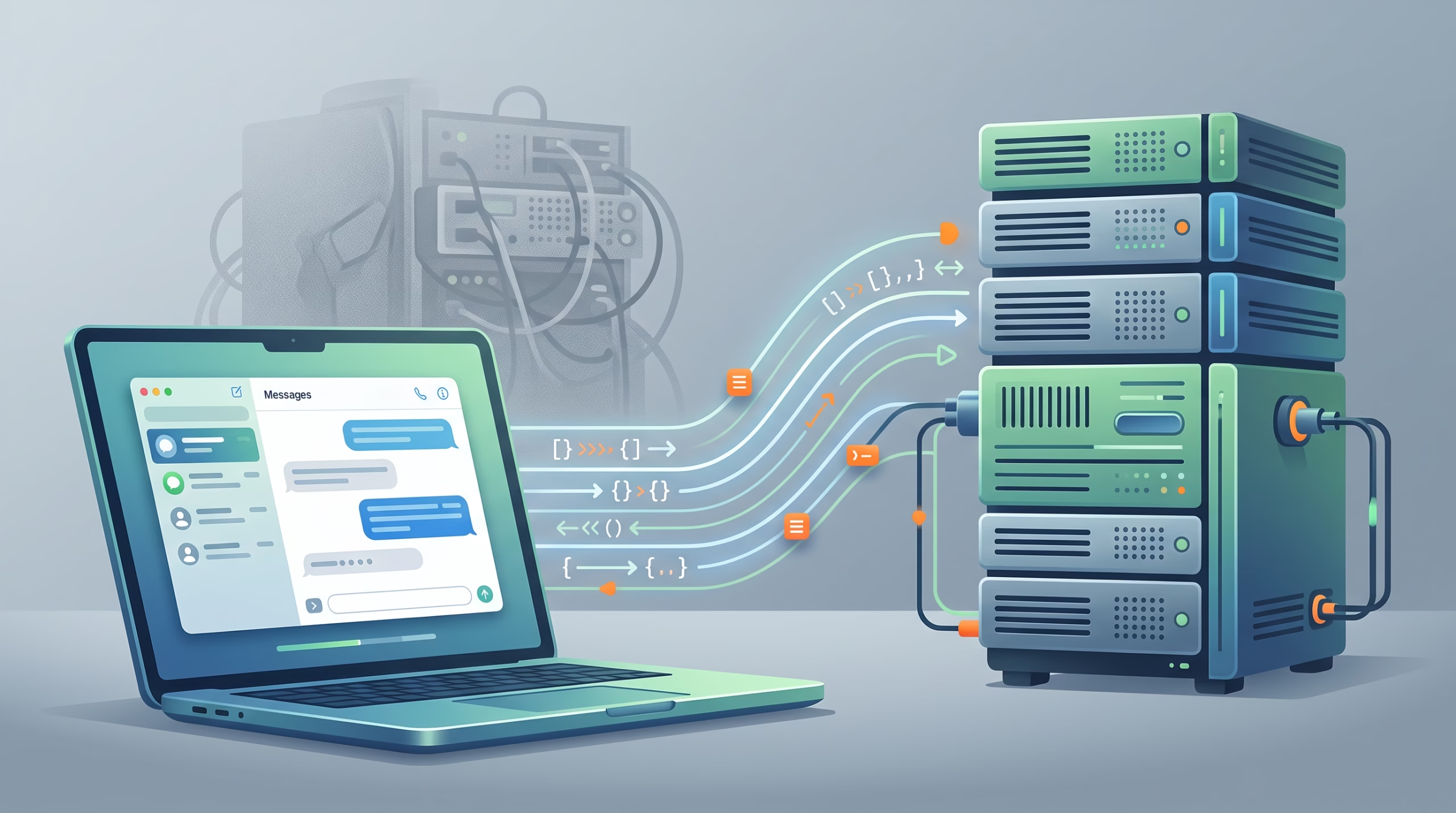
That sounds like a small dependency swap. It is bigger than that. BlueBubbles was a server-style bridge: a Mac ran a relay, OpenClaw talked to it over HTTP, and the old channel config held a server URL and password. The new path is local-tool style: the Gateway starts imsg rpc as a child process, talks JSON-RPC over stdin and stdout, and reads or sends through the Mac’s Messages environment.
My take: this is the right direction for a self-hosted agent gateway. It removes a whole HTTP bridge from the picture. But it also makes the cutover less forgiving. You need to verify imsg, macOS permissions, group gates, attachments, and private API actions before you turn off the old BlueBubbles server.
The short answer: BlueBubbles is gone from OpenClaw
The official OpenClaw docs are direct: BlueBubbles support was removed. A leftover channels.bluebubbles block in a current config is inert. No runtime reads it.
For new iMessage setups, use channels.imessage. For migrated setups, translate the old behavior keys into the iMessage plugin and delete the transport pieces that no longer exist. There is no supported second BlueBubbles runtime hiding behind a flag.
The important wording is “iMessage support was not removed.” The bridge changed. OpenClaw now treats iMessage like a local or remote command surface through imsg, not like a webhook-fed server integration.
Why the old BlueBubbles bridge was different
BlueBubbles is a self-hosted iMessage relay. In the normal BlueBubbles pattern, you run the BlueBubbles server on a Mac that has iMessage active, then connect clients to it. The old OpenClaw channel followed that shape: it needed a reachable server URL, a password, and bridge plumbing outside the Gateway.
That architecture worked, but it came with the usual relay trade-offs. You had another server process to manage. You had another credential. You had a network endpoint. You had webhook behavior to think about. For a personal bridge, that may be acceptable. For a tool-enabled AI Gateway, every extra listener is one more thing to secure, monitor, and explain later.
The new OpenClaw design cuts that layer out. The Gateway does not call a BlueBubbles REST endpoint. It starts imsg and speaks a process protocol. No BlueBubbles HTTP server. No webhook route. No REST password. No public or private port just for iMessage.
What the new iMessage path uses instead
imsg is a Swift CLI for Messages on macOS. The project describes it as a tool for reading, watching, and sending iMessage and SMS from macOS. It reads the local Messages database, sends through Messages.app automation, and exposes both NDJSON and JSON-RPC for scripts and agents.
OpenClaw uses that JSON-RPC shape. The Gateway starts imsg rpc, sends JSON-RPC requests over stdin, and reads responses over stdout. Diagnostics stay out of that stream, which matters when an agent runtime needs a steady machine-readable channel.
The practical split is simple:
- History and chat reads come from
~/Library/Messages/chat.dbthrough a read-only SQLite handle. - Live inbound messages come through
imsg watchor the RPC watch subscription. - Normal sends use Messages.app automation.
- Advanced actions use
imsg launchand the optional private API bridge.
This is why “just copy the database to Linux” is not a real OpenClaw iMessage setup. The imsg README says Linux builds can inspect a copied chat.db, but they cannot connect to iMessage or send messages. For an active OpenClaw channel, imsg must run on the signed-in Mac, either directly or through an SSH wrapper.
Migration checklist for old channels.bluebubbles configs
If you already have a working BlueBubbles setup, the safest migration is boring and explicit. Do not edit the config blind and hope the first real user message proves it worked.
- Install the OpenClaw plugin with
openclaw plugins install @openclaw/imessage, then restart the Gateway. - Install
imsgon the Messages Mac with Homebrew, then verifyimsg --versionandimsg chats --limit 3. - Grant Full Disk Access to the process context that will run
imsg. - Verify reads, history, sends, and RPC before touching production channel traffic.
- Move behavior settings from
channels.bluebubblestochannels.imessage. - Remove BlueBubbles-only transport settings:
serverUrl,password, webhook URLs, and BlueBubbles server setup. - Restart the Gateway and run
openclaw channels status --probe --channel imessage. - Test one direct message, one allowed group, attachments if enabled, and every advanced action you expect the agent to use.
- Delete the BlueBubbles server only after the iMessage path passes those checks.
That last step is not ceremony. The docs say there is no supported BlueBubbles runtime to switch back to. If iMessage verification fails, disable channels.imessage, restart, fix the imsg blocker, and retry the cutover.
Config keys that move, disappear, or need attention
The migration is easier than it looks because most policy keys keep their meaning. The transport changes. Access control mostly does not.
These keys usually move across:
dmPolicyallowFromgroupPolicygroupAllowFromgroupsincludeAttachmentsattachmentRootsmediaMaxMbtextChunkLimitactions
These old BlueBubbles keys do not have iMessage equivalents:
serverUrlpassword- webhook URL settings
- BlueBubbles server runtime settings
The new iMessage block needs cliPath when the default imsg lookup is not enough. On Apple Silicon Macs that often means /opt/homebrew/bin/imsg. If OpenClaw runs somewhere else, cliPath can point to a Gateway-local SSH wrapper that runs imsg on the Messages Mac.
Groups deserve special care. A copied "*" wildcard can keep broad group behavior intact, but per-group entries must match iMessage group identifiers. The migration guide calls out numeric iMessage chat_id values for group keys. Do not assume a BlueBubbles group identifier will keep working unchanged.
There is another trap: sender allowlists and the group registry are separate gates. A sender can be allowed and still fail to reach the agent if the group itself is not allowed or matched. If messages disappear in groups after migration, check both gates before blaming the model or the agent.
Permissions and private API features
The new path depends on macOS permissions in a very literal way. imsg needs Full Disk Access to read ~/Library/Messages/chat.db. Sends and standard tapbacks need Automation permission for Messages.app. If OpenClaw runs imsg through SSH, the parent process that macOS sees may be the SSH service context, so test from the same path the Gateway will use.
Basic read, history, watch, send, and standard tapback behavior can work without private API injection. The full action set cannot. Replies, tapbacks beyond the basic surface, edits, unsend, effects, read receipts, typing indicators, polls, rich sends, attachment replies, and group management depend on the private API bridge.
That bridge is started with imsg launch. The docs are clear that it requires SIP to be disabled, and modern macOS can add library validation or entitlement friction. That is a serious operator choice. For a personal Mac under your control, it may be worth it. For a corporate managed Mac, it may be a non-starter.
So decide what you actually need. If your agent only needs to read, receive, and send simple replies, keep the setup smaller. If you expect native replies, edits, polls, reactions, and group management, verify privateApi.available in the OpenClaw probe before you call the migration done.
Running the Gateway away from the Messages Mac
Many OpenClaw users run the Gateway on a Linux VPS, a mini PC, or a container host. iMessage still needs a Mac because Messages.app and the live iMessage account live there. The supported pattern is to keep the Gateway where it is and make channels.imessage.cliPath run imsg on the signed-in Mac through SSH.
In that setup, the wrapper path is local to the Gateway host, while dbPath refers to the path on the Mac. For more complex wrappers, set remoteHost so OpenClaw can handle remote attachment fetches and outbound staging more predictably.
This is also where Tailscale or another private network can make the setup calmer. You are not exposing a BlueBubbles web server. You only need reliable SSH from the Gateway host to the Mac, plus macOS permissions granted to the right process context.
The key test is not “can I SSH?” It is “can the same wrapper that OpenClaw will call run imsg chats, read history, send a test message, and start RPC?” If that wrapper fails, the Gateway will fail in a less friendly place later.
Testing before deleting BlueBubbles
A good cutover test is small but real. Run it before deleting old bridge pieces.
- Run
imsg chats --limit 10 --jsonfrom the Mac or SSH wrapper. - Read a known conversation with
imsg history. - Send a harmless test message through
imsg send. - Start
imsg rpc --helpor the RPC process check from the same context. - Restart OpenClaw and run
openclaw channels status --probe --channel imessage. - Send one inbound DM from an allowed or paired handle.
- Send one inbound group message from an allowed sender in an allowed group.
- Test an attachment if
includeAttachmentsis enabled. - Test each advanced action you care about: reply, react, edit, unsend, effect, poll, or read receipt.
Also remember the session and pairing difference. Allowlists carry over by handle, so copied phone numbers and emails still matter. Pairing-store approvals do not transfer because the pairing store is channel-scoped. Old BlueBubbles conversation history under BlueBubbles session keys does not become iMessage conversation history either.
ACP bindings need a pass too. Anything matching match.channel: "bluebubbles" must change to "imessage". This is easy to miss because the agent can look healthy while a specific routed workflow never fires.
FAQ about the OpenClaw BlueBubbles iMessage bridge
Does OpenClaw still support BlueBubbles?
No. Current OpenClaw supports iMessage through the official @openclaw/imessage plugin. A leftover channels.bluebubbles config block is not used by the runtime.
What replaced the BlueBubbles bridge?
imsg replaced the BlueBubbles server path. OpenClaw starts imsg rpc and communicates over JSON-RPC through stdin and stdout.
Can I run iMessage from a Linux Gateway?
Yes, but not by running iMessage on Linux. Run imsg on a signed-in Mac and point OpenClaw at an SSH wrapper from the Linux Gateway. Linux imsg builds can inspect a copied database, but they cannot send iMessages or watch the live Mac database.
Do my old BlueBubbles allowlists migrate?
Handle allowlists usually carry over. Pairing approvals do not. Per-group entries may need new numeric iMessage chat_id keys, and ACP bindings must change the channel name from bluebubbles to imessage.
Do I need to disable SIP?
Only for the private API bridge used by advanced actions. Basic history, watch, and simple send flows can work without imsg launch. Replies, edits, unsend, effects, rich actions, polls, and group management need the private API path.
When is it safe to delete the BlueBubbles server?
After imsg works from the same process context OpenClaw uses, the iMessage channel probe passes, and you have tested DMs, groups, attachments, and any private API actions your agent relies on.
Final take
The OpenClaw BlueBubbles iMessage bridge is gone, but the better headline is simpler: OpenClaw’s iMessage support moved closer to the Mac. One CLI binary now does the work that used to require a relay server, webhook shape, and bridge password.
That is cleaner, but it is not magic. Treat the migration as a channel cutover. Verify the Mac. Verify imsg. Move policy keys carefully. Re-check groups, attachments, pairing, ACP bindings, and private API actions. Then retire BlueBubbles.
CTA: Before changing your live OpenClaw config, make a copy of the old channels.bluebubbles block and translate it line by line into channels.imessage. The boring checklist is the part that saves your messages.