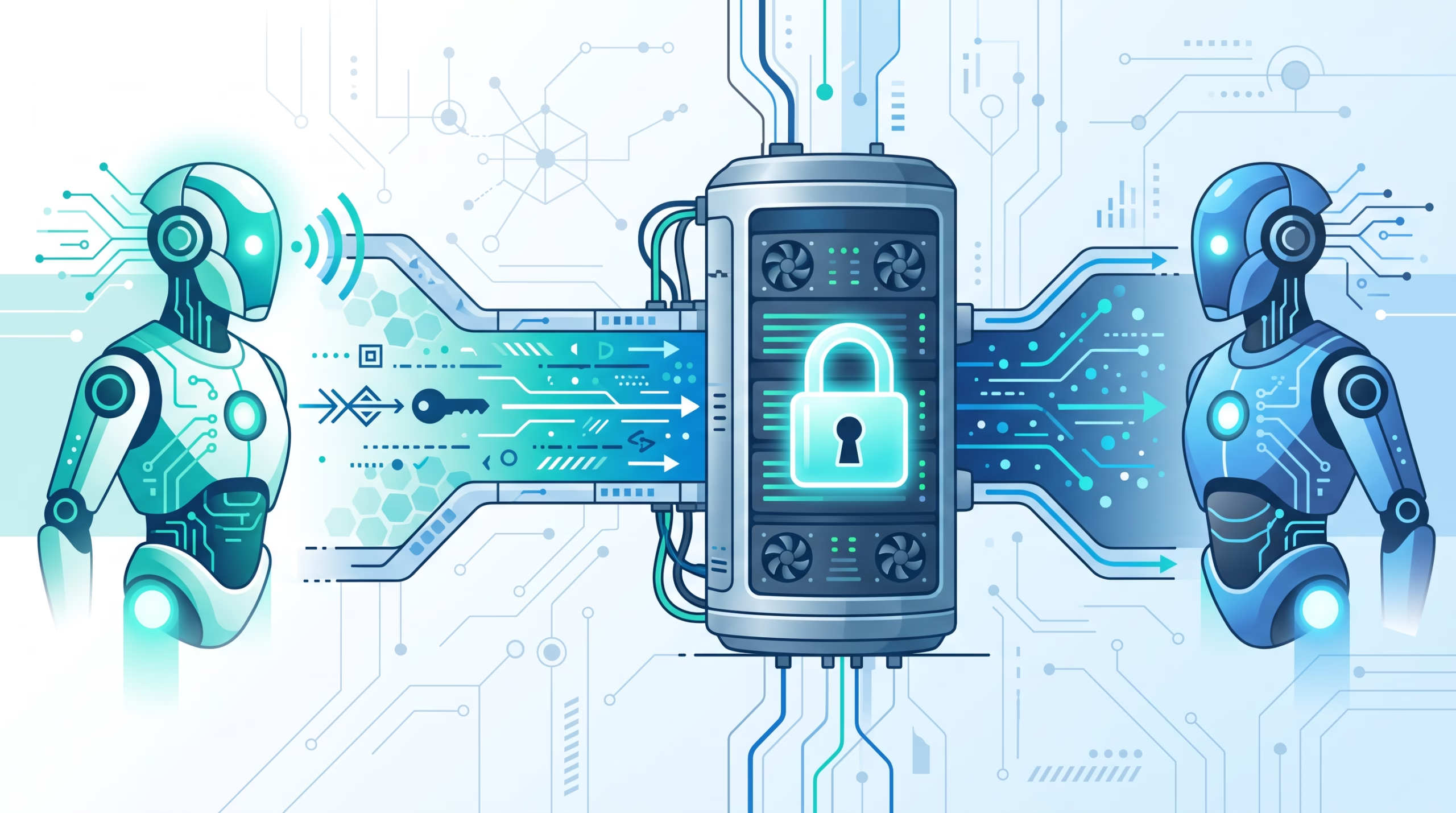

The OpenClaw A2A channel is the channel you reach for when another agent, not another person in a chat app, needs to talk to your OpenClaw Gateway. It connects OpenClaw to external agents through the Agent2Agent protocol, using public discovery and authenticated JSON-RPC tasks.
That last word matters: tasks. A2A is not a way to let a remote agent act like your human operator. It is a way to let a trusted peer send work to an OpenClaw agent, get a task back, poll it, and read the finished artifact. The boundary is narrow on purpose.
The best setup keeps that boundary boring: one unique token per peer, only the agents you mean to advertise, HTTPS at the public edge, and a clear expectation that A2A peers can ask for work but cannot run slash commands or approve privileged actions.
What the OpenClaw A2A channel is for
Most OpenClaw channels are human-facing. Telegram, Slack, WhatsApp, Signal, iMessage, Discord, SMS, and WebChat all answer some version of the same question: where should a person talk to the agent?
A2A answers a different question: how should another agent system discover and message OpenClaw?
The bundled A2A plugin exposes OpenClaw through the Linux Foundation Agent2Agent protocol. A remote agent can fetch an Agent Card, see what OpenClaw agents are advertised as skills, and send an authenticated task to the Gateway. OpenClaw can also send outbound messages to configured A2A peers.
That makes the channel useful for agent networks, delegated back-office work, cross-system automation, and setups where one assistant needs to ask another assistant for a bounded result. It is less useful when what you really need is a public chatbot, a team room, or a channel for operator approvals.
A simple rule helps: use chat channels for humans. Use the OpenClaw A2A channel for agent-to-agent work.
The mental model: public discovery, private work
A2A has a split personality, and that is by design.
The Agent Card is public. Anyone who can reach the Gateway can request the card and read the instance description, JSON-RPC endpoint, text support, and exposed agent IDs. That is discovery. It lets a compliant client understand what is available before sending a task.
Actual work is private. Every JSON-RPC request to the A2A endpoint needs a configured peer bearer token. OpenClaw has no unauthenticated A2A mode. The peer identity from that token also becomes the sender identity used by normal channel ingress policy.
This split is easy to misunderstand. The Agent Card being public does not mean the agent is public. It means the front door has a sign on it. The lock is still the peer token, and the room behind the door is still governed by OpenClaw routing, session, tool, and approval rules.
Quick setup
At minimum, enable the bundled plugin and define a peer with a strong unique token.
{
  channels: {
    a2a: {
      enabled: true,
      advertisedUrl: "https://openclaw.example.com",
      peers: {
        hermes: {
          token: "${A2A_HERMES_TOKEN}",
        },
      },
    },
  },
}
Use a separate token for every trusted peer. Do not reuse a general Gateway password, a chat bot token, or a token from another integration. Put the token in the Gateway environment, restart the Gateway, and keep it out of source control.
Set advertisedUrl when the Gateway is behind a reverse proxy. Use the externally reachable HTTPS origin, not a private loopback address. If you omit it, the plugin derives the advertised origin from the incoming discovery request, which can be fine for local tests but is less explicit for production.
If you do not want every configured OpenClaw agent listed in the Agent Card, set channels.a2a.exposeAgents to the agent IDs you want to publish. This is a good habit. A public Agent Card can disclose names and capabilities, so expose the smallest useful set.
Agent Card discovery
A2A clients discover OpenClaw through the public Agent Card endpoint:
curl https://openclaw.example.com/.well-known/agent-card.jsonOlder clients can use /.well-known/agent.json, which returns the same card. The card advertises the Gateway JSON-RPC endpoint, supported text input and output, and one skill for each exposed OpenClaw agent.
The Agent2Agent specification uses the Agent Card as a metadata document for identity, capabilities, skills, service endpoint, and authentication requirements. OpenClaw maps that idea to the Gateway: the card tells another agent how to reach the A2A endpoint and which OpenClaw agents are available as skills.
Treat the card like a public API description. It should be accurate, boring, and limited. If an agent name leaks more about your internal setup than you want strangers to know, do not advertise it.
Sending and polling tasks
An inbound A2A request sends SendMessage to /a2a/v1 with the peer bearer token.
curl https://openclaw.example.com/a2a/v1 \
  -H "Authorization: Bearer $A2A_HERMES_TOKEN" \
  -H "Content-Type: application/json" \
  -d '{
    "jsonrpc": "2.0",
    "id": "request-1",
    "method": "SendMessage",
    "params": {
      "message": {
        "messageId": "message-1",
        "role": "ROLE_USER",
        "parts": [{ "text": "Summarize the latest project updates." }]
      }
    }
  }'
By default, the request waits for the agent reply. A completed response contains a task object, a completed state, and artifacts that hold the reply text. Older clients can use message/send as a compatibility alias.
For longer work, add "configuration": { "returnImmediately": true } alongside the message. The response returns a working task while the agent run continues. If a blocking request exceeds replyTimeoutMs, OpenClaw also returns the current working task instead of canceling the run.
Polling uses GetTask with the task ID:
curl https://openclaw.example.com/a2a/v1 \
  -H "Authorization: Bearer $A2A_HERMES_TOKEN" \
  -H "Content-Type: application/json" \
  -d '{
    "jsonrpc": "2.0",
    "id": "poll-1",
    "method": "GetTask",
    "params": { "id": "<task-id>" }
  }'
The task moves from working to completed, failed, or rejected. Older clients can use tasks/get. This is the lifecycle to test before you add more peers: discover card, send task, get working or completed response, poll until terminal state, read artifact.
Context IDs and session isolation
A2A supports conversation continuity through message.contextId. Send the same context ID on later requests to continue the same conversation. OpenClaw allows letters, numbers, periods, the _ character, colons, and hyphens, and the ID must be 128 characters or shorter.
Under the hood, each authenticated peer and context ID pair gets its own agent session. That is one of the most important parts of the OpenClaw design. A2A pins an isolated direct-message scope instead of inheriting the normal session.dmScope. Remote peer content does not slide into the operator’s main session, and one peer cannot read another peer’s conversation history.
That isolation turns A2A from a risky convenience into a usable operator tool. You can let another agent ask for work without giving it the context of your owner chat, your other peers, or unrelated rooms.
For routing, the configured peer name becomes the canonical direct-peer ID, such as hermes. A context-specific binding like hermes:incident-42 can override the stable peer binding, and the stable peer binding can override broader A2A account or channel routes.
Outbound peers
OpenClaw can also send messages to another A2A agent. Add a peer URL and, if needed, an outbound token for the remote agent.
{
  channels: {
    a2a: {
      enabled: true,
      peers: {
        hermes: {
          token: "${A2A_HERMES_TOKEN}",
          url: "https://hermes.example.com/a2a/v1",
          outboundToken: "${A2A_HERMES_OUTBOUND_TOKEN}",
        },
      },
    },
  },
}
Then address outbound messages to a2a:hermes. OpenClaw sends SendMessage straight to the configured URL. It does not perform Agent Card discovery for outbound delivery.
That directness is useful, but it puts more responsibility on the operator. The peer URL must be right, the remote authentication scheme must match, and the configured destination is the only place OpenClaw will send outbound A2A traffic. Inbound callers cannot supply a proxy target or redirect OpenClaw somewhere else.
Security rules that matter
A2A security is not complicated, but it is easy to weaken with sloppy config.
First, use HTTPS for any Gateway reachable over an untrusted network. The Agent Card is public and bearer tokens protect task submission, so transport security is not optional outside local tests.
Second, give every peer its own high-entropy token. If a peer is removed, rotate that peer token without touching the others. Shared tokens make incident response slow and messy.
Third, expose only the agents that need to be discovered. The default card can advertise all configured agents when exposeAgents is unset or empty. That may be fine in a private lab. It is a poor default for a public origin.
Fourth, remember that A2A peers send tasks, not user commands. Messages beginning with / are rejected with TASK_STATE_REJECTED. Command-like text inside a normal task stays literal. It cannot change session settings or resolve approvals. Even when the peer sets the protocol role to ROLE_USER, that does not authenticate a human operator.
Fifth, approval stays with authorized operator surfaces. If an agent run needs approval, the peer does not get to approve it through A2A. The task can remain working while the operator decides through a supported user channel or the Control UI, then complete through the original A2A reply path.
That last point is the heart of the channel. A peer can request work. It cannot become the boss of your Gateway.
A2A limits you should design around
The current OpenClaw A2A plugin intentionally supports a practical subset of A2A 1.0.
It supports text messages and structured JSON data parts, with JSON appended as compact text. File URL and raw binary parts are ignored. Streaming, server-sent events, push notifications, task cancellation, task listing, extended Agent Cards, and multi-tenant routing are not supported.
Those limits should change how you design integrations. Do not build an A2A peer that assumes live streaming progress. Do not send files and expect OpenClaw to fetch them through A2A. Do not rely on cancellation to stop an already dispatched run.
Cancellation deserves a special note. OpenClaw refuses CancelTask with JSON-RPC error -32004. That may sound harsh until you see the reason: a dispatched agent run has no plugin-facing abort path. Reporting a canceled state would tell the peer the work stopped while the run kept using tools. Refusing cancellation is more honest.
There are size and rate limits too. Requests are limited to 1 MiB, JSON-RPC batches to 30 entries, serialized responses to 1 MiB, and extracted message text to 64 KiB with a truncation marker when shortened. The default sliding-window limit is 30 requests per minute for each peer. Set rateLimitPerMinute to 0 only behind a separate protection layer.
Task storage is also temporary. Tasks live in memory only. Terminal tasks are retained for up to 24 hours, with a maximum of 500 retained entries. Restarting the Gateway discards tasks and task history. If a workflow needs durable records, store them outside the A2A task cache.
Troubleshooting checklist
When an A2A setup fails, start with the layer that can be tested without the remote agent.
- Discovery: fetch
/.well-known/agent-card.jsonfrom the public origin. Confirm the advertised URL points to the real HTTPS Gateway origin. - Exposure: confirm the reverse proxy forwards the A2A path and does not rewrite the JSON-RPC endpoint into a private address.
- Agent exposure: check
exposeAgents. If the expected agent is missing from the card, it may not be advertised. - Authentication: verify the peer token is present in the Gateway environment and the client sends it as
Authorization: Bearer .... - Peer naming: keep peer names lowercase, 64 characters or shorter, starting with a lowercase letter or number. Periods,
_, and hyphens are allowed. - Request shape: use
SendMessageon/a2a/v1, or the oldermessage/sendalias only for compatibility clients. - Command rejection: if the task is rejected, check whether the message starts with
/. A2A is not a command channel. - Long work: use
returnImmediatelyand poll withGetTaskinstead of assuming the first response will contain the final answer. - Limits: shrink oversized requests, batches, or responses before chasing stranger causes.
- Restart behavior: remember that task history is in memory. After a Gateway restart, old task IDs are gone.
Most failures fall into one of four buckets: the card points somewhere wrong, the token does not match, the advertised agent is not exposed, or the client expects an A2A feature the OpenClaw plugin does not support yet.
FAQ
Is the OpenClaw A2A channel public?
Discovery is public if the Gateway is reachable. The Agent Card can be fetched without authentication. Task submission is not public: every JSON-RPC request needs a configured peer bearer token.
Can an A2A peer run slash commands?
No. A2A peers send tasks, not user commands. Messages beginning with / are rejected, and ordinary task text cannot approve work or change Gateway settings.
Does A2A share my main operator chat history?
No. OpenClaw creates isolated sessions per authenticated peer and context ID pair. Remote peer content does not join the operator’s main session.
Can OpenClaw stream A2A responses?
Not in the current plugin. Design around blocking replies, returnImmediately, and polling with GetTask.
What happens if a peer asks to cancel a task?
OpenClaw refuses CancelTask with JSON-RPC error -32004. That keeps the reported state honest because the plugin cannot guarantee that a dispatched agent run has stopped.
Should I enable A2A for every OpenClaw agent?
No. Advertise only the agents a peer needs. Use exposeAgents to keep the Agent Card small and avoid disclosing internal agent names for no reason.
Set up one peer before building a network
The sane A2A rollout is small. Configure one trusted peer, give it one unique token, expose one agent, fetch the Agent Card, send one task, poll it, and confirm the final artifact. Then test rejection behavior, long-running task polling, and Gateway restart behavior.
Once that lifecycle is boring, add more peers. Until then, resist the urge to turn A2A into a mesh of half-tested agents. Agent-to-agent systems are only useful when the boundaries are crisp enough that operators can still reason about them.
If you are running OpenClaw in production, pair A2A with the normal security habits: HTTPS, token rotation, minimal exposure, clear routing bindings, and operator-only approval paths. That gives another agent a clean doorway into your Gateway without handing it the keys.