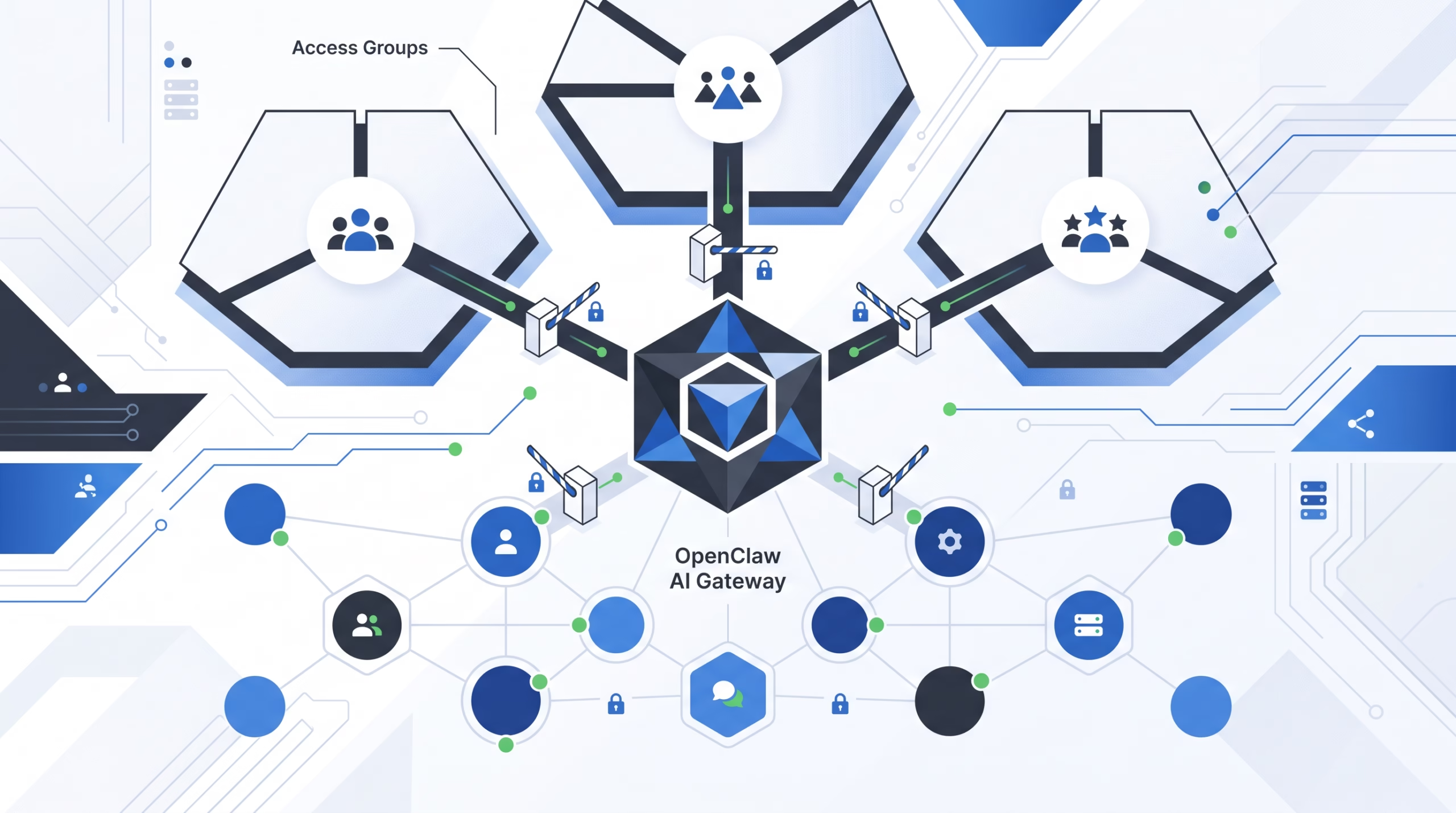

OpenClaw channel access groups are reusable sender allowlists. That sounds small, but it fixes a real operator problem: the same trusted people often need access through Telegram DMs, Discord DMs, WhatsApp groups, Slack rooms, and command paths. Copying the same list across every channel works until the first person changes teams, loses a phone number, or needs to be removed in a hurry.
The key is to keep the mental model plain. An access group is not a role. It is not an owner list. It does not grant tools, approve pairing requests, or decide where replies go. It is a named list that only matters when a channel allowlist references it with accessGroup:<name>.
That boring definition is the strength of the feature. OpenClaw can reuse one trusted sender set across channels without hiding the real security boundary. The channel policy still decides whether DMs, groups, rooms, or commands are allowed.
What OpenClaw channel access groups actually do
An access group lives under the top-level accessGroups config. A channel allowlist can then reference it by name:
{
  accessGroups: {
    operators: {
      type: "message.senders",
      members: {
        "*": ["global-owner-id"],
        discord: ["discord:123456789012345678"],
        telegram: ["987654321"],
        whatsapp: ["+15551234567"],
      },
    },
  },
}
Static sender groups use type: "message.senders". The members object is keyed by channel id. The "*" key means “check this entry for every message channel that references the group.” Channel-specific keys such as discord, telegram, and whatsapp are checked only for that channel’s sender matching.
OpenClaw does not translate identity between channels. If Alice has a Discord user ID and a Telegram user ID, list both. This is deliberate. Cross-channel identity guessing would be a bad place to be clever because sender IDs are security data, not contact-book decoration.
OpenClaw channel access groups vs pairing, routing, and roles
The fastest way to misconfigure access groups is to expect them to do jobs owned by other OpenClaw controls.
DM pairing approves who may direct-message the bot on channels that support pairing. Pairing approval grants DM access only. It does not grant group access, command ownership, or permission to run tools.
Channel routing decides which agent and session handle an inbound message. The model does not choose the channel. The Gateway uses host configuration, bindings, account IDs, peer IDs, guild IDs, roles, and fallback rules. Access groups can help authorize a sender before that work proceeds, but they do not replace routing.
Roles are also separate. Discord roles can help route guild members to agents through bindings, and command owners live in command authorization config. Access groups are simpler: they answer one question for allowlist paths. Does this sender match one of the allowed entries?
That separation is worth keeping. It makes reviews easier. If someone asks why a sender could trigger an agent, you can inspect the allowlist path. If they ask why a command was allowed, inspect command authorization. If they ask why a reply went to a specific room, inspect routing.
Build a static sender group for multiple channels
Use static groups when the same trusted set appears in more than one channel. A common pattern is an operators group for the people allowed to talk to the assistant privately and in selected team rooms.
{
  accessGroups: {
    operators: {
      type: "message.senders",
      members: {
        discord: ["discord:123456789012345678"],
        telegram: ["987654321"],
        whatsapp: ["+15551234567"],
      },
    },
  },
  channels: {
    discord: {
      dmPolicy: "allowlist",
      allowFrom: ["accessGroup:operators"],
    },
    telegram: {
      dmPolicy: "allowlist",
      allowFrom: ["accessGroup:operators"],
    },
    whatsapp: {
      groupPolicy: "allowlist",
      groupAllowFrom: ["accessGroup:operators"],
    },
  },
}
This keeps the trusted sender set in one place, while each channel still states its own policy. Discord and Telegram are using the group for DM access. WhatsApp is using the same group for group sender authorization. Those are different allowlist paths, and that difference matters.
You can also mix a group with direct entries:
{
  channels: {
    discord: {
      dmPolicy: "allowlist",
      allowFrom: [
        "accessGroup:operators",
        "discord:123456789012345678"
      ],
    },
  },
}
That is useful for a temporary extra maintainer or a one-channel-only exception. Keep the exception visible. If it becomes permanent, move it into the group and remove the duplicate entry.
Use access groups in DMs, groups, rooms, and commands
OpenClaw access groups work in shared message-channel authorization paths. The main ones are:
- DM sender allowlists such as
channels.<channel>.allowFrom - Group sender allowlists such as
channels.<channel>.groupAllowFrom - Channel-specific per-room sender allowlists that reuse normal sender matching, such as Google Chat
groups.<space>.users - Command authorization paths that reuse message-channel sender allowlists
The current docs list support across many message integrations, including ClickClack, Discord, Feishu, Google Chat, iMessage, IRC, LINE, Mattermost, Microsoft Teams, Nextcloud Talk, Nostr, QQ Bot, Signal, Slack, SMS, Telegram, WhatsApp, Zalo, and Zalo Personal.
That broad support does not mean every channel behaves the same. It means access groups can plug into the common sender-authorization helpers where a channel uses them. The channel still owns its syntax, account model, group behavior, and runtime quirks.
Discord channel audiences: live membership from a server channel
Static groups are not the only option. Discord has a live access group type:
{
  accessGroups: {
    maintainers: {
      type: "discord.channelAudience",
      guildId: "1456350064065904867",
      channelId: "1456744319972282449",
      membership: "canViewChannel",
    },
  },
  channels: {
    discord: {
      dmPolicy: "allowlist",
      allowFrom: ["accessGroup:maintainers"],
    },
  },
}
discord.channelAudience means: allow Discord DM senders who can currently view the configured guild channel. If your Discord server already uses a private #maintainers or #on-call channel as the real team boundary, this can be cleaner than copying every user ID into OpenClaw config.
There are two operational catches. First, the bot must be able to access the guild and the channel. Second, the bot needs the Discord Developer Portal Server Members Intent because a DM alone does not carry guild member state. OpenClaw resolves the sender through Discord during authorization.
The failure behavior is the right one: closed. If Discord returns Missing Access, the sender cannot be resolved as a guild member, or the channel belongs to another guild, the sender is treated as unauthorized.
Security rules that keep access groups boring
Access groups should make access easier to review, not easier to widen by accident. Keep these rules close when editing config.
A group grants nothing by itself
A top-level accessGroups.operators block has no effect until a channel allowlist references accessGroup:operators. This lets you define a group before wiring it into a channel, but it also means a typo in the reference changes behavior.
Missing groups fail closed
If an allowlist contains accessGroup:operators and that group does not exist, that entry authorizes nobody. This is safer than guessing. It also means a rename can silently block people until you update every reference.
Open DM policy still needs the wildcard
dmPolicy: "open" is not made public by pointing at an access group. Open public access needs "*" in the effective DM allowlist. Treat that wildcard as a loud decision, not a convenience shortcut.
Use stable IDs
Prefer numeric or platform-native user IDs over display names when the channel supports both. Names change. Handles get recycled. IDs make audit work less theatrical.
Do not merge trust boundaries by habit
The OpenClaw security docs frame a regular Gateway as one trusted boundary: a single operator or a team that trusts each other. If you need separate trust boundaries, split gateways, credentials, OS users, or hosts. Access groups are not a hostile multi-tenant isolation layer.
Access groups and group context are related, but not the same
The Groups docs draw an important line between trigger authorization and context visibility. Trigger authorization decides who can make the agent act. Context visibility decides which supplemental room history, quote text, forwarded metadata, or thread snippets are added to the model input.
By default, OpenClaw keeps supplemental context as received. If you need to filter that context too, use contextVisibility modes such as "allowlist" or "allowlist_quote". Access groups can help define who may trigger a turn, but they do not automatically scrub every piece of channel context that a platform provides.
This distinction matters in group rooms. An allowlisted sender might reply to or quote someone outside the trusted set. Depending on your context policy, that quoted text may still reach the model. That is not a bug. It is a separate control.
Troubleshooting blocked senders
When someone should match an access group but gets blocked, do not start by opening the policy wider. Walk the chain.
- Confirm the allowlist field contains the exact
accessGroup:<name>reference. - Confirm
accessGroups.<name>.typeis correct. - Confirm the sender ID is under the matching channel key, or under
"*". - Confirm the entry uses that channel’s normal allowlist syntax.
- For Discord channel audiences, confirm the bot can see the guild channel and has Server Members Intent enabled.
After editing access-control config, run openclaw doctor. The Doctor CLI is built for health checks and guided repairs across Gateway, channels, plugins, skills, model routing, local state, and config migrations. For access changes, it gives you a quick sanity check before runtime behavior surprises you.
Operator checklist for OpenClaw channel access groups
- Name the group for the trust set, not the channel.
operatorsages better thantelegramUsers. - Keep one person represented by all required channel IDs. Do not assume OpenClaw will connect them.
- Reference groups only from allowlist fields where that trust set should apply.
- Leave one-channel exceptions as direct entries, then clean them up once they stop being temporary.
- For Discord channel audiences, verify guild ID, channel ID, bot visibility, and Server Members Intent.
- Review command ownership separately from chat allowlists.
- Review group context policy separately from trigger authorization.
- Run
openclaw doctorafter edits.
FAQ about OpenClaw channel access groups
Are OpenClaw channel access groups roles?
No. They are allowlist aliases. They do not create owners, grant tools, approve pairing requests, or route messages by themselves.
Can one access group cover Discord, Telegram, and WhatsApp?
Yes, when each person’s sender ID is listed under the correct channel key. Use "*" only for entries that should be checked across every referencing message channel.
Does DM pairing approval allow the same user in groups?
No. DM pairing approval grants direct-message access. Group authorization is separate and uses group policy, group allowlists, per-room settings, or channel-specific controls.
What happens if I reference an access group that does not exist?
It fails closed. The missing group authorizes nobody.
When should I use Discord channel audiences?
Use them when a Discord channel is already the source of truth for a team, such as a private maintainers or on-call channel. The bot must be able to see that channel and resolve members through Discord.
Final take
OpenClaw channel access groups are best when they stay boring. Define the trusted sender set once. Reference it where that set belongs. Keep routing, pairing, command ownership, tool policy, and context visibility in their own lanes.
For a first cleanup, find one sender allowlist repeated across two or more channels, move it into accessGroups, update the channel references, then run openclaw doctor. That is the kind of security work that pays off later because the next access review has fewer places to lie to you.
Suggested internal links: OpenClaw channels overview, OpenClaw A2A channel, OpenClaw gateway security hardening.
Suggested image alt text: OpenClaw channel access groups connecting trusted sender IDs to Discord, Telegram, WhatsApp, and Slack allowlists.