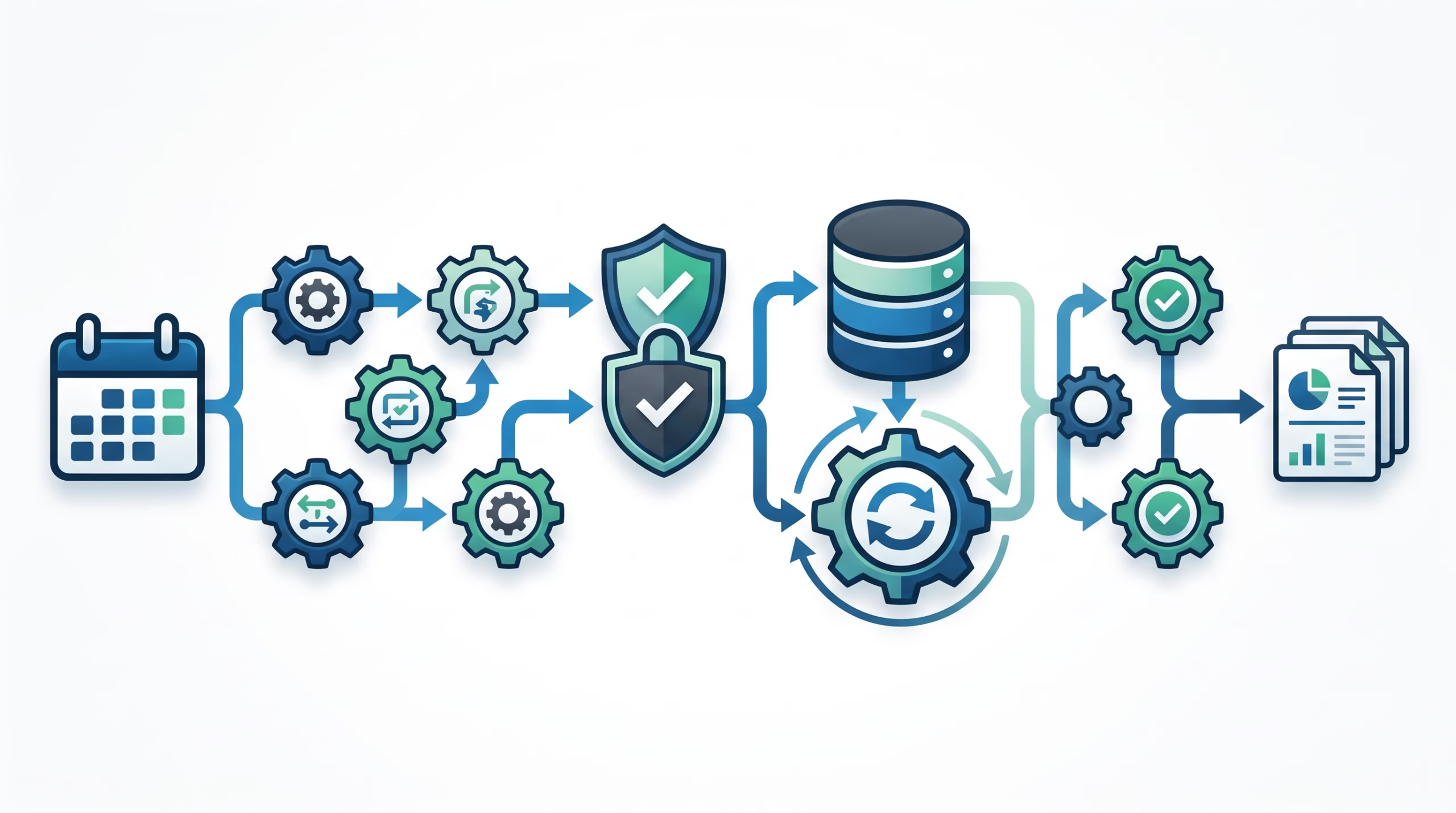

ClawFlow automation has a simple answer and a more useful one. The simple answer: ClawFlow was renamed to Task Flow in the OpenClaw docs. The old ClawFlow page is now a short redirect that tells readers to use the Task Flow page for durable multi-step flow orchestration.
The useful answer takes a little longer. Task Flow is not “cron, but fancier.” It is not a prompt pattern. It is not a general name for every automated thing your agent does. In OpenClaw, Task Flow is the durable run ledger for multi-step work. It sits above background tasks, records state, survives Gateway restarts, and gives operators a place to inspect or cancel the larger run.
That distinction matters because agent automation tends to become messy fast. A workflow might start from a schedule, spawn child tasks, wait for a tool result, ask for approval, retry a failed step, and then deliver a summary back to the owner. If all of that lives as one giant prompt, you get a pile of chat history. If it has a flow record, you get status, linked tasks, JSON state, and a clearer debugging trail.
So yes, ClawFlow automation still exists in spirit. The current OpenClaw name is Task Flow, and the better mental model is this: timing, authority, work execution, and flow state are different jobs. OpenClaw gives each one a separate surface.
ClawFlow automation is now Task Flow
The official ClawFlow page is only a redirect now. It says ClawFlow was renamed to Task Flow and points readers to the Task Flow docs for durable multi-step flow orchestration.
That rename is worth spelling out because old notes, scripts, and conversations may still use the ClawFlow name. If you are looking for a separate “ClawFlow” CLI today, you are probably chasing the old label. The operator-facing commands live under:
openclaw tasks flow list
openclaw tasks flow show <lookup>
openclaw tasks flow cancel <lookup>
The words changed, but the problem did not. OpenClaw still needs a way to track work that is too large to be one background task and too operationally important to leave inside model narration. Task Flow is that layer.
The docs define it as the orchestration layer above background tasks. A flow is a durable record of multi-step work with its own status, JSON state, revision counter, and linked task records. That is the sentence to keep. It tells you what Task Flow is, and it also tells you what it is not.
The OpenClaw automation stack in one clean model
Most confusion around ClawFlow automation comes from using “automation” as one big bucket. OpenClaw splits the bucket into smaller parts.
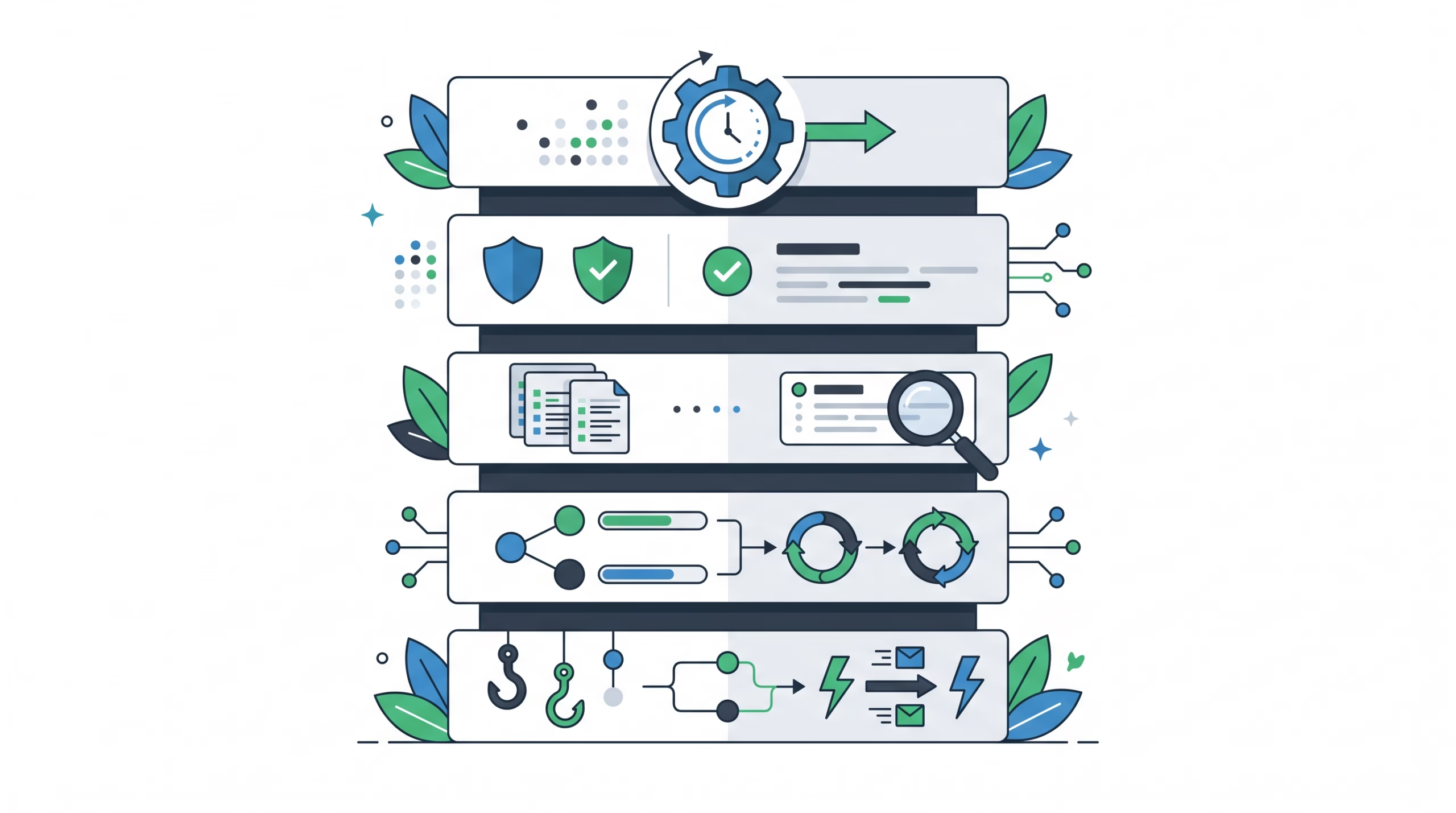
- Automations decide when something starts. They are OpenClaw’s built-in scheduler for one-shot runs, cron schedules, intervals, stream triggers, webhooks, and other Gateway-owned triggers.
- Standing orders define authority. They tell the agent what program it owns, what it can do without asking, where approvals are required, and when to escalate.
- Background tasks record detached units of work. Every automation run creates a background task record, and detached child work is tracked there too.
- Task Flow records the larger multi-step run. It ties child tasks together, stores step state, tracks status, and gives the operator one handle for inspection.
- Hooks react to events inside the Gateway, such as commands, session compaction, lifecycle events, and message flow.
Once you separate those roles, the system feels less mysterious. A scheduled market report might use an automation for the weekday 7 AM trigger. It might rely on standing orders that say what sources the agent may check and when Boss must approve delivery. It may run several background tasks for collection, writing, and delivery. Task Flow is the record that says where the whole run currently stands.
The common mistake is asking one surface to do every job. A cron prompt with a giant checklist is brittle. A standing order without a schedule may sit there forever. A task without a flow cannot explain which step of a pipeline blocked. A flow without a clear controller cannot know what comes next.
OpenClaw’s split is more disciplined than the usual “agent workflow” pitch. It is less flashy, but it is easier to operate after the first demo breaks.
When Task Flow is the right tool
Use Task Flow when the work has steps you would want to explain later.
A single detached job does not need much orchestration. “Ask a subagent to review this file and return findings” can usually be tracked as one task. You care whether it queued, ran, succeeded, failed, timed out, or was cancelled.
A pipeline is different. Say your agent needs to collect five sources, reject stale data, generate a report, wait for owner approval, then send it to a channel. If the Gateway restarts after the report is drafted but before approval, you do not want the agent guessing from memory. You want a run record that says the collect step succeeded, the draft exists, and the flow is waiting on approval.
That is the Task Flow lane. It is for work with partial progress, waits, retries, child tasks, and cancellation semantics. It is also useful when the operator needs to see a clear status without reading a long chat transcript.
This is where OpenClaw differs from generic workflow tools. Inngest talks about durable functions triggered by events, cron schedules, or webhooks, with steps that retry from the last successful checkpoint. LangGraph documents persistence through checkpointers and stores. Prefect has flows and tasks, with runs visible in its UI. Those ideas are adjacent, but OpenClaw Task Flow is specifically tied to agent work inside the Gateway: owner origin, child task records, session-aware runs, detached ACP/subagent mirroring, and the local task ledger.
So the decision is not “Should every automation use Task Flow?” The better question is: would this run be hard to explain if it stopped halfway through? If yes, give it a flow.
Managed flows vs mirrored flows
OpenClaw Task Flow has two sync modes, and they solve different problems.
Managed flows
A managed flow has a controller. In the current docs, that controller is plugin code using the plugin runtime Task Flow API. The controller creates the flow with a goal and controller id, then drives the flow explicitly.
This is the mode for real orchestration. The controller creates child background tasks under the flow, moves the flow through statuses, stores JSON step state, and can park the flow in `waiting` when a timer or external event is needed. The flow’s owner key and requester origin carry over to child tasks, which keeps accountability attached to the run.
Managed mode is the right fit for repeatable workflows that need a source of truth outside the model’s current turn. Weekly reports, approval-driven publishing, multi-source monitoring, and long-running maintenance checks are good examples.
Mirrored flows
Mirrored mode is automatic. OpenClaw creates a mirrored one-task flow when a detached ACP or subagent run starts and has deliverable completion. The flow mirrors the backing task’s status, goal, and timing. In the CLI, the sync mode appears as `task_mirrored`.
That is useful, but it is not a hidden pipeline. A mirrored flow gives a detached spawn a stable flow handle for status and retry surfaces. It does not mean plugin code is driving a multi-step process.
This distinction saves debugging time. If the flow is mirrored, inspect the one backing task. If the flow is managed, inspect the controller, JSON state, linked tasks, and the current step.
What makes a flow durable
Task Flow records persist in OpenClaw’s shared SQLite state database at `~/.openclaw/state/openclaw.sqlite`, in the `flow_runs` table. They live alongside task records. That storage detail is not trivia. It is what keeps the run record available after a Gateway restart.
The flow has its own status, not just the status of a child task. The documented statuses include `queued`, `running`, `waiting`, `blocked`, `succeeded`, `failed`, `cancelled`, and `lost`. The important one for real operations is often `blocked`. A blocked flow means a step finished without a usable result, and the flow can record which child task caused the block.
That is better than “the agent failed.” If collection failed, you retry or fix a source. If approval is missing, you wait or ask the owner. If delivery failed, you check the channel. Different blocked steps need different responses.
Task Flow also uses revision tracking. Every mutation bumps the flow revision. A writer passes the expected revision, and OpenClaw rejects stale writes as revision conflicts. That protects the flow from late updates that would overwrite newer state.
Imagine a recovery path moves a flow forward while an old child task finishes late. Without revision checks, that late child could clobber the new state. With revision checks, the stale writer has to re-read and decide what still applies. This is not glamorous, but it is the kind of boring correctness long-running automation needs.
How to inspect and cancel flows
Start with the list command when you want a quick view of active and recent flows:
openclaw tasks flow list
openclaw tasks flow list --status running
openclaw tasks flow list --json
The Task Flow docs say the list output includes sync mode, status, revision, controller, and task counts. That is enough to answer the first debugging question: is this one backing task, or a managed run with children?
For one flow, use show:
openclaw tasks flow show <lookup>
openclaw tasks flow show <lookup> --json
The lookup can be a flow id or owner key. Use the JSON form when you are building tooling or comparing the current state with a controller’s expected state.
Cancellation is explicit:
openclaw tasks flow cancel <lookup>Cancel sets a sticky cancel intent, cancels active child tasks, and refuses new managed child tasks. The flow finalizes as `cancelled` once no child task remains active. Since the intent is persisted, a restart does not quietly undo the cancellation.
Task Flow also shows up in broader maintenance. The docs mention `openclaw tasks audit` for stale or broken flow findings and `openclaw tasks maintenance` for finalizing stuck cancels and pruning terminal flows after the retention window.
Common ClawFlow automation mistakes
Looking for ClawFlow instead of Task Flow
The old name may still appear in notes or queue items. The current docs name is Task Flow. Use the Task Flow page and `openclaw tasks flow` commands.
Treating Task Flow as the scheduler
Task Flow does not decide when a run starts. Automations do that. If your main problem is “run this every morning,” start with automations. Add Task Flow when that run has meaningful internal steps.
Putting authority in the workflow record
A flow can record state, but it should not be the only place the agent learns what it is allowed to do. Put durable authority in standing orders: scope, triggers, approval gates, and escalation rules.
Using a managed flow for every detached run
If there is only one backing task, mirrored mode may already give you the status handle you need. Save managed flows for real orchestration.
Ignoring revision conflicts
A revision conflict is not random noise. It means another writer changed the flow after your code read it. Re-read, compare, and then decide whether your update still makes sense.
FAQ about ClawFlow automation
Is ClawFlow still part of OpenClaw?
The old ClawFlow page now says ClawFlow was renamed to Task Flow. The current docs and CLI language use Task Flow.
Is Task Flow the same as a background task?
No. A background task records one detached unit of work. A Task Flow coordinates the larger multi-step run and links to one or more task records.
Does every automation need a flow?
No. A one-shot reminder or simple scheduled message may only need an automation and a task record. Use Task Flow when the run has steps, waits, retries, child tasks, approval gates, or state you need after a restart.
Where do standing orders fit?
Standing orders define what the agent is authorized to do. Automations define when the work starts. Task Flow records the state of a multi-step run. Those three surfaces should support each other, not replace each other.
What should I check first when a flow looks stuck?
Run `openclaw tasks flow list`, then `openclaw tasks flow show <lookup>`. Check sync mode, status, revision, controller, linked tasks, and any blocked summary before digging into individual task logs.
The bottom line
ClawFlow automation is now Task Flow, and the rename is a good excuse to clean up the mental model. Do not treat agent automation as one giant prompt. In OpenClaw, the schedule belongs to automations, authority belongs to standing orders, detached work belongs to tasks, and multi-step run state belongs to Task Flow.
That separation is what makes self-hosted agent work inspectable. When a run stops halfway through, the operator should not have to guess what happened from chat history. The flow should say what step ran, what blocked, what child task matters, and whether cancellation has already been requested.
If you are modernizing old ClawFlow notes, update the name first. Then look at each workflow and ask one practical question: would I need to explain this run after a restart? If the answer is yes, it probably deserves Task Flow.