OpenClaw cron job delivery is the part of automation that decides where a finished scheduled run lands: in a chat, in a webhook receiver, or nowhere at all. It sounds small until the first morning report runs, records a green execution, and nothing appears where the owner expected it.
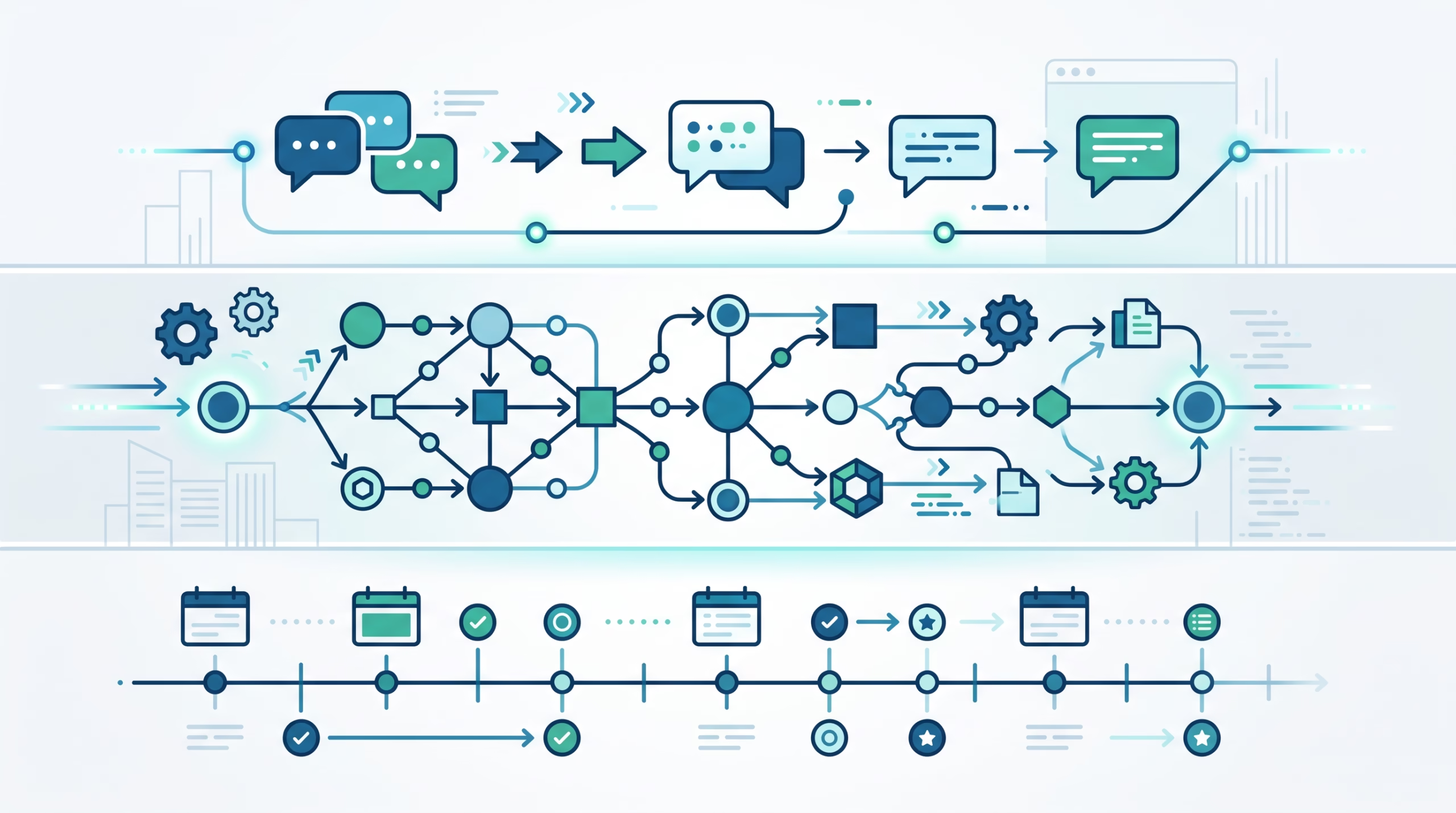
That is the operator lesson hiding in the delivery docs. Scheduling answers when the job starts. Payloads answer what the job runs. Delivery answers how the finished result is committed, sent, suppressed, retried, or reported as failed.
My take: treat delivery as its own design choice. Do not bury it inside the cron expression. A scheduled AI agent job has two separate ways to go wrong. The model, command, or script can fail. Or the work can finish, but the final result can fail to reach the target. OpenClaw keeps those apart on purpose, and that split is what makes automation debuggable.
What OpenClaw cron job delivery means
OpenClaw automations run inside the Gateway process. The scheduler persists job definitions, runtime state, and run history in the shared SQLite state database. When a job fires, the Gateway executes the payload and records the run. Only after that does delivery decide where the finished output goes.
The delivery page defines three modes:
announce: fallback-deliver final text to the target if the agent did not send it itself.webhook: POST the finished event payload to a URL.none: do not perform runner fallback delivery.
That wording is careful. “Fallback” matters. In an isolated chat job, the agent may call the message tool directly when a chat route is available. If that message goes to the configured or current target, OpenClaw can skip the fallback announce so the recipient does not get the same answer twice.
Delivery also has to account for intentionally empty output. A successful webhook run with no nonblank summary skips the POST and records deliverySuppressionReason: "empty". Announce delivery has similar optional-output behavior. Execution errors still send an error event even when there is no summary. In other words, silence is sometimes a valid result, but OpenClaw records why it was silent.
Delivery modes in one table
Here is the practical choice:
| Mode | Use it when | Watch for |
|---|---|---|
announce |
You want the final answer in a chat, channel, DM, or the bound conversation. | Channel resolution, stale targets, account auth, and duplicate-send suppression. |
webhook |
You want another service to consume structured run completion events. | Strict SSRF policy, receiver availability, auth tokens, and intentionally empty summaries. |
none |
The job should run quietly, or the agent will handle messaging itself. | No runner fallback message is expected. You must inspect run history if you need proof. |
Most human-facing jobs should start with announce. Reports, reminders, inbox summaries, and daily blog runs usually need a visible result. Use webhook when the consumer is software. Use none when silence is the point, or when a script updates state and a chat message would be noise.
The mistake is picking delivery based on habit. If the result matters to a person, make the route explicit. If it matters to an integration, use a webhook with a real receiver and a tight network policy. If it does not need a visible output, choose none deliberately and monitor run history.
Why announce delivery is more than a chat send
For a current job using announce, OpenClaw treats the final assistant result as a first-class session completion. It waits for active turns in the creation-bound conversation, verifies that the same session generation still owns the key, and commits the result through the canonical transcript writer. The commit carries cron job and run provenance plus an idempotency key, so a retry cannot append the same result twice.
That is a mouthful, but the operator version is simple: the answer is not just sprayed into WebChat. It becomes part of the session transcript. WebChat receives the committed session.message event immediately, and the same answer appears from chat.history after a refresh or reconnect. No extra user message is required to pull it into view.
If the bound conversation is an external channel, OpenClaw also performs the normal durable channel send. Delivery succeeds only after the canonical session commit and the external recipient handoff both succeed. The session commit does not create a second external message. A verified message tool send can suppress the automatic channel resend, but the result still commits to the session.
This design gives you two useful guarantees. First, chat delivery can survive reconnects because the result is in history. Second, external delivery can fail without erasing the run’s result from the bound conversation. If the external route cannot be resolved at run time, the committed result stays in the conversation and the run records the route problem as a delivery error.
Webhook delivery and the SSRF guard
Webhook delivery is for machines. The runner POSTs a finished event payload to the configured URL. That makes it useful for ticket systems, dashboards, queues, audit sinks, and internal workflow glue.
It also creates a network boundary. The delivery docs say every outbound automation webhook uses OpenClaw’s strict SSRF guard. Loopback, private/internal, link-local, and other special-use targets are refused by default for primary delivery, completion and failure destinations, and failure-alert webhooks.
That is not paperwork. OWASP describes server-side request forgery as a class of attack where an application can be abused to make requests to internal resources, such as cloud metadata endpoints or internal HTTP services. A webhook feature is exactly the kind of surface that needs a default-deny posture.
OpenClaw lets operators add exact hostname or IP exemptions through cron.webhookSsrfPolicy.allowedHostnames. There is also a broad dangerouslyAllowPrivateNetwork setting, but the name is doing useful work. Use it only when every configured automation webhook may reach trusted private-network services. For normal setups, allow only the receiver you mean to call.
Webhook URLs should also avoid embedded usernames or passwords. The management docs recommend cron.webhookToken, sent as a bearer token, when the receiver supports it. That keeps credentials out of URLs and makes rotation less painful.
What none and best-effort delivery really mean
none means the runner does no fallback delivery. It does not mean the job cannot ever send a message. For isolated jobs, chat delivery is shared: if a chat route exists, the agent may still call the message tool even with --no-deliver. The delivery mode controls what the runner does after the agent turn finishes.
That distinction matters for quiet automations. A job that returns NO_REPLY, produces intentionally empty output, or has output transformed away by a channel can record a suppression reason instead of a delivery success. Suppression is not the same as failure. It is OpenClaw saying, “There was no message to send, and here is why.”
bestEffort is another easy setting to misunderstand. With best-effort delivery, an unresolved fallback route does not fail the job. That may be right for low-stakes notifications, but it is the wrong default for anything the owner expects to read. A silent best-effort miss can look like success unless you inspect history.
Use required delivery for important human-facing output. Use best-effort when the output is nice to have and failure should not wake anyone. Use none only when silence is the intended outcome or the agent owns its own explicit send.
Failure alerts, cooldowns, and auto-disable behavior
OpenClaw separates execution failures from delivery failures. That one detail saves real debugging time.
Run history keeps payload execution in status: ok, error, or skipped. Whole-run completion lives in completionStatus: succeeded, failed, or unknown. A run can execute successfully and still fail completion because required delivery failed. In that case, the payload status can be ok while completionStatus is failed.
Execution failure alerts use a scheduler-owned threshold and cooldown policy. A job with an existing failure route is covered by default after 2 consecutive failures with a 1-hour cooldown. Repeated failures with the same cause form one incident, so the owner does not get spammed with identical alerts. When the job later completes successfully, OpenClaw sends one recovery notice and clears the incident.
Delivery failures have their own shape. A required completion-delivery failure does not increment the execution-failure streak or backoff, because the payload did not fail. A delivery-failure alert can use a resolved alternate failure destination without waiting for the normal execution threshold. Repeated delivery failures also form one incident.
The scheduler has a hard safety backstop too. A time-based recurring job is auto-disabled after 10 consecutive execution failures. Repeated schedule-computation failures auto-disable after 3 errors. The owner gets a notification with a safe cause and recovery command, and the raw details stay in automation history. After fixing the cause, use openclaw automations enable <jobId> to clear the recorded auto-disable reason and failure streaks.
How to troubleshoot a job that ran but did not deliver
When an automation fires but nothing arrives, do not start by editing the cron expression. First decide whether the job failed to execute, delivered silently, or failed during delivery.
The troubleshooting docs give a useful command ladder:
openclaw status
openclaw gateway status
openclaw automations status
openclaw automations list
openclaw automations runs <jobId> --limit 20
openclaw system heartbeat last
openclaw logs --follow
openclaw doctor
For “job fired but no delivery,” check these in order:
- Was delivery mode set to
none? If yes, no fallback message was expected. - Did run history record
deliverySuppressionReasonsuch asempty,silent,heartbeat, orchannel_transform? - Was the delivery target missing, invalid, or stale?
- Did channel auth fail with an authorization error?
- Did the agent send directly with
message, causing fallback announce to be skipped? - For Matrix, was the room ID case preserved exactly?
- For webhook delivery, did strict SSRF policy reject the target?
If the job never fired, the ladder changes. Check cron.enabled, OPENCLAW_SKIP_CRON, Gateway uptime, timezone handling, and whether the execution agent can be resolved. Cron expressions without --tz use the Gateway host timezone. Offset-less at schedules are treated as UTC. Those two rules explain a surprising number of “missed” automations.
Channel targets need exact routing
Delivery targets are provider-specific. Telegram forum topics can use -1001234567890:topic:123, and OpenClaw also accepts Telegram’s -1001234567890:123 shorthand. Slack, Discord, and Mattermost targets use explicit prefixes such as channel:<id> or user:<id>. Matrix room IDs are case-sensitive.
On hosts with multiple configured channels, isolated announce jobs created or edited through the CLI need an explicit --channel unless a provider-prefixed target or preserved session route selects one. That protects you from accidentally sending a Telegram-shaped target to WhatsApp or a Slack channel ID to the wrong adapter.
OpenClaw also treats provider selectors and target-kind syntax differently. A target such as telegram:123 can select the provider when the delivery channel is omitted or set to last. But if delivery.channel is explicit, the prefix must match that provider. A job with channel: "whatsapp" and to: "telegram:123" is rejected instead of letting WhatsApp misread the target.
That feels strict because it should. Scheduled messages are unattended. A routing mistake should fail closed, not improvise.
Output language belongs in the prompt
Automation jobs do not infer reply language from the channel, locale, or earlier messages. If a scheduled job should answer in Chinese, Hindi, English, or any other language, put that instruction in the job message or template.
openclaw automations edit <jobId> \
  --message "Summarize the updates. Respond in Chinese; keep URLs, code, and product names unchanged."
For template files, keep the language rule in the rendered prompt and verify placeholders before the run starts. This is boring but reliable. A model cannot reliably guess language intent from a channel name, and it should not have to.
A practical setup pattern
For a new scheduled agent report, I would set delivery like this:
- Choose
announcefor human review output,webhookfor system integration output, ornonefor quiet state updates. - Make the route explicit: channel, target, account, and thread where needed.
- Keep important reports on required delivery, not best-effort.
- Use a failure destination that is different from the broken primary route when possible.
- For webhooks, set a bearer token and a narrow SSRF allowlist only for the receiver that should be called.
- Put output language rules in the job prompt or template.
- After the first run, inspect
completionStatus,status, delivery errors, and suppression reasons.
Then run it manually once with wait enabled if it matters:
openclaw automations run <jobId> --wait --wait-timeout 10m --poll-interval 2sThat command exits cleanly only when completion succeeds. Failed delivery, unknown completion, and wait timeouts exit non-zero. For serious jobs, that is exactly what you want. A green payload with a red delivery path is not a finished automation.
FAQ about OpenClaw cron job delivery
Is OpenClaw cron job delivery the same as the schedule?
No. The schedule decides when the job starts. Delivery decides where the finished result goes and whether that result counts as delivered, suppressed, failed, or unknown.
What is the safest default delivery mode?
For human-facing scheduled work, use announce with an explicit target. For software consumers, use webhook with a narrow SSRF policy and bearer token. Use none only when no runner fallback message is expected.
Can a job succeed but still fail delivery?
Yes. OpenClaw can record payload execution as ok while completion is failed because required delivery failed. That is a delivery failure, not a model or script failure.
Why did my successful webhook not POST anything?
If the run succeeded but had no nonblank summary, OpenClaw intentionally skips the POST and records deliverySuppressionReason: "empty". Execution errors still send error events without a summary.
Does --no-deliver stop the agent from sending messages?
Not by itself. It disables runner fallback delivery. If a chat route is available, the agent can still send with the message tool during the run.
How many failures before OpenClaw alerts me?
For execution failures, a job with an existing failure route is covered by default after 2 consecutive failures with a 1-hour cooldown. Required delivery failures have separate alert behavior because the payload may have executed successfully.
When does OpenClaw auto-disable a failing job?
A time-based recurring job is auto-disabled after 10 consecutive execution failures. Repeated schedule-computation failures auto-disable after 3 errors.
Final take
OpenClaw cron job delivery is the handoff contract at the end of scheduled work. It decides whether the answer is committed to the session, sent to an external channel, posted to a webhook, intentionally suppressed, or recorded as a delivery failure.
That contract is worth designing. Pick the delivery mode on purpose, make routes explicit, keep important outputs on required delivery, and read run history as two stories: did the payload run, and did the result arrive? Once you separate those questions, cron jobs become much easier to trust.