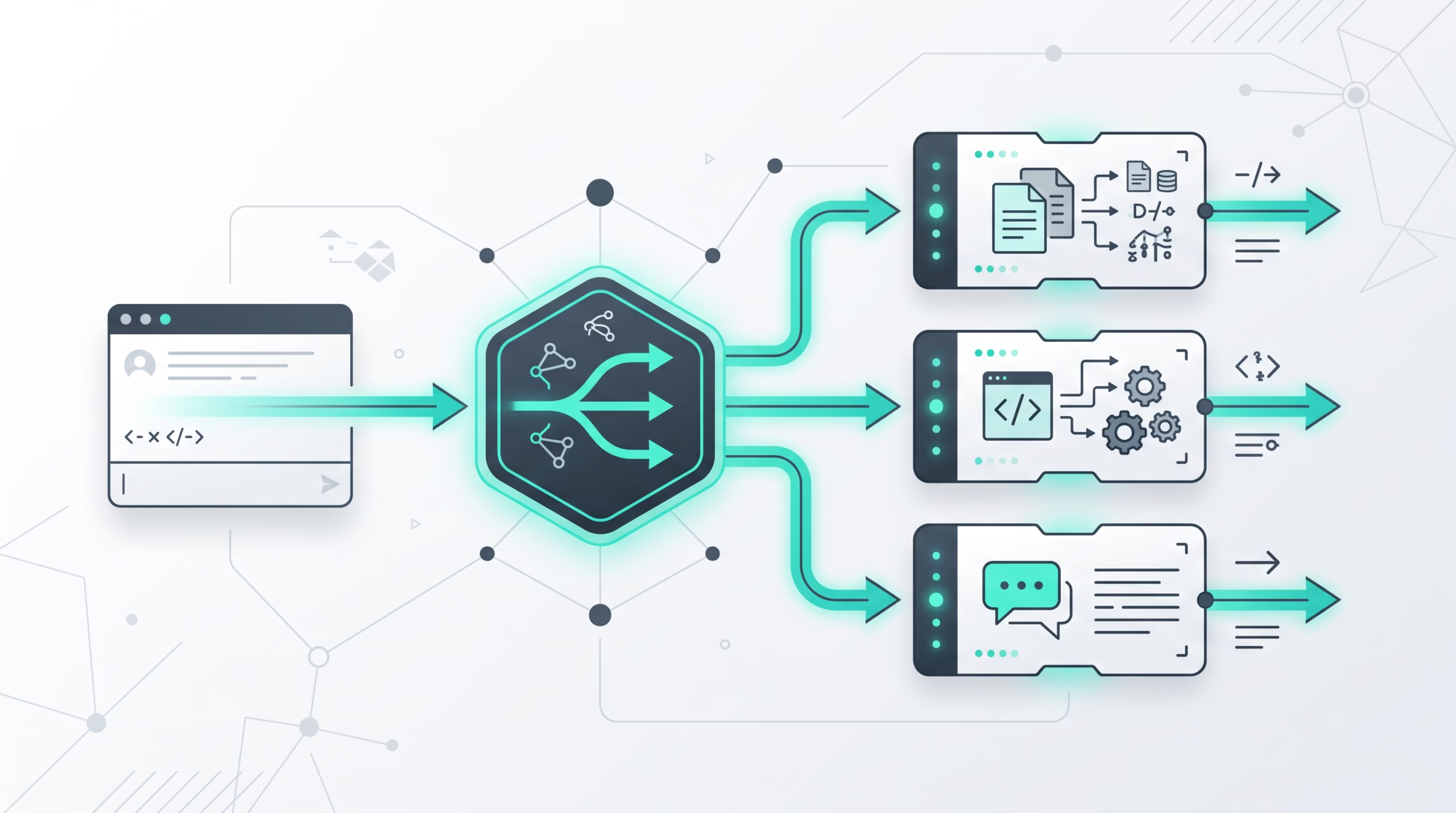

OpenClaw broadcast groups let more than one agent answer the same inbound channel message. That sounds simple until you picture it in a busy Slack channel, a Telegram group, or a WhatsApp operations chat where three agents all think they should speak at once.
The feature is useful precisely because OpenClaw does not treat it as a loose free-for-all. Broadcast groups run participant agents inside bounded group threads. Each agent keeps its own session, workspace, tools, memory, and voice. The coordinator decides which participants are eligible, starts turns inside a round and turn budget, and stops when the limits are reached or everyone has nothing new to add.
That is the mental model worth keeping: this is not just fan-out. It is a controlled way to let a small specialist team respond to one message from different angles.
What OpenClaw broadcast groups are
OpenClaw’s docs describe broadcast groups as agent group threads. One inbound message can run multiple agents through the top-level broadcast config. The feature is marked experimental, and the older WhatsApp broadcast array style still works.
The modern form is channel-qualified. A broadcast key can target a specific channel and peer with a value such as "telegram:-100123", "slack:C0123", "discord:123456789", or "whatsapp:1203@g.us". The value can be a simple list of agent IDs or a stricter object that names agents and sets group-thread behavior.
Here is the short version of what happens when a broadcast group applies:
- The channel message first has to pass normal channel policy.
- OpenClaw checks the qualified channel and peer key, then falls back to the legacy WhatsApp key where that applies.
- Eligible participant agents run in their own sessions.
- The coordinator enforces round and turn budgets.
- Sibling replies can feed a bounded follow-up round.
The boring parts matter. Broadcast groups do not bypass allowlists, command authorization, mention gates, or exclusive ACP bindings. If a room is not allowed to wake the agent, adding a broadcast group should not magically open it.
How the config is shaped
A basic qualified entry looks like this:
{
  agents: {
    ownership: "explicit",
    entries: {
      reviewer: {
        name: "Reviewer",
        groupChat: { mentionPatterns: ["@reviewer\\b"] },
      },
      writer: {
        name: "Writer",
        groupChat: { mentionPatterns: ["@writer\\b"] },
      },
    },
  },
  bindings: [{ agentId: "reviewer", match: { channel: "telegram" } }],
  broadcast: {
    "telegram:-100123": {
      agents: ["reviewer", "writer"],
      mentionGating: true,
      maxRounds: 2,
      maxTurns: 4,
    },
  },
}
The ordinary route still needs an agent. In this example, the binding lets Reviewer handle admission before the group dispatch. After the room passes channel policy, a message such as @reviewer @writer Review this draft can run both participants. A message that only mentions @writer can select Writer for the first round.
The object contract is intentionally small:
| Field | Default | What it controls |
|---|---|---|
agents |
Required | The configured participants. The docs cap this at 16 agents. |
mentionGating |
true |
Whether explicit participant mentions choose the first-round agents. |
maxRounds |
1 |
How many rounds can run, including the initial round. Valid range: 1 to 4. |
maxTurns |
agents.length |
Total participant turns the coordinator can start. Valid range: 1 to 32. |
Unknown object fields are rejected. That may feel strict, but it keeps the control surface honest. When group threads can start several agent runs, surprise config is not a feature.
Mention selection keeps the room usable
Mention selection is one of the best parts of the design. With mentionGating: true, OpenClaw looks for explicit @-style matches in the current inbound text. It computes those matches once for the configured participant set.
If a participant matches, only matching participants join round one. If no participant matches, all configured participants are eligible. If mentionGating is false, all participants are selected.
That means names in prose do not count. A bare emoji does not count. Selection comes from the participant’s configured groupChat.mentionPatterns, then message-level group chat mention patterns, then identity-derived patterns. If you want clean routing, give agents distinct mention patterns.
The detail that operators sometimes miss: this option does not turn off the channel’s own safety rules. It does not disable requireMention, sender allowlists, DM policies, group policies, or command authorization. Participant mentions help choose which agents run after admission. They are not a new trust boundary.
Round and turn budgets are the safety rail
Broadcast groups can continue beyond the first answers, but only inside two hard budgets: maxRounds and maxTurns.
maxRounds includes the initial round. If you set maxRounds: 2, you are allowing one initial pass plus one follow-up pass. maxTurns counts participant runs started by the coordinator. It does not count physical chat messages.
That distinction is easy to miss. An agent run can produce several platform messages through chunks, previews, or explicit message-tool sends. Those deliveries belong to the agent run and the channel transport. maxTurns is not a message throttle.
The coordinator also reserves slots before parallel launch. If the budget is smaller than the eligible participant count, configured order decides which turns start. Parallel participants cannot overspend the budget by racing each other.
For follow-up rounds, OpenClaw sends each eligible participant a bounded digest of sibling final replies. Each participant final is limited to 4,000 characters in that digest, and the combined sibling text is limited to 16,000 characters. The instruction is narrow: reply only when adding something new, otherwise return NO_REPLY. If everyone passes, the group thread ends.
This is the right kind of restraint. Multi-agent systems get messy when every agent feels obliged to comment. A good broadcast group lets a reviewer add a useful objection, a writer add a rewrite, and a security agent stay quiet when there is nothing security-related to say.
Session isolation is the real value
The value of broadcast groups is not just getting several answers. It is getting several answers from agents that remain separate.
Each participant keeps its own session key, conversation history, workspace, tool access, memory, and identity files. A code reviewer can have read-only tools. A fixer can have write access. A docs agent can have a different workspace and tone. They can answer the same prompt without becoming one blended persona.
Sibling replies are only shared through bounded follow-up digests. They are not merged into one shared transcript. That is a better default for specialist agents, because it keeps their history and authority clean. A security agent should not silently inherit a writer’s workspace context just because both were asked about the same deployment note.
WhatsApp has one deliberate exception. The group context buffer, meaning recent group messages used for context, is shared per peer so broadcast agents see the same room context when triggered. OpenClaw clears it once after fan-out completes. That is a pragmatic choice for WhatsApp groups, not a general collapse of participant isolation.
Parallel vs sequential processing
The default processing strategy is parallel. All selected agents process at the same time, and replies can arrive in any order. For most broadcast groups, that is the right starting point. It keeps latency down and lets specialists work independently.
{
  broadcast: {
    strategy: "parallel",
    "120363403215116621@g.us": ["code-reviewer", "security-auditor", "docs-generator"],
  },
}
sequential runs agents in configured order, waiting for each to finish before starting the next. Use it when order matters more than speed, such as a small review chain where one agent should always speak before another. Do not treat it as a pipeline where each participant in the same round sees earlier replies from that same round. The docs are clear that sequential strategy changes launch order within a round; it does not turn a round into a live handoff chain.
{
  broadcast: {
    strategy: "sequential",
    "120363403215116621@g.us": ["reviewer", "fixer"],
  },
}
If you need a true multi-step workflow with durable state, reach for a task system. Broadcast groups are for bounded responses to one inbound message.
Where broadcast groups fit in channel routing
OpenClaw routing normally chooses one agent for an inbound message. It works through exact peer matches, thread inheritance, wildcards, guild and role matches, Slack team matches, account matches, channel matches, and fallback ownership. Broadcast groups sit beside that routing model.
The channel routing docs summarize the relationship well: ordinary routing still provides the conversation route. The broadcast coordinator gives each participant its own agent session for the channel, account, peer, and thread.
Qualified broadcast entries take precedence over unqualified WhatsApp keys for the same peer. Legacy WhatsApp arrays still provide single-pass fan-out. Discord, Slack, and Telegram get extra behavior for participant mention admission and participant name labels. When a qualified entry has more than one configured participant, replies on those channels begin with the participant name in bold. WhatsApp presentation stays unchanged.
One practical consequence: do not debug broadcast groups in isolation. If nothing happens, first prove the channel route and admission rules work. Then inspect the broadcast key, participant roster, mention patterns, and budgets.
Common mistakes to avoid
The first mistake is adding too many agents. The docs allow up to 16 participants, but the human room probably does not want 16 replies. Start with two or three agents whose jobs are genuinely different.
The second mistake is treating maxTurns as a visible-message cap. It is not. If one participant sends multiple chunks or uses the message tool several times, those platform messages can still appear from one started turn.
The third mistake is using vague mention patterns. If @writer and @write both match the same text, you have created your own routing fog. Make patterns distinct and test them in the actual channel where people will type.
The fourth mistake is assuming follow-up rounds survive restarts. The active budget state is in memory, scoped to the channel, account, conversation, thread, and root inbound message. A Gateway restart loses that active round and budget state. Ordinary inbound deduplication is separate protection.
The fifth mistake is confusing broadcast budgets with bot loop protection. Broadcast budgets control internal participant turns for one inbound message. Bot loop protection controls rapid bot-to-bot exchanges arriving from a platform. Keep both protections enabled where they apply.
Production checklist
- Use channel-qualified keys for new Slack, Discord, Telegram, and WhatsApp group threads.
- Keep the participant roster small and role-specific.
- Give every participant a clear name and distinct mention patterns.
- Leave
mentionGating: trueunless the room is meant to call the whole team every time. - Set
maxRoundsandmaxTurnsdeliberately. To let every agent run twice, set turns to twice the participant count. - Remember that
maxTurnscounts runs started, not physical messages delivered. - Keep channel allowlists, group activation rules, and command authorization strict.
- Use
parallelby default; switch tosequentialonly when launch order matters. - Check labels on Discord, Slack, and Telegram so humans know which agent spoke.
- Test cancellation, no-reply behavior, budget exhaustion, and Gateway restart behavior before using group threads in a sensitive room.
My preferred production stance is conservative: two or three specialists, one or two rounds, named participants, and a boring allowlist. You can always widen a working setup. It is much harder to rebuild trust after a group thread floods a team channel.
FAQ
What are OpenClaw broadcast groups?
They are bounded agent group threads that let multiple configured agents process the same admitted inbound channel message. Each participant runs in its own session while the coordinator enforces selection, round limits, and turn limits.
Are broadcast groups stable?
The OpenClaw docs mark the feature as experimental. Legacy WhatsApp broadcast arrays remain supported.
Which channels support qualified broadcast entries?
The docs show qualified examples for Discord, Slack, Telegram, and WhatsApp. Legacy unqualified entries apply only to WhatsApp.
Does mentioning one participant bypass channel allowlists?
No. Participant mentions can satisfy certain room mention gates for qualified entries on Discord, Slack, and Telegram, but channel allowlists, group activation rules, command authorization, and exclusive ACP bindings still apply.
How many agents can be in one broadcast group?
The object contract allows at most 16 participants. In practice, most rooms should use far fewer.
What is the difference between maxRounds and maxTurns?
maxRounds controls how many rounds can run, including the initial round. maxTurns controls how many participant runs the coordinator can start across those rounds.
Does maxTurns limit the number of chat messages?
No. It counts participant turns started by the coordinator. One turn can produce multiple physical platform messages through chunking, previews, or message-tool sends.
Do follow-up rounds resume after a Gateway restart?
No. The active budget state is in memory. A restart loses the active round and budget state for that root inbound message.
When should I use sequential strategy?
Use sequential strategy when launch order matters more than speed. Use parallel for most specialist teams, because each agent can work independently and replies arrive sooner.
Final take
Broadcast groups are at their best when they feel like a small expert panel, not a pile-on. Give each agent a job. Keep the gate narrow. Budget the conversation. Then let the room get the benefit of several specialist answers without asking humans to manage the chaos by hand.