
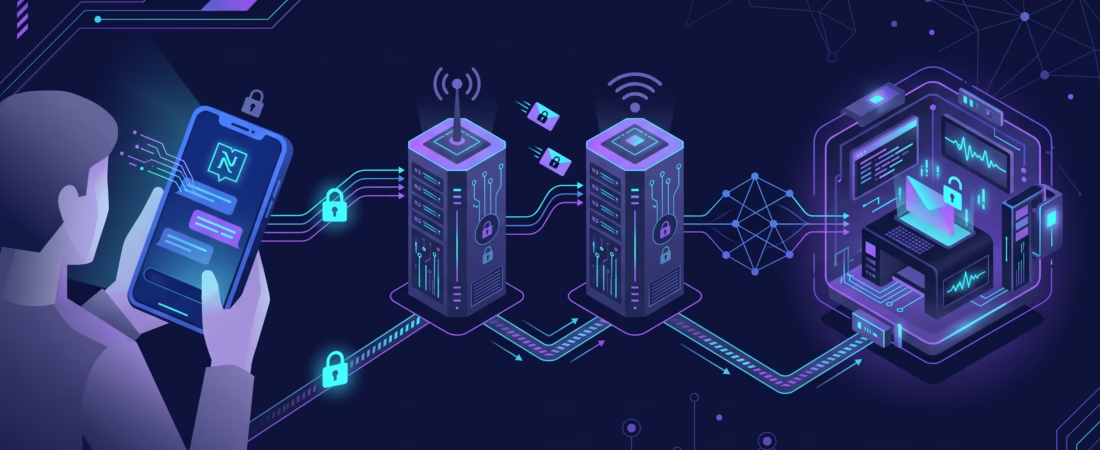
The OpenClaw Nostr channel lets someone send an encrypted Nostr direct message to your agent and get a reply through a relay. That sounds like a broad messaging integration, but the current plugin is narrower: one Nostr account per Gateway, direct messages only, and NIP-04 rather than the newer gift-wrapped DM format. If you want a small bot for a known set of people, that may be enough. If you need group chat or attachments, pick another channel before spending an afternoon on keys and relays.
This guide takes you from an empty Gateway to a tested DM, then shows how to lock down access and diagnose the failures that look like “the bot is online but silent.” Commands and defaults below come from the current OpenClaw Nostr documentation. Check that page if your installed version behaves differently.
What the OpenClaw Nostr channel supports

Nostr does not hand your bot a central API token. The bot has a private key, a public key and a connection to one or more relays. A sender addresses the bot’s public key; the plugin reads compatible encrypted DM events, applies OpenClaw’s sender policy, and writes a response back to a relay. Relays are the transport, not a replacement for OpenClaw’s permission checks.
The downloadable @openclaw/nostr plugin supports NIP-01 events and profile metadata, plus NIP-04 encrypted DMs (kind:4). The docs list NIP-17 gift-wrapped DMs and NIP-44 encryption as planned, not available. There is no Nostr group-chat support or media attachment support in this channel. A public Nostr post is not a message to this bot either.
That limitation matters when choosing a client. A Nostr app that only sends NIP-17 messages can appear to “send” successfully while OpenClaw receives nothing it can process. Before troubleshooting relays, check the client’s DM format. If you need room conversations, compare a channel built for them, such as our Mattermost setup guide. Nostr here is a DM interface, not a social publishing tool.
Install the plugin and give the bot its own key
Install the channel on the machine where the Gateway runs:
openclaw plugins install @openclaw/nostrUse the bare package name unless you deliberately pin a version for reproducibility. The official docs say installing or enabling a plugin applies it to a running Gateway; inspect the result, and restart if your deployment needs it. After installation, the channel appears in openclaw onboard and openclaw channels add.
Give the bot a dedicated Nostr keypair. Reusing your personal Nostr identity makes every bot-side key exposure a personal-account incident too. The docs show nak key generate as one way to create a key. Keep the secret nsec or 64-character hex private key out of the article, shell history, screenshots and Git. The npub or hex public key is what people use to contact the bot; it is not the secret you put into privateKey.
For unattended deployment, store the secret in the Gateway’s environment or a supported secret reference. An export in your current terminal does not necessarily reach a Gateway started by systemd, Docker or another supervisor. Confirm the service process receives the variable before blaming the Nostr plugin.
Configure the key and relays
For the default account, the channel-add command can use the key already available as an environment variable. The docs also offer --use-env, which leaves NOSTR_PRIVATE_KEY in the environment rather than writing the key into config:
openclaw channels add --channel nostr --private-key "$NOSTR_PRIVATE_KEY" --use-envIf you manage configuration as code, the equivalent shape is below. This is a fragment to merge into your existing OpenClaw config, not a request to replace the whole file:
{
  channels: {
    nostr: {
      privateKey: "${NOSTR_PRIVATE_KEY}",
      relays: ["wss://relay.damus.io", "wss://nos.lol"],
      dmPolicy: "pairing",
    },
  },
}
The two relay URLs shown are the documented defaults, so you can omit relays at first. If you choose your own, use WebSocket URLs: wss:// for remote relays and ws:// for a local test relay. The OpenClaw docs suggest two or three relays for redundancy and caution that too many increase latency and duplicate deliveries. Do not treat a longer list as an automatic reliability fix; each relay still needs to accept both reads and writes.
Restart or reload your Gateway as appropriate for your installation, then run:
openclaw gateway status
openclaw channels status
openclaw channels status --probe
Get the bot’s public key from channel status or Gateway logs. The reported key may be hex; convert it to npub in your client if needed. A sender’s public key goes in an allowlist later. Mixing the bot’s key with the sender’s key is an easy way to configure a channel that seems healthy but will not admit anyone.
Choose who can message the bot

New Nostr setups default to dmPolicy: "pairing". An unknown sender gets a pairing code; OpenClaw does not process the original message before approval. This is a sensible first test because you can see both transport and admission working without opening the bot to everyone.
Review a request in the Control UI under Settings → Channels → DM access requests, or list and approve it from the CLI:
openclaw pairing list nostr
openclaw pairing approve nostr <CODE>
There is a Nostr-specific wrinkle: the channel docs say the CLI form with --notify cannot use the Gateway’s Nostr connection. Approval still works, but the notification fails even if the account is running. If you need the requester notified, use a Gateway client. A stopped account can also make notification fail after a successful approval. Do not repeat approvals merely because that notification failed.
Once you know exactly who should use the bot, a literal public-key allowlist is often cleaner:
{
  channels: {
    nostr: {
      privateKey: "${NOSTR_PRIVATE_KEY}",
      dmPolicy: "allowlist",
      allowFrom: ["npub1REPLACE_WITH_A_REAL_SENDER_KEY"],
    },
  },
}
Replace the placeholder with the sender’s full npub or hex public key. The Nostr docs describe an early-drop path for a nonempty allowlist containing only literal keys: unmatched authors are rejected locally before durable storage and rate accounting, and the peer list is not sent to relays. That is useful, but it does not stop relay or network flooding, and it does not restrain an allowed sender. Wildcards and access-group entries take the normal admission path instead.
The other policies are open and disabled. Public inbound DMs require both dmPolicy: "open" and allowFrom: ["*"]; disabled ignores inbound DMs. I would not use public-open mode for a personal assistant with tools attached. The same distinction between transport, sender admission and agent permissions matters on other channels too; our Nextcloud Talk guide explains that split in a webhook setting.
Run one end-to-end DM test
Start with a sender identity you control and a Nostr client that can send NIP-04 DMs. The official docs mention Amethyst and Damus as examples. Send a short, harmless message to the bot’s public key. Under the default pairing policy, expect a code first; approve it, then send a new message and look for the bot’s reply. Pairing approval does not retroactively make OpenClaw process the first held message.
Watch openclaw logs --follow during the test. Keep four checkpoints separate: did the Gateway load the plugin, did a relay deliver the event, did sender policy admit it, and did the reply reach a writable relay? A generic “connected” indicator only answers part of that chain. If you test with more than one relay, the same event can arrive more than once; the documented behavior is to deduplicate by event ID so only the first delivery triggers a response.
For a repeatable lab, the Nostr docs show a local strfry relay on ws://localhost:7777. That is an optional isolation test, not a prerequisite for a public deployment. A local-only success points your attention toward remote relay reachability or policy, while failure in both places points back toward keys, plugin load or the DM format.
Troubleshoot a silent Nostr bot by layer

The channel is missing
Check that @openclaw/nostr installed successfully and the Gateway applied the plugin. Then check openclaw gateway status, openclaw channels status --probe and openclaw doctor. Do not paste a private key into a public issue or a support chat while debugging.
The relay connects, but no message arrives
Confirm the client sent a NIP-04 kind:4 DM to the bot’s public key, not a NIP-17 gift-wrapped DM or a public note. Verify the configured private key is valid, enabled is not false, and the Gateway can reach its wss:// relays. Read relay errors in the Gateway logs. A healthy outbound socket does not prove that a given relay has the event you sent.
A message arrives, but no agent response starts
Check dmPolicy, allowFrom and pending pairing requests. An allowlist entry must be the sender’s public key. Under pairing, approve the request and send a fresh DM. If you used CLI --notify, remember that its Nostr notification can fail even though approval succeeded. Verify the admission result before changing keys.
The agent runs, but the sender sees no reply
Check whether the relay accepts writes, whether outbound connectivity works and whether the relay is rate-limiting you. Try a second documented relay only after the basic key and policy checks pass. The OpenClaw troubleshooting ladder starts with status, Gateway status, logs, doctor and a channel probe; it is a useful order because each command narrows a different failure.
Know the privacy limit before you deploy
“Encrypted DM” is not the same as “metadata-private.” OpenClaw’s current plugin uses NIP-04. The NIP-04 specification labels that format unrecommended and deprecated in favor of NIP-17, warns that it leaks metadata, and says not to use it for anything that truly must remain secret. The plugin’s planned NIP-17 support does not make today’s NIP-04 traffic gift-wrapped.
Keep the bot’s key dedicated, do not commit it, and restrict who may DM the agent. Also think about the agent behind the chat surface: an allowlisted Nostr sender is being allowed to send input to your OpenClaw setup. Make its tools and data access fit the people you admit. If you need modern DM privacy guarantees, wait for verified NIP-17 support in this channel or choose a different transport. That is a product choice, not a config flag.
Profile metadata is optional. If you set a bot name, picture, website or NIP-05 field, OpenClaw publishes it as a NIP-01 kind:0 event. The docs require profile URLs to use https://. A clear name can help users recognize the bot, but a profile is not proof that a given key belongs to you; share the public key through a trusted route.
FAQ
Does OpenClaw Nostr support group chats?
No. The documented plugin handles direct messages only, one account per Gateway. Use a channel with room support if the conversation needs multiple participants.
Can I send images or files to the Nostr bot?
Not through this plugin’s current channel support. The docs list no media attachments. Keep the first test to plain text.
Should I put an nsec or an npub in the allowlist?
Use the sender’s npub or hex public key in allowFrom. The bot’s nsec or hex private key belongs in the secret configuration for privateKey, never in an allowlist.
Why does a Nostr client show a sent DM but OpenClaw stays silent?
Check whether the client used NIP-17 rather than NIP-04, then test relay delivery and the selected DM policy. “Sent” in a client is not evidence that this plugin accepted the event.
Does approving a pairing code publish the bot or its messages?
No. Pairing grants that sender DM access to the configured channel; it is not public-open mode. The bot still responds by writing its DM event to relays, so the NIP-04 metadata warning remains relevant.
Next step
Install the plugin, use a dedicated bot key, and get one NIP-04 DM round trip working under pairing. Then switch to a short public-key allowlist if the bot is for a known team. Write down the bot public key, relay list and a safe key-rotation procedure before you invite other people. That small handoff is more valuable than another relay added in hope.
Visuals in this article are AI-generated illustrations; configuration and protocol claims are linked to the official documentation above.