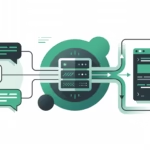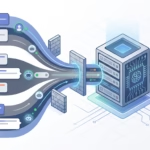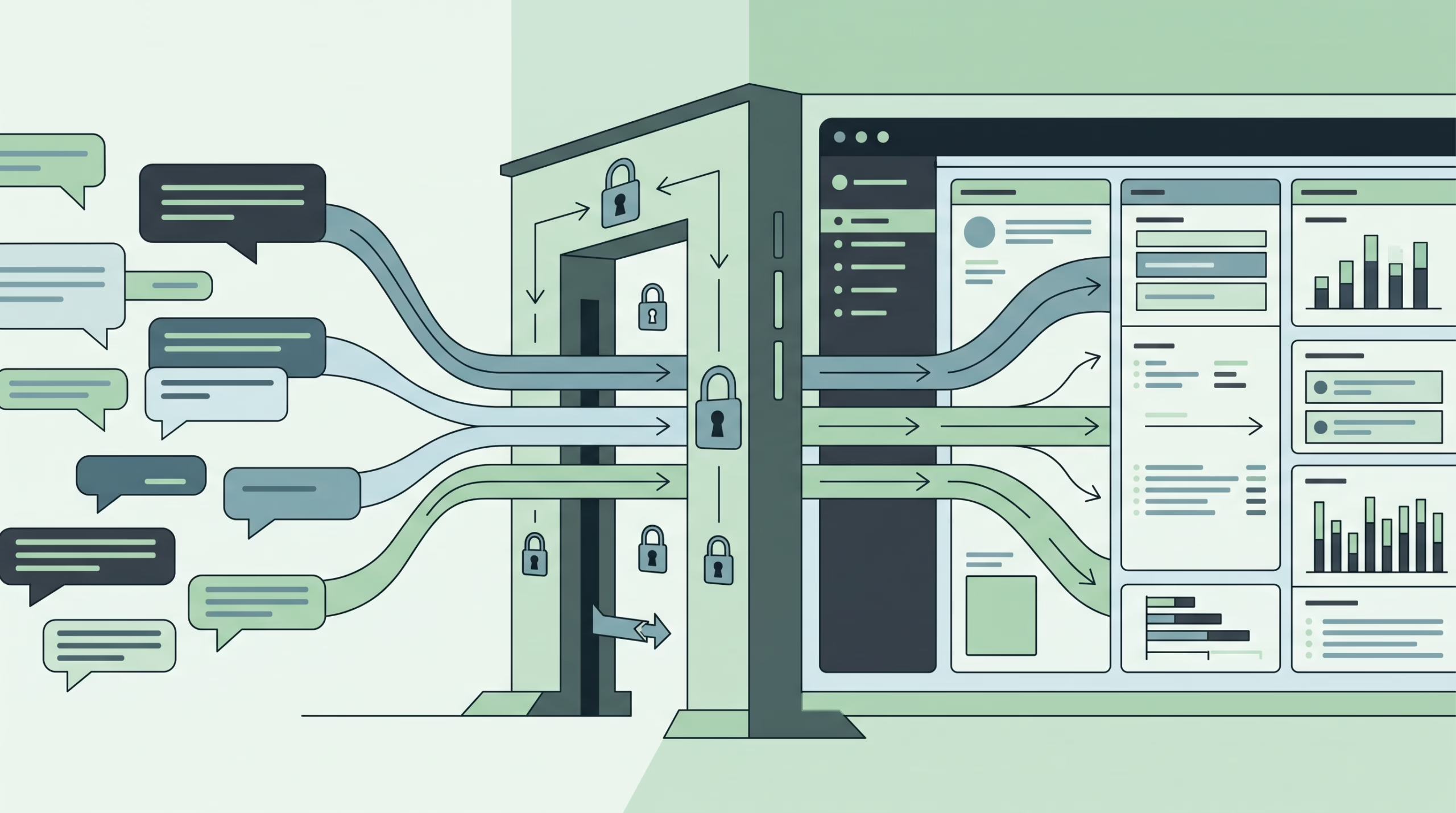

OpenClaw Slack is the channel you use when an AI agent needs to live where the team already works: in direct messages, project channels, app mentions, slash commands, files, and threads. It connects a Slack app to your self-hosted OpenClaw Gateway, then runs Slack activity through the same agent loop, memory, tools, approvals, sessions, and routing rules as the rest of your OpenClaw setup.
The trap is thinking of this as a simple “Slack bot setup.” That is too vague. A Slack app can reach OpenClaw over Socket Mode, a public HTTP Request URL, or relay mode. It can act as a bot or, in some setups, as a user. It can see DMs, private channels, files, reactions, pins, App Home interactions, and slash commands only when the manifest and tokens allow those paths.
Get the transport and permissions right and Slack becomes a clean control surface for your agent. Get them wrong and you get a worse kind of failure: messages look normal in Slack, but nothing useful reaches the agent.
What the OpenClaw Slack channel actually does
The OpenClaw Slack docs describe support for DMs and channels through Slack app integrations. The default transport is Socket Mode. HTTP Request URLs are supported too, and relay mode exists for managed deployments where a trusted router owns Slack ingress.
That means the Slack channel sits between Slack’s event system and OpenClaw’s Gateway. Slack emits a message, mention, command, file, reaction, pin, modal, App Home, or thread event. OpenClaw checks the configured account, sender, DM policy, channel policy, mention gates, thread rules, and session mapping. Only then does the agent wake up.
This is the right mental model: Slack is not just another chat app. In a company workspace, it is a noisy operating environment with humans, bots, private channels, shared channels, files, and long threads. OpenClaw’s Slack channel is useful because it treats Slack as an ingress policy problem, not only as a message transport.
Pick the transport by deployment shape
OpenClaw says Socket Mode and HTTP Request URLs have parity for messaging, slash commands, App Home, and interactivity. So the first decision is not “which one can do more?” It is “how is this Gateway deployed?”
Socket Mode
Socket Mode is the default choice for a single Gateway, a dev laptop, a home server, or a VPS that can make outbound connections to Slack but should not expose a public webhook endpoint. Slack’s own docs define Socket Mode as a way to use the Events API and interactive paths without exposing a public HTTP Request URL.
Instead of Slack calling your server over HTTPS, your app opens a WebSocket connection to Slack. The WebSocket URL is created at runtime by calling apps.connections.open, and Slack refreshes it regularly. OpenClaw handles the running connection for you, but the operational shape still matters: outbound WebSocket access to Slack must work.
{
  channels: {
    slack: {
      enabled: true,
      mode: "socket",
      appToken: { source: "env", provider: "default", id: "SLACK_APP_TOKEN" },
      botToken: { source: "env", provider: "default", id: "SLACK_BOT_TOKEN" },
      slashCommand: { enabled: true, name: "openclaw" },
      dmPolicy: "pairing",
      groupPolicy: "allowlist",
      channels: {
        C0123456789: { requireMention: true },
      },
    },
  },
}
There is one scaling warning people skip. Slack says Socket Mode can maintain up to 10 open WebSocket connections for one app, and each payload may go to any connection. OpenClaw’s docs make the practical point: separate Gateways sharing one Slack app need equivalent routing and authorization. If they do not, use separate Slack apps, HTTP behind a load balancer, or relay mode.
HTTP Request URLs
HTTP mode is a better fit when the Gateway already has a public HTTPS endpoint, when you run multiple Gateway replicas behind a load balancer, or when a reverse proxy already handles Slack webhooks.
In HTTP mode, Slack sends events, slash commands, and interactive payloads to the configured Request URL. OpenClaw verifies Slack’s request signature with the signing secret. Slack’s Events API docs say your app should return an HTTP 2xx within 3 seconds. If delivery fails, Slack retries three times: almost immediately, after 1 minute, and after 5 minutes.
{
  channels: {
    slack: {
      enabled: true,
      mode: "http",
      botToken: { source: "env", provider: "default", id: "SLACK_BOT_TOKEN" },
      signingSecret: {
        source: "env",
        provider: "default",
        id: "SLACK_SIGNING_SECRET",
      },
      slashCommand: { enabled: true, name: "openclaw" },
      webhookPath: "/slack/events",
      dmPolicy: "pairing",
      groupPolicy: "allowlist",
      channels: {
        C0123456789: { requireMention: true },
      },
    },
  },
}
For HTTP mode, do not forget the Slack manifest URLs. OpenClaw’s docs call out three URL fields: slash_commands[].url, event_subscriptions.request_url, and interactivity.request_url. They can point to the same OpenClaw endpoint, usually /slack/events, but Slack’s manifest schema wants them named separately. A slash command without a URL in HTTP mode can look registered and still do nothing.
Relay mode
Relay mode is for managed deployments. A trusted router owns the single Slack Socket Mode connection, picks a destination Gateway, and forwards a typed event over an authenticated WebSocket. The destination Gateway still uses its own bot token for outbound Slack Web API calls.
{
  channels: {
    slack: {
      mode: "relay",
      botToken: { source: "env", provider: "default", id: "SLACK_BOT_TOKEN" },
      relay: {
        url: "wss://router.example.com/gateway/ws",
        authToken: { source: "env", provider: "default", id: "SLACK_RELAY_AUTH_TOKEN" },
        gatewayId: "team-gateway",
      },
    },
  },
}
Treat the relay token and router route table as part of the Slack authorization boundary. Routed events enter the normal Slack handler as authorized activations. That is a lot of trust to put in the router, so relay mode belongs in environments where you actually operate that layer.
Tokens and secrets: do not mix them up
Most broken Slack setups I see are not mysterious. Someone used the wrong token in the right-looking field.
Slack bot tokens start with xoxb-. They represent the bot installed in a workspace and give the app the scopes it needs to read, write, and react as that bot. Slack app-level tokens start with xapp-. In Socket Mode, the app-level token needs connections:write so the app can open WebSocket URLs.
HTTP mode does not use the app-level token for the inbound path. It uses the bot token plus the Slack signing secret. Slack signs HTTP requests with X-Slack-Signature and X-Slack-Request-Timestamp. Their docs recommend computing an HMAC SHA256 signature over the raw body and rejecting requests whose timestamp differs from local time by more than five minutes. OpenClaw handles this when signingSecret is configured.
User identity is a separate mode. It lets OpenClaw read and post as the human who authorized the Slack app. That uses a user token as the acting identity, plus the same companion app traffic path: app token for Socket Mode or signing secret for HTTP.
Build the Slack app manifest
The OpenClaw docs give recommended and minimal manifests. Use the recommended one when you want the full Slack experience: App Home, slash commands, files, reactions, pins, group DMs, emoji reads, usergroup reads, and normal message paths. Use the minimal one when workspace policy restricts scopes.
The common bot scopes in the recommended setup include app_mentions:read, channels:history, channels:read, chat:write, commands, files:read, files:write, groups:history, groups:read, im:history, im:read, mpim:history, mpim:read, pins:read, reactions:read, reactions:write, and users:read.
Those scopes are not decorative. Slack’s Events API ties delivered events to OAuth permissions. If the app lacks access to private channel history, group DM history, files, reactions, or app mentions, OpenClaw cannot invent those events later. Start with the manifest that matches the behavior you expect, then trim only when you understand what you are losing.
For Enterprise Grid, OpenClaw supports org-wide Slack installs for direct Socket Mode or HTTP Request URLs. Relay mode is not supported for enterprise accounts. The docs also show workspace-qualified policy keys such as team:T0123456789:channel:C0123456789. That matters because one org installation can receive events from several workspaces.
Configure OpenClaw Slack
Once the Slack app is installed, put credentials in environment variables or your configured secret provider. Do not hard-code them in a shared config file.
export SLACK_APP_TOKEN=xapp-...
export SLACK_BOT_TOKEN=xoxb-...
export SLACK_SIGNING_SECRET=...
Socket Mode needs SLACK_APP_TOKEN and SLACK_BOT_TOKEN. HTTP mode needs SLACK_BOT_TOKEN and SLACK_SIGNING_SECRET. If you configure user identity, use SLACK_USER_TOKEN where the account expects it.
OpenClaw does not auto-start Slack from ambient SLACK_* variables unless the Slack channel block exists, or unless you explicitly opt into ambient channel configuration. That is a good thing. A random environment variable should not silently expose a workspace to an agent.
Keep DMs and channels under control
For DMs, keep dmPolicy: "pairing" unless you have a reason to do something stricter. Pairing lets unknown Slack users request access without letting them reach the agent before approval. Use allowlist for fixed operator sets, and reserve open for low-risk agents with no sensitive memory or dangerous tools.
{
  channels: {
    slack: {
      dmPolicy: "pairing",
      allowFrom: ["U0123456789"],
    },
  },
}
Channels need more care. Under groupPolicy: "allowlist", OpenClaw expects channel IDs such as C0123456789. The docs warn that name-based keys like #engineering or engineering do not match in allowlist mode. They can silently block messages because routing is ID-first.
{
  channels: {
    slack: {
      groupPolicy: "allowlist",
      channels: {
        C0123456789: { requireMention: true },
      },
    },
  },
}
Mention gating is what keeps Slack from becoming a firehose. OpenClaw channel messages are mention-gated by default. A message can pass through an explicit bot mention, a Slack user-group mention when the bot is a member of that user group, configured mention regex patterns, or follow-ups in threads where the bot has participated.
The default is sensible. Shared channels are noisy. An AI agent with tools should not treat every comment, standup note, deployment message, and automated notification as a prompt.
Threading, sessions, and reply behavior
Slack threads matter because they shape both user experience and agent memory. OpenClaw maps Slack channel, MPIM, Agent View, and Assistant View thread replies using the parent Slack thread_ts. Ordinary Slack DMs stay on the base DM session by default, while Slack-managed Agent View and Assistant View roots stay isolated by thread.
That gives you a practical pattern. A top-level channel mention starts an agent-visible thread. Follow-ups in that thread can keep the same OpenClaw session, so the agent sees the discussion as one task instead of a pile of disconnected messages. If you require fresh explicit mentions on every follow-up, adjust the implicit mention settings.
Reply threading is also configurable. OpenClaw can inherit the current Slack thread for automatic replies and same-channel sends. You can force top-level messages with the message tool when needed, or disable optional outbound reply threading with replyToMode: "off". Be careful with that setting. Slack threads hide replies from the parent channel, while top-level replies make the agent louder.
Slash commands, App Home, files, and status feedback
Slack gives OpenClaw more than chat text. Slash commands can route explicit operator actions. OpenClaw supports either one configured slash command, usually /openclaw, or multiple native commands. The transport changes the setup: in Socket Mode, command payloads arrive over WebSocket; in HTTP mode, each command entry needs the Gateway URL.
App Home and Agent View give users a Slack-native place to start or resume agent conversations. The OpenClaw docs note that the default App Home view is safe and does not include private configuration. Agent View roots route to their own OpenClaw thread sessions, with Slack-provided context treated as untrusted input.
File handling is another reason to choose scopes deliberately. OpenClaw can attach downloaded Slack media to an agent turn when Slack file downloads succeed and size limits permit it. Audio clips can go through transcription. Images can go through vision-capable reply paths. PDFs can be exposed as file context for tools that handle PDFs. Slack processing is capped at eight files per message.
Status feedback has two shapes. Slack’s native agent or assistant thread status can show progress with loading messages. OpenClaw can also use reaction lifecycles for queued, thinking, tool, done, and error states. Keep this restrained in busy channels. Visible feedback is helpful; constant reaction noise is not.
Troubleshooting OpenClaw Slack
Start with the channel status and logs:
openclaw status
openclaw gateway status
openclaw logs --follow
openclaw doctor
openclaw channels status --probe
If Socket Mode does not start, validate the bot token, app token, Socket Mode setting, and connections:write scope. Permanent account and credential errors such as invalid auth, revoked tokens, or missing scopes fail fast instead of retrying forever.
If HTTP events fail, verify the public URL, TLS, reverse proxy path, Slack signing secret, and the three Slack manifest URL fields. Remember Slack’s 3-second response rule. Slow agent work should happen after acknowledgement, not before it.
If channel messages are ignored, check groupPolicy, channel IDs, sender allowlists, requireMention, and mention patterns. Under allowlist mode, #channel-name is the wrong key. Copy the channel link in Slack and use the C... ID from the URL.
If slash commands do not fire, check whether you are using single command mode or native command mode. Slack does not create or remove slash commands automatically. In HTTP mode, the command URL must be present. In Socket Mode, the URL field is ignored.
If files do not arrive as context, check scopes first. The app needs the relevant file and conversation scopes, and the bot must be allowed to see the conversation. Expired Slack file URLs, inaccessible files, oversized files, and Slack auth pages are skipped rather than forced into the agent turn.
FAQ about OpenClaw Slack
Should I use Socket Mode or HTTP Request URLs?
Use Socket Mode for one Gateway, private networks, dev laptops, and hosts that should not expose inbound HTTPS. Use HTTP Request URLs for public Gateways, load-balanced replicas, or reverse-proxy setups that already receive Slack webhooks.
What tokens does OpenClaw Slack need?
Bot identity in Socket Mode needs a bot token and an app-level token. Bot identity in HTTP mode needs a bot token and signing secret. User identity uses a user token plus the same transport credential: app token for Socket Mode or signing secret for HTTP.
Can I allow a Slack channel by name?
Not in allowlist mode. Use the Slack channel ID, such as C0123456789. For Enterprise Grid org-wide installs, use workspace-qualified keys when needed.
Does every Slack message wake the agent?
No, and that is the right default. Channel messages are mention-gated by default. DMs follow dmPolicy. Allowed thread follow-ups can continue a session without a new top-level mention, depending on your implicit mention settings.
Can OpenClaw Slack handle files and audio clips?
Yes, when the app has the right scopes and Slack can serve the files. Audio clips can go through transcription, images can reach media-aware paths, PDFs can be exposed as file context, and each message is capped at eight processed files.
Final checklist
- Choose Socket Mode, HTTP Request URLs, or relay mode based on deployment shape.
- Create a Slack app with the recommended or minimal OpenClaw manifest.
- Use
xoxb-bot tokens for bot identity andxapp-app-level tokens for Socket Mode. - Use the signing secret for HTTP Request URLs.
- Keep secrets in environment variables or a configured secret provider.
- Set
dmPolicy: "pairing"unless fixed allowlists make more sense. - Use Slack channel IDs, not channel names, under
groupPolicy: "allowlist". - Keep
requireMention: truefor shared channels unless the agent is meant to read ambient room events. - Test slash commands, App Home, files, DMs, channels, and threads before calling the install done.
- Run
openclaw channels status --probeand read the Slack logs after every config change.
Slack is probably the highest-value OpenClaw channel for teams, but it is also the easiest one to over-open. Treat the Slack app like production ingress. Pick the transport cleanly, scope the app honestly, keep channels mention-gated, and make Slack a controlled command surface for the agent instead of a workspace-wide prompt collector.