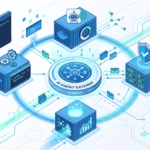

OpenClaw Signal support is for people who want a private AI agent in Signal without handing the whole job to a hosted bot platform. It connects a self-hosted OpenClaw Gateway to a Signal account through signal-cli, then routes Signal messages into the same agent loop, tools, memory, sessions, approvals, and channel rules you use elsewhere.
The setup is not hard, but it is easy to misunderstand. Signal does not work like a Telegram bot token. There is no simple OAuth app to create and forget. OpenClaw talks to a Signal device, and that device is backed by signal-cli. That means the big decisions are practical ones: which number owns the bot, how signal-cli runs, who can message the agent, and how groups should stay quiet until the right person mentions it.
Get those parts right and Signal becomes a very good front door for a personal or team AI operator. Rush them and you end up debugging ignored messages, stuck receive streams, or a bot account tied to the wrong phone number.
What the OpenClaw Signal channel actually is
OpenClaw’s docs describe Signal as a downloadable channel plugin: @openclaw/signal. The Gateway talks to signal-cli over HTTP. It can use a native signal-cli daemon with JSON-RPC plus server-sent events, or it can use the bbernhard/signal-cli-rest-api container with REST plus WebSocket. OpenClaw does not embed libsignal inside the Gateway.
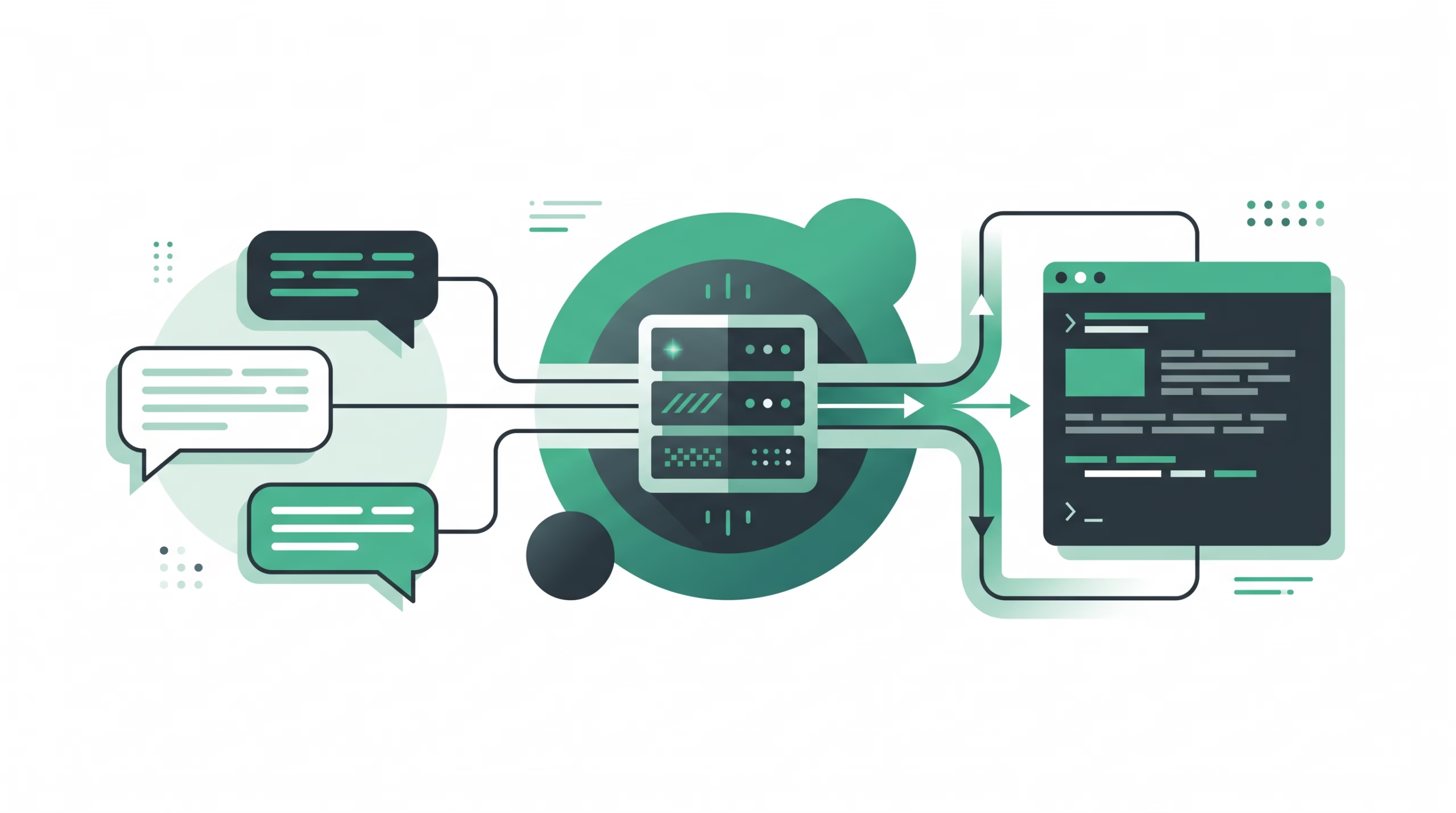
That detail matters because the Signal channel has two moving pieces. OpenClaw owns the channel policy, routing, sessions, and agent behavior. signal-cli owns the Signal account connection: registration, linking, message receive, send, group metadata, attachments, identities, and local Signal account state.
In normal use, an inbound Signal message reaches the signal-cli backend first. OpenClaw receives a normalized event, checks the direct-message or group access rules, maps the chat to the right session, and hands the turn to the agent. Replies go back to the same Signal number or group. For direct messages, they share the agent’s main session. With the default group scoping, groups get isolated sessions such as agent:<agentId>:signal:group:<groupId>.
This is the right mental model: OpenClaw Signal is a self-hosted Signal device attached to your Gateway. It is not a generic webhook endpoint.
The number decision comes first
The OpenClaw docs are blunt about the number model: use a separate Signal number for the bot if you want to text it and get replies. Running the bot on your personal Signal account makes it ignore your own messages because of loop protection.
That is not a small edge case. It is the difference between “I can DM my assistant from my phone” and “why does my assistant ignore me?” A dedicated bot number also makes access control cleaner. The number has one job. If someone messages it, that message is meant for the agent. If a group adds it, that group is knowingly adding the agent identity.
You can still link an existing Signal account, and for some operators that is useful. But if you are building a durable setup for daily work, approvals, groups, or cron notifications, start with a separate number. Treat it like infrastructure, not a spare chat login.
Install the Signal plugin
Signal is not built into the core OpenClaw package. Install the channel plugin first:
openclaw plugins install @openclaw/signalBare plugin specs try ClawHub first and then npm fallback. If you want to force the source, use one of these forms:
openclaw plugins install clawhub:@openclaw/signal
openclaw plugins install npm:@openclaw/signal
The install command registers and enables the plugin, so there is no separate enable step. After that, add the channel:
openclaw channels addThe guided setup detects whether signal-cli is available. On Linux x86-64 it can offer to download the official native GraalVM build. On macOS and other architectures it can use Homebrew where available. For scriptable installs, run the Signal channel path directly:
openclaw channels add --channel signal \
  --signal-number +15551234567 \
  --http-host 127.0.0.1 \
  --http-port 8080
The phone number should be in E.164 format, including the leading + and country code.
Choose a transport mode
Most Signal problems come from mixing up the transport mode. OpenClaw has three shapes, and each one changes who starts the process and which protocol is used.
Managed native
managed-native is the default fit for a straightforward server. OpenClaw starts the native signal-cli daemon and talks to JSON-RPC at /api/v1/rpc, with events coming over /api/v1/events. A minimal config looks like this:
{
  channels: {
    signal: {
      enabled: true,
      account: "+15551234567",
      transport: {
        kind: "managed-native",
        cliPath: "signal-cli",
      },
      dmPolicy: "pairing",
      allowFrom: ["+15557654321"],
    },
  },
}
If the daemon is slow to start on your VPS, set channels.signal.transport.startupTimeoutMs. The docs allow values from 1000 ms up to 120000 ms, with 30000 ms as the default.
External native
Use external-native when you want to manage signal-cli yourself. This is a better fit if the Gateway should not own the process lifecycle, if you already run a daemon under systemd, or if a shared host needs tighter control over CPU and memory.
openclaw channels add --channel signal --signal-number +15551234567 \
  --http-url http://127.0.0.1:8080 --signal-transport external-native
{
channels: {
signal: {
transport: {
kind: "external-native",
url: "http://127.0.0.1:8080",
},
},
},
}This skips OpenClaw’s auto-spawn behavior. The trade is obvious: you now own daemon startup, restarts, logs, and upgrades.
Container mode
Container mode uses bbernhard/signal-cli-rest-api, a Docker wrapper around signal-cli. The upstream project exposes registration, verification, sending, receiving, device linking, group operations, attachments, and profile updates through HTTP endpoints.
For OpenClaw, the important rule is MODE=json-rpc. The docs call this out because MODE=normal can make a health endpoint look fine while real-time receive streaming still fails.
signal-cli:
  image: bbernhard/signal-cli-rest-api:latest
  environment:
    MODE: json-rpc
  ports:
    - "8080:8080"
  volumes:
    - signal-cli-data:/home/.local/share/signal-cli
Then point OpenClaw at it:
{
  channels: {
    signal: {
      enabled: true,
      account: "+15551234567",
      transport: {
        kind: "container",
        url: "http://signal-cli:8080",
      },
    },
  },
}
Container mode sends through the wrapper’s REST API and receives through WebSocket. OpenClaw translates native Signal operations into the container payloads, including group IDs and styled text where the wrapper supports them.
Link or register the Signal account
OpenClaw supports two account paths: link an existing Signal account or register a dedicated number.
The QR link path is usually fastest:
signal-cli link -n "OpenClaw"Signal’s linked-device flow lets another Signal client connect to a primary device. Upstream signal-cli docs note that Signal currently allows up to five linked devices per primary. After linking, run receive once so the linked device gets contacts and groups:
signal-cli -u USERNAME receiveThe dedicated-number path uses SMS or voice verification:
signal-cli -a +15551234567 register
signal-cli -a +15551234567 verify 123456
Registration may require a captcha token. The upstream captcha page says registration normally fails with a captcha-required error when Signal asks for one. You get the token from https://signalcaptchas.org/registration/generate.html, then rerun registration with --captcha. Tokens expire quickly, and repeated failed attempts can hit server rate limits.
One warning deserves its own paragraph: registering a number through signal-cli can de-authenticate the main Signal app session for that number. If you want your phone app and signal-cli active at the same time, use the linked-device path. If you want a real bot number, use a separate number and accept that signal-cli owns it.
Configure DM access and pairing
OpenClaw Signal DMs default to pairing. That is the right default. Unknown senders get a pairing code, and their messages are not processed until you approve them.
{
  channels: {
    signal: {
      account: "+15551234567",
      dmPolicy: "pairing",
      allowFrom: ["+15557654321"],
    },
  },
}
Pairing can be handled from the Control UI under Settings -> Channels -> DM access requests, or from the CLI:
openclaw pairing list signal
openclaw pairing approve signal <CODE>
The shared pairing docs say codes expire after 1 hour and pending requests are capped at 3 per channel account. That cap is useful on a public-facing number. A random person can request access, but they do not get the agent and they cannot fill an unbounded pending queue.
Use allowlist if you want only fixed senders:
{
  channels: {
    signal: {
      dmPolicy: "allowlist",
      allowFrom: ["+15557654321", "uuid:123e4567-e89b-12d3-a456-426614174000"],
    },
  },
}
Signal senders can appear as phone numbers or UUID values, so keep both forms in mind while reading pairing output. Avoid open unless you have a very narrow agent with no sensitive tools, no private memory, and no ability to trigger expensive work. For most real agents, public Signal DMs are asking for trouble.
Handle groups without letting every message wake the agent
Groups need a stricter policy than DMs. OpenClaw supports open, allowlist, and disabled for Signal groups. The default shape is allowlist, which is where most setups should stay.
{
  channels: {
    signal: {
      account: "+15551234567",
      accountUuid: "bot-signal-uuid",
      groupPolicy: "allowlist",
      groupAllowFrom: ["group:<signal-group-id>"],
      historyLimit: 8,
      groups: {
        "<signal-group-id>": { requireMention: true },
      },
    },
  },
  messages: {
    groupChat: {
      mentionPatterns: ["\\bopenclaw\\b"],
    },
  },
}
Allowlisting a group does not have to mean every message triggers the agent. With requireMention: true, OpenClaw can match native Signal @mentions against the bot account phone or accountUuid. Plain-text mentionPatterns act as a fallback.
There is also a useful pending-history behavior. Allowed group messages that do not mention the bot stay silent, but OpenClaw can keep them in a bounded pending history window. When someone later mentions the bot, the agent can see that recent context and reply to the group. That is how a group assistant should behave: quiet by default, useful when summoned.
Media, receipts, reactions, and reply behavior
OpenClaw Signal is not text-only. Container mode supports the same Signal operations as native mode where the wrapper exposes matching APIs: sends, receives, attachments, typing indicators, read/viewed receipts, reactions, groups, and styled text.
The defaults are conservative. Outbound Signal text is chunked by channels.signal.textChunkLimit, with a default of 4000 characters. The default media cap is channels.signal.mediaMaxMb, with a default of 8 MB. If your agent often handles voice notes, images, or large documents, set the limit deliberately instead of discovering it during a failed request.
{
  channels: {
    signal: {
      textChunkLimit: 4000,
      mediaMaxMb: 8,
      ignoreAttachments: false,
      sendReadReceipts: true,
    },
  },
}
Typing indicators are sent through signal-cli sendTyping and refreshed while a reply is running. Read receipts can be forwarded for allowed DMs when sendReadReceipts is true, but signal-cli does not expose read receipts for groups.
Replies can also include native Signal quote metadata when the backend accepts the inbound timestamp and author. Configure that with channels.signal.replyToMode, using off, first, all, or batched. If quote metadata is missing or rejected, OpenClaw sends a normal message.
For operators who like visible lifecycle feedback, Signal can use status reactions for queued, thinking, tool, compaction, done, and error states. Keep channels.signal.reactionLevel at minimal for ordinary setups. Turn it off only if reactions are noisy in your chats.
Troubleshooting OpenClaw Signal
Start with the boring checks. They find most failures:
openclaw status
openclaw gateway status
openclaw logs --follow
openclaw doctor
openclaw channels status --probe
If DMs do not reach the agent, check pairing next:
openclaw pairing list signalIf the channel looks installed but no replies arrive, verify account, transport.kind, the transport URL, and receive mode. For container setups, confirm the container is running with MODE=json-rpc. For native setups, confirm the daemon is actually running:
pgrep -af signal-cli
openclaw logs --plain --limit 500 | grep -i "signal" | tail -20
If groups stay silent, check group policy and mention gating. A group can be allowed while the sender or mention rule still blocks delivery. That is not a bug. It is usually the policy doing what you asked.
If registration breaks, go back to the Signal account state. signal-cli stores keys locally, typically under ~/.local/share/signal-cli/data/. Back that state up before a server move or rebuild. Also keep signal-cli updated. The upstream README warns that old releases may stop working as Signal server APIs change.
FAQ about OpenClaw Signal
Does OpenClaw include libsignal directly?
No. The Signal channel talks to signal-cli. OpenClaw owns the Gateway behavior and channel policy, while signal-cli handles the Signal account connection.
Should I use my personal Signal number?
Use a separate bot number if you want the cleanest setup. If the bot runs on your personal Signal account, OpenClaw ignores your own messages for loop protection. A separate number avoids that and keeps the agent boundary clear.
Is QR linking better than SMS registration?
QR linking is faster when you already have a primary Signal account and want signal-cli as a linked device. SMS registration is better for a dedicated bot number. Do not register your personal number with signal-cli unless you understand that it can de-authenticate your phone session.
Can OpenClaw Signal work in Docker?
Yes. Use the bbernhard/signal-cli-rest-api container and set the OpenClaw transport kind to container. For real-time receiving, run the container with MODE=json-rpc.
How do I stop random people from messaging the agent?
Keep dmPolicy: "pairing" or use allowlist. Pairing blocks unknown senders until you approve their code. Group access is separate, so configure groupPolicy, groupAllowFrom, and requireMention for shared chats.
Final checklist
- Install
@openclaw/signal. - Use a separate Signal number unless you have a reason not to.
- Pick one transport mode: managed native, external native, or container.
- For container mode, set
MODE=json-rpc. - Link by QR or register the number by SMS or voice.
- Keep
dmPolicy: "pairing"for normal private setups. - Allowlist groups and require mentions where shared chat noise matters.
- Back up the
signal-cliaccount state before moving servers. - Run
openclaw channels status --probebefore calling the setup done.
Signal is a strong channel for an OpenClaw agent precisely because it is private, direct, and already part of how many teams talk. But the privacy comes with operator duties. Own the number, keep the transport healthy, approve senders deliberately, and the Signal channel becomes a practical control surface for a self-hosted AI agent.