
OpenClaw Discord turns a Discord bot into a real channel for your self-hosted AI agent. That sounds like a small setup job: make an application, copy a token, invite the bot, and start chatting. In practice, Discord is stricter than that. The bot needs the right Gateway intents, the right OAuth scopes, the right channel permissions, and the right OpenClaw access rules before it becomes useful.
The good news is that OpenClaw does not ask you to build a Discord bot framework from scratch. It connects to Discord over the official Gateway, routes DMs and guild messages into agent sessions, handles pairing, supports slash commands, and can post back to Discord through the normal message path. The work for you is mostly policy: who can wake the agent, which rooms it can see, whether it must be mentioned, and how much Discord surface area you want to expose.
That is the right frame for this setup. Do not treat Discord as a toy chat window. Treat it as an operations room with a bot inside it.
What OpenClaw Discord actually connects
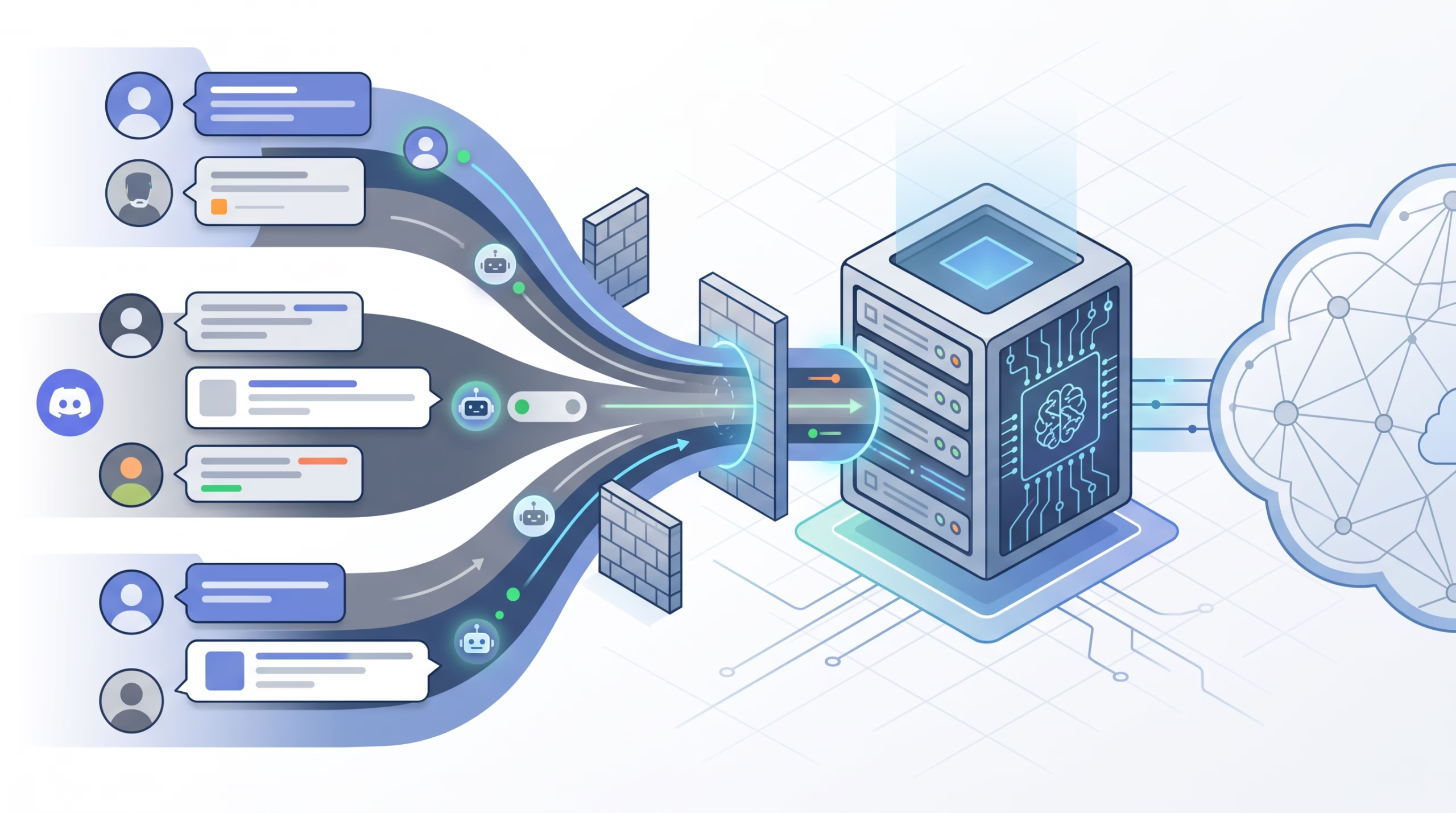
The OpenClaw Discord channel connects to Discord as a bot over Discord’s official Gateway. Discord’s Gateway is a persistent WebSocket connection that sends real-time events to apps. OpenClaw uses that stream to receive messages, DMs, guild-channel activity, slash-command interactions, thread activity, and other supported Discord surfaces.
Once a message reaches OpenClaw, the Gateway applies the same kind of routing and access checks used by the other OpenClaw channels. DMs can go through pairing. Guild channels can be allowlisted. A channel can require a direct bot mention. Each guild channel can map to its own isolated session, while DMs can share the main session when session.dmScope=main.
That last point matters. A Discord server is not one conversation. Your #coding channel, #research channel, and #ops channel can each become a different agent context. That keeps work from bleeding together and makes Discord feel more like a workspace than a single noisy transcript.
Before you touch config, decide the room model
OpenClaw can work in Discord DMs, normal guild channels, forum threads, and command sessions. Pick the first use case before changing settings.
If this is your first Discord setup, start with a private server and DMs. A private server keeps testing quiet, and DMs give you the cleanest pairing flow. Once that works, add the server to the guild allowlist and decide whether normal rooms should require an @mention.
For shared channels, my default is conservative: require a mention first. That keeps casual room chatter out of the agent’s prompt stream. In a private one-person server, you can relax requireMention later and let the agent respond without being tagged. The difference is not cosmetic. It decides whether every message in a room becomes potential agent input.
Create the Discord application and bot
Open the Discord Developer Portal and create a new application. Give it the same name you want people to see in Discord, often the agent name. Then open the Bot page and create or configure the bot user.
Copy the bot token only when you are ready to store it on the OpenClaw host. The token is a secret. Do not send it in chat, paste it into a shared ticket, or save it inside a blog draft. In OpenClaw, store it as an environment-backed secret reference so the config points at DISCORD_BOT_TOKEN instead of carrying the raw token.
export DISCORD_BOT_TOKEN="YOUR_BOT_TOKEN"
cat > discord.patch.json5 <<'JSON5'
{
  channels: {
    discord: {
      enabled: true,
      token: { source: "env", provider: "default", id: "DISCORD_BOT_TOKEN" },
    },
  },
}
JSON5
openclaw config patch --file ./discord.patch.json5 --dry-run
openclaw config patch --file ./discord.patch.json5
openclaw gateway
For a service install, make sure the service can see the environment variable after restart. The OpenClaw docs also note a useful startup escape hatch: if Discord blocks or rate-limits the startup application lookup, set channels.discord.applicationId from the Developer Portal so OpenClaw can skip that REST call.
Intents decide what the agent can hear
Discord intents are not optional decoration. They decide which event groups Discord sends over the Gateway. OpenClaw’s Discord docs call out three privileged intent settings:
- Message Content Intent: required for normal guild messages.
- Server Members Intent: recommended, and required for role allowlists, name-to-ID matching, and channel-audience access groups.
- Presence Intent: optional, only needed for presence updates.
The easy mistake is to skip Message Content Intent, invite the bot, and then wonder why guild messages do not wake the agent. Discord may still show the bot online. OpenClaw may still run. The missing piece is that Discord is not sending the user-authored content the agent needs.
If Discord cannot grant Message Content Intent for your bot, OpenClaw still has a workable fallback. Set channels.discord.intents.messageContent: false, keep requireMention: true on guild channels, and use DMs or explicit mentions. In that mode, Discord omits other guild message content, so the agent should not be expected to read ordinary room chatter.
Invite permissions: start narrow, then add what you need
In the OAuth2 URL Generator, enable two scopes: bot and applications.commands. Discord’s OAuth2 docs define bot as the scope that adds the bot to the selected guild, while applications.commands adds command support.
For normal text-channel use, OpenClaw recommends these baseline bot permissions: View Channels, Send Messages, Read Message History, Embed Links, Attach Files, and optionally Add Reactions. If the bot will operate in threads, including forum or media workflows, add Send Messages in Threads too.
Avoid the lazy Administrator checkbox unless you have a short-lived test server and a reason. Discord permissions are bit flags, and OpenClaw does not need broad server control to answer messages. Start with the narrow set, test, then add permissions for specific features such as attachments, reactions, or threads.
Pair DMs first, then configure guild channels
Once the Gateway is running, DM the bot. OpenClaw’s Discord DMs default to pairing mode, so the bot replies with a short pairing code. Approve that code from another trusted channel or from the CLI:
openclaw pairing list discord
openclaw pairing approve discord <CODE>
OpenClaw pairing codes expire after 1 hour. Pairing grants direct-message access; it does not automatically make someone trusted in every group or guild channel. That separation is healthy. DM access is one boundary. Guild authorization is another.
After DMs work, add the server to the Discord guild allowlist. A simple private-server setup looks like this:
{
  channels: {
    discord: {
      enabled: true,
      groupPolicy: "allowlist",
      guilds: {
        YOUR_SERVER_ID: {
          requireMention: true,
          users: ["YOUR_USER_ID"],
        },
      },
    },
  },
}
Use Discord Developer Mode to copy the server ID and your user ID. Do not guess them from names. Names change, IDs do not.
Guild workspaces, sessions, and mention gates
Discord becomes more interesting once you use it as a small agent workspace. OpenClaw can route guild channels into isolated session keys, so each channel keeps its own context. A channel named #coding can carry implementation work, while #research can carry source gathering, and neither needs to pollute the other.
The important choice is requireMention. With requireMention: true, the bot responds when tagged. With requireMention: false, the bot can react to ordinary messages in that channel. On a private server, no-mention mode is pleasant. In a team space, it can be loud and risky unless the room is designed for agent traffic.
OpenClaw also has a visible-reply setting for shared rooms. In normal channels, replies can post automatically. In ambient rooms, you may choose messages.groupChat.visibleReplies: "message_tool", which means the agent must use the message tool to speak. If Discord shows typing and token usage but no visible message, this is one of the first settings to check.
Slash commands, forum threads, and components
Discord is not only text chat. OpenClaw supports native slash commands, and Discord application-command docs describe slash commands as native client interactions. In OpenClaw, slash commands run in isolated command sessions while still carrying the target routed conversation session. That gives commands a clean execution context without losing where the user wanted the result to land.
Forum and media channels need a different mental model. Discord forum parents accept thread posts, not ordinary messages. OpenClaw supports sending to a forum parent to create a thread, using the first non-empty line as the thread title, or creating a thread directly with the message command.
OpenClaw also supports Discord components v2 containers through the message tool. That can mean text sections, action rows, buttons, select menus, media galleries, and files. Use this when the answer should be interactive, not when a plain text reply is enough.
Rate limits and operational guardrails
Discord rate limits exist per route and globally. Discord’s docs say apps should parse rate-limit response headers rather than hard-code limits. They also document a global API rate limit of 50 requests per second for bots and an invalid-request limit of 10,000 per 10 minutes for 401, 403, and 429 responses.
Most small OpenClaw Discord setups will not get close to those numbers. The practical lesson is simpler: bad tokens, missing permissions, and repeated forbidden calls can hurt you faster than normal chat volume. If a token is invalid, stop using it. If a channel returns forbidden errors, fix permissions instead of retrying blindly.
Troubleshooting OpenClaw Discord
When Discord looks connected but the agent is quiet, check the boring things first:
- Run
openclaw channels status --probeand inspect Discord status. - If the bot is online but no guild replies arrive, verify guild allowlists and Message Content Intent.
- If group messages are ignored, check mention gating and try mentioning the bot directly.
- If DMs do not work, run
openclaw pairing list discordand approve the pending request. - If a channel map exists under a guild entry, remember it acts as an allowlist. Unlisted channels are denied unless you add a wildcard entry.
- If token usage appears but no message posts, check ambient-room and
message_toolvisible-reply settings.
Also check the Discord-side permissions. View Channels lets the bot see a channel. Send Messages lets it post. Read Message History matters for context. Attach Files and Embed Links matter for richer replies. Send Messages in Threads matters once forum and thread workflows enter the picture.
FAQ about OpenClaw Discord
Can OpenClaw use Discord DMs only?
Yes. DMs are the simplest way to start, and OpenClaw Discord DMs default to pairing mode. Approve the pairing code, then use the bot as a private chat surface for the agent.
Do I need Message Content Intent?
You need it for normal guild messages. Without it, OpenClaw can still work in DMs and in guild channels where the bot is explicitly mentioned, as long as you configure messageContent: false and keep mention gating on.
Should I give the bot Administrator permission?
No, not by default. Start with View Channels, Send Messages, Read Message History, Embed Links, Attach Files, and any extra permissions tied to features you actually use.
How are Discord channels mapped to OpenClaw sessions?
Guild channels are isolated by channel session keys. DMs can share the agent’s main session by default when session.dmScope=main. Slash commands run in isolated command sessions.
Can OpenClaw post into Discord forum channels?
Yes. It can send to the forum parent to create a thread or create a thread directly. Forum parent channels do not behave like normal text channels, so target the thread when you need follow-up messages or components.
Final checklist
- Create a Discord application and bot.
- Enable Message Content Intent unless you plan to rely on DMs and explicit mentions only.
- Enable Server Members Intent if you need role allowlists or name-to-ID matching.
- Generate an invite URL with
botandapplications.commands. - Grant only the permissions the bot needs.
- Store
DISCORD_BOT_TOKENas a secret, not as chat text. - Enable the Discord channel in OpenClaw with a SecretRef token.
- Pair DMs first.
- Add the guild allowlist, then decide whether channels require mentions.
- Test DMs, guild replies, slash commands, and thread posting separately.
OpenClaw Discord is worth setting up when you want a familiar, persistent room for your agent. The setup goes wrong only when it is treated as “just a bot.” Get the intents, permissions, pairing, and guild rules right, and Discord becomes a tidy control surface for a self-hosted agent instead of another noisy inbox.