
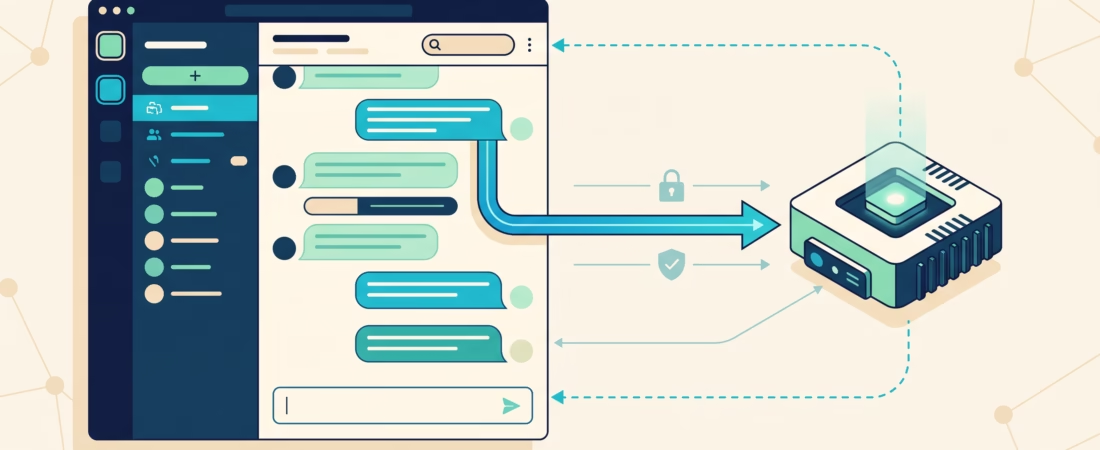
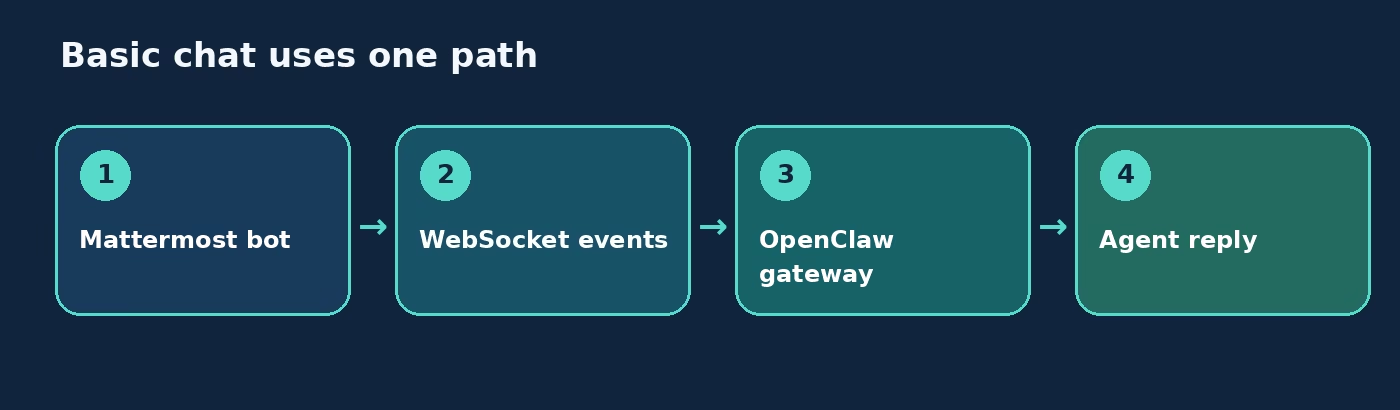
The OpenClaw Mattermost channel puts a self-hosted agent in Mattermost DMs, public or private channels, and group DMs. Basic chat needs a bot token, a Mattermost base URL, and WebSocket events. It does not need a public Gateway callback just to receive ordinary messages. That distinction matters: native slash commands and clickable buttons add a second, inbound path from the Mattermost server to your Gateway. Configure that only after plain chat works.
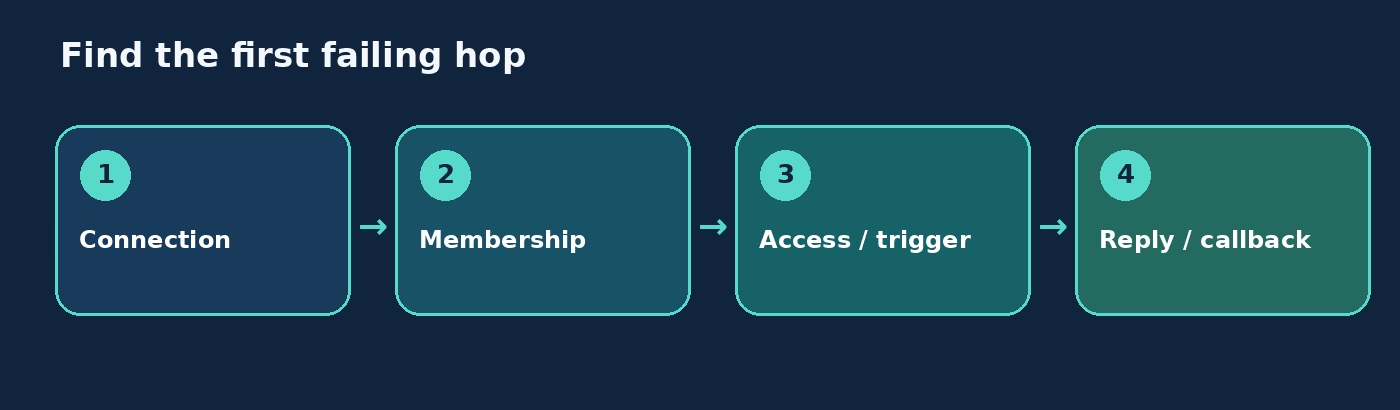
This guide follows the real failure order: connect the bot, admit the sender, decide when a channel message should trigger the agent, and then test the reply. The commands and defaults come from the current OpenClaw Mattermost documentation.
OpenClaw Mattermost channel: understand the connection
Mattermost is a self-hostable team messaging platform. OpenClaw’s integration is a separately installed @openclaw/mattermost plugin. The plugin uses a bot token for API access and WebSocket events for incoming posts. The bot still needs to be a member of the teams and channels it should read. A valid token cannot see a private channel the bot was never added to.
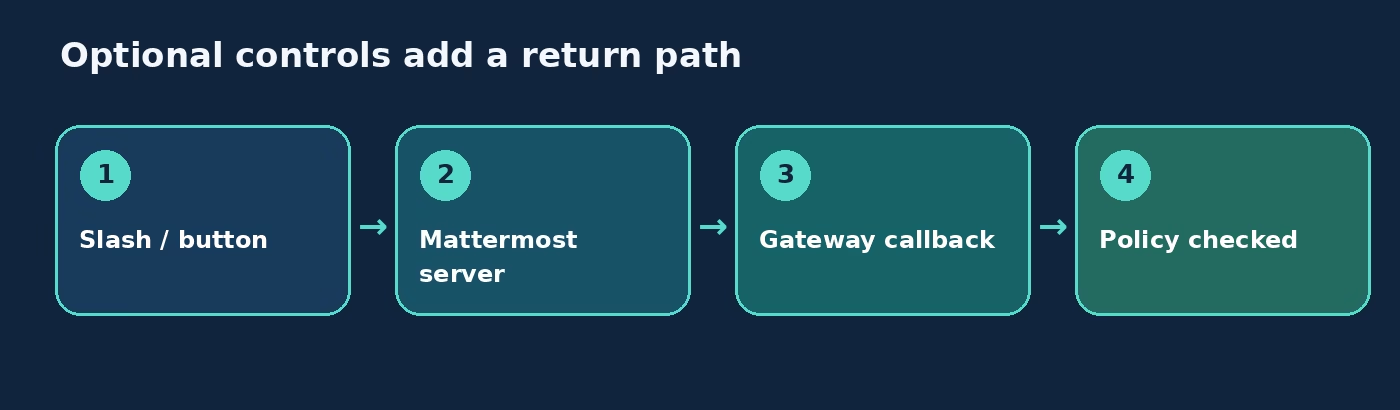
There are two network directions to keep straight. For ordinary chat, the Gateway connects out to Mattermost. For optional native slash commands or interactive buttons, Mattermost sends HTTP callbacks back to the Gateway. If the two services run on different hosts, localhost is not a shared address. A callback that works in a local test may be unreachable from the Mattermost server.
The direction also matters for a private Mattermost deployment. OpenClaw guards outbound API requests against private and internal IPs by default. If your Mattermost base URL resolves to a LAN or tailnet address, the documented opt-in is channels.mattermost.network.dangerouslyAllowPrivateNetwork: true. Set it for the intended account only after confirming that private address is your own server. This is a connection setting, not a fix for missing sender permissions.
Install the plugin and connect a bot account
Create the bot and configure its base URL
Create a Mattermost bot account, copy its bot token, and add the bot to one test team and channel. Use the server’s base URL, such as https://chat.example.com. OpenClaw strips a trailing /api/v4 automatically, but starting with the base URL keeps the config clear.
openclaw plugins install @openclaw/mattermost
openclaw channels add --channel mattermost --bot-token <token> --http-url https://chat.example.com
The equivalent configuration is below. The token is a placeholder, not something to paste into an article or support screenshot.
{
  channels: {
    mattermost: {
      enabled: true,
      botToken: "MATTERMOST_BOT_TOKEN",
      baseUrl: "https://chat.example.com",
      dmPolicy: "pairing",
    },
  },
}
For the default account, the Gateway can also read MATTERMOST_BOT_TOKEN and MATTERMOST_URL from its environment. Those variables do not configure additional named accounts. If one account works and another does not, check the per-account configuration before rotating tokens.
Test the smallest useful path
Start the Gateway, send a DM to the bot, and check channel status and logs if no pairing request appears. Then send a message from an approved account. Only after that should you test a public or private channel. This avoids mixing a WebSocket connection problem with membership and mention rules.
Do not add a slash-command callback URL at this stage. Ordinary Mattermost posts reach OpenClaw through the bot’s WebSocket connection, so an inbound HTTP callback is not part of this first test. Our channel routing guide explains how a received message becomes an agent session after the transport hands it over.
Set DM and channel access deliberately
Pair the first DM sender
DM policy defaults to pairing. An unknown sender receives a code, but their message is not processed as an agent turn until an operator approves it:
openclaw pairing list mattermost
openclaw pairing approve mattermost <CODE>
Public DMs require dmPolicy: "open" and allowFrom: ["*"]. That is a policy choice, not a troubleshooting step. For a team bot, pairing or a specific user-ID allowlist is easier to reason about. The shared pairing guide is explicit that DM approval does not authorize someone in a channel.
Allow the channel sender and activate the bot
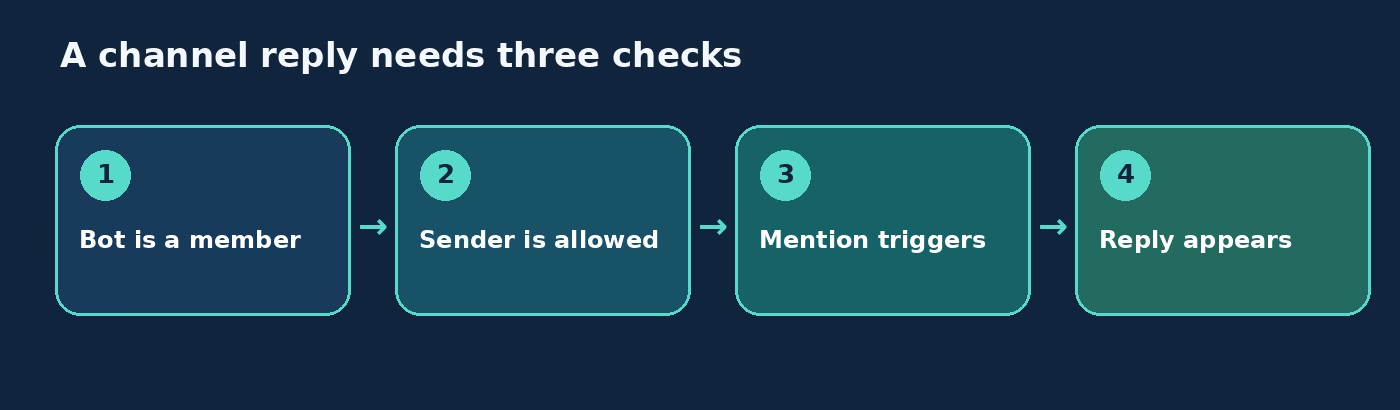
For channels, groupPolicy defaults to allowlist. Put approved Mattermost user IDs in groupAllowFrom. The default chatmode is oncall, so an admitted sender must @mention the bot in a channel. You need all three pieces: bot membership, sender admission, and a trigger. If a DM works but a channel stays silent, check those in that order.
{
  channels: {
    mattermost: {
      groupPolicy: "allowlist",
      groupAllowFrom: ["MATTERMOST_USER_ID"],
      chatmode: "oncall",
    },
  },
}
onmessage responds to every channel post. onchar responds to a prefix such as > or !, and still accepts explicit mentions. A per-channel groups.<channelId>.requireMention override wins over the broader chat mode. Set these deliberately: an always-on bot in a busy channel creates noise, while a mention-gated bot can look broken if testers forget the mention. Our group chat controls article covers the admission-versus-activation distinction in more detail.
After the bot posts a visible reply in a channel thread, later messages in that thread can continue without another mention or prefix. OpenClaw remembers participation for seven days after its last reply, including across Gateway restarts. Set channels.mattermost.implicitMentions.threadParticipation: false if you need every follow-up to pass the explicit activation rule.
Choose chat and thread behavior
replyToMode controls where replies appear. With the default off, OpenClaw answers in a thread only when the inbound post was already in one. first starts a thread for a top-level channel or group post and routes that conversation to a thread-scoped session. On Mattermost, all and batched have the same practical effect as first once the thread root exists.
Direct messages stay flat by default even if you set a general reply mode. To create separate threaded DM sessions, set replyToModeByChatType.direct to first, all, or batched. That changes the experience: each top-level DM begins a fresh independent thread rather than continuing one rolling conversation. Leave it flat unless separate conversations are what your users expect.
Preview streaming is on by default in partial mode. OpenClaw edits one draft preview post as the answer develops, then finalizes it in place. block retains completed blocks as separate posts; progress shows status before the final answer; off waits to send a final response. Test in the actual Mattermost client before choosing a mode for a production room. A preview is visible behavior, not just a latency setting.
Inbound batching is optional too. messages.inbound.byChannel.mattermost combines rapid consecutive text posts from the same sender in the same channel and thread for a configured number of milliseconds. A different sender or thread ends that batch. Attachments and commands flush it. If users send a thought in several short messages, a modest debounce can make turns more coherent, but it is not necessary to get the bot online.
Add slash commands and buttons only when needed
Native slash commands need a reachable callback
Mattermost native /oc_* commands are opt-in. With commands.native: true, OpenClaw registers commands on teams where the bot belongs and receives callback POSTs on the Gateway HTTP server. nativeSkills: true adds skill commands. The default callback path is /api/channels/mattermost/command.
{
  channels: {
    mattermost: {
      commands: {
        native: true,
        callbackUrl: "https://gateway.example.com/api/channels/mattermost/command",
      },
    },
  },
}
Set a URL the Mattermost server can reach. Do not point it at localhost unless Mattermost and OpenClaw share a host and network namespace. Do not point it at the Mattermost base URL unless that URL actually reverse-proxies the command path to OpenClaw. The documented quick check is a GET to the callback path: OpenClaw should answer 405 Method Not Allowed, not 404. Mattermost also needs its internal-connection allowlist configured if it must call a private or tailnet Gateway host.
Text commands are simpler for initial testing. In a channel, @botname /new can reach OpenClaw when text commands are enabled. A bare /new is handled by Mattermost’s own slash-command system instead of becoming a chat post. That small distinction saves a lot of false debugging.
Buttons have their own callback checks
Interactive value buttons can send a selection back to the agent. They use a callback route under /mattermost/interactions/<accountId> and require the Mattermost server to reach the Gateway. For a remote server, add its source IP to channels.mattermost.interactions.allowedSourceIps; without that setting, only loopback sources are accepted. If a reverse proxy is involved, configure the Gateway’s trusted proxies so source-IP checks use the real client address.
The clicker must still pass the same DM or group policy as a normal sender. A button is not a shortcut around access control. If a button appears but clicks do nothing, check callback reachability and source-IP allowlisting before changing the agent prompt. Add capabilities: ["inlineButtons"] if you want the agent to know it can offer buttons. URL buttons render as text links, and select menus fall back to readable text on this channel.
Send messages and diagnose failures
For outbound sends and cron jobs, be explicit about the target. channel:<id> selects a channel; user:<id> selects a DM. A bare opaque ID is ambiguous and OpenClaw resolves it user-first. If an automated announcement lands in a DM instead of a team channel, inspect the target string before touching routing configuration. The plugin also accepts #channel-name and @username through its directory adapter, but stable IDs are a better choice for critical automation.
Outbound sends support one attachment per message. Split multiple files into separate sends. If you need the bot to read channel history through the message tool, actions.messages is disabled by default and must be enabled explicitly. It does not override Mattermost membership or read permissions. That separation is useful: speaking in a channel and reading older posts are distinct capabilities.
When the bot is silent, find the earliest failing hop:
- Connection: Verify the bot token and base URL, then inspect channel status and logs. If the server is on a private address, check the outbound private-network opt-in.
- Membership: Confirm the bot is in the team and the exact channel, especially a private channel.
- Sender: Check DM pairing or
groupAllowFrom. A paired DM sender is not automatically allowed in channels. - Activation: Under default
oncall, send a fresh top-level @mention. A bare message is not a valid test. - Reply location: Look in the post’s thread and review
replyToModeif the turn ran but no reply appears in the main timeline. - Optional callbacks: If chat works but slash commands or buttons fail, check the Gateway callback URL from the Mattermost server, then the relevant token or source-IP checks.
This order keeps a callback problem from distracting you when the basic bot connection is fine. The official troubleshooting section has the specific log messages for command registration and button failures.
FAQ about the OpenClaw Mattermost channel
Does basic Mattermost chat need a public webhook?
No. Ordinary messages use the bot-token/WebSocket path. Native slash commands and interactive buttons add HTTP callbacks that must be reachable from the Mattermost server.
Why does the bot answer DMs but not a channel?
Check bot membership, channel sender allowlisting, and the default oncall mention requirement. DM pairing approval does not grant channel access.
Can I connect a Mattermost server on my LAN?
Yes, with an explicit opt-in for private-network API access on the Mattermost account. The Gateway’s outbound SSRF guard blocks private and internal IPs by default.
Do replies start new threads by default?
No. The default mode replies in a thread when the incoming post was already threaded. Set replyToMode: "first" to start a thread for top-level channel posts. DMs stay flat unless separately configured.
Why does a clickable button return 403 or do nothing?
Check that Mattermost can reach the Gateway, the server’s source IP is allowed, and the clicker passes normal sender policy. For hand-built button payloads, follow the official action-ID and HMAC rules rather than assuming a rendered button has a valid callback.
Next step: prove chat before callbacks
Get one paired DM and one @mentioned channel reply working first. Then decide whether users actually need native slash commands, buttons, or a different thread mode. Each addition changes either who can trigger the agent or how Mattermost reaches the Gateway. Make one change at a time and test it from the server and client that will use it. Keep the Mattermost channel reference beside your config.