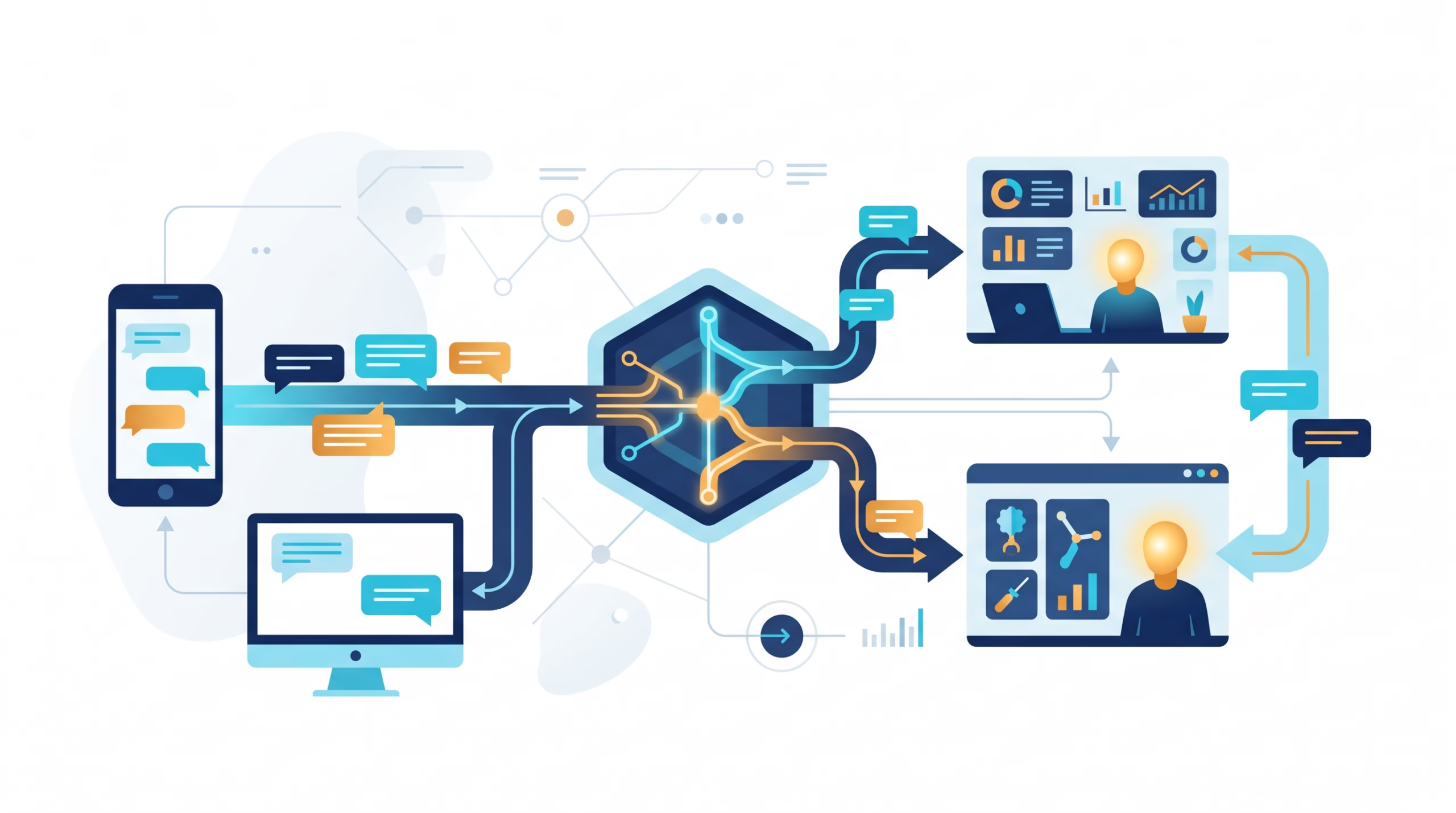

OpenClaw channel routing answers three questions for every incoming message: should this channel accept it, which agent gets it, and which conversation history should that agent use? The reply normally goes back to the channel where the message arrived. That last part sounds obvious until one agent handles both Slack and Telegram and its direct messages share a session.
If you are trying to fix the “wrong agent answered” problem, start with the binding. If nobody answered, start earlier: was the message admitted by the channel at all? Editing a prompt will not repair either issue.
OpenClaw channel routing in one message path

Think of routing as a sequence, not a single switch. A channel plugin receives a message under an account. Its pairing, allowlist, and group rules decide whether that message is accepted. The routing rules then select one agent. The session key decides which history the agent reads and writes. Finally, OpenClaw sends the response to the originating conversation. The model writes the answer; it does not freely pick a destination channel.
This distinction matters in a multi-channel installation. A Telegram DM and a Slack DM may reach the same agent and, with the default DM scope, share its main-session history. A response to the Telegram turn still belongs in Telegram. Shared context is not the same as shared delivery. The official channel routing guide calls the delivery decision deterministic and host-controlled.
There is another boundary people miss: a binding is not a permission grant. If a Discord channel is blocked by its channel policy, assigning it to an agent does not open it. The agent bindings guide says bindings are considered only after channel admission. Keep those layers separate when debugging.
A useful four-layer mental model
- Admission: Does channel policy allow this sender and conversation?
- Agent selection: Which binding matches the admitted message?
- Session selection: Does it use main, a peer session, a group session, or a thread/topic session?
- Delivery: Which channel and peer receives the reply?
That sequence is more useful than guessing from the visible chat alone. A silent room could be an access rule, a mention gate, a disconnected account, or a routing configuration with no owner. Those require different fixes.
How OpenClaw chooses an agent

Ordinary inbound routing selects one agent. The most specific match wins: an exact peer binding beats an account-wide binding. OpenClaw checks exact peer, parent peer for a thread, peer wildcard, Discord guild and roles, Discord guild, Slack team, account, then channel-wide binding. A fallback owner is last. With multiple agents and no matching binding or fallback owner, it does not simply choose the first agent in your roster.
When one binding has several fields, all of them must match. A Slack binding with a particular team and peer will not match a message from that peer-shaped ID on another team. Within one specificity tier, config order matters: the first matching binding wins. Put your narrow rules where you can inspect them easily, and do not depend on a broad fallback to express special cases.
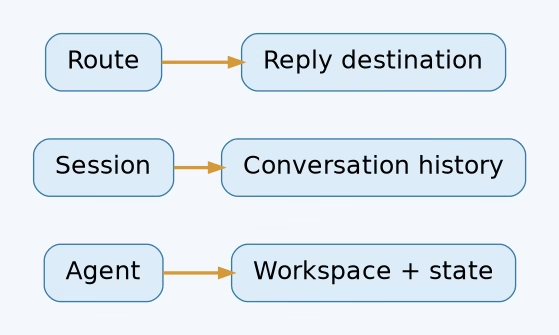
The route points to an agentId, not to a prompt fragment. Each agent has its own workspace and session store. Use another agent when you need a real operational boundary, such as a separate support workspace or model policy. If you only need separate conversation histories for the same agent, session scope may be enough. Our multi-agent routing guide covers the broader split.
The account wildcard trap
An omitted accountId does not mean “every account on this channel.” It matches the default account. Set accountId: "*" when you mean every account. That small difference can explain why a rule works for one bot identity and misses the second one. In a multi-account setup, also set a deliberate channels.<channel>.defaultAccount for outbound requests that do not specify an account. Otherwise fallback account choice can surprise you.
DMs, groups and threads do not share the same session by default
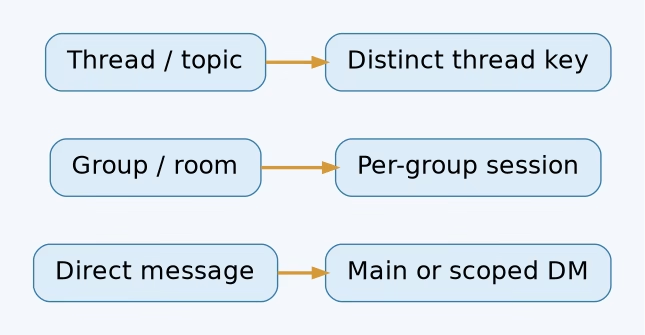
Agent selection and session selection are related, but they are not identical. Under the default session.dmScope: "main", direct messages to an agent converge on agent:<agentId>:main. That is convenient for a personal assistant you reach through several channels. It is a poor assumption for a shared support bot: different customers should not casually land in one conversational history.
For separation, the documented DM scopes include per-peer, per-channel-peer, and per-account-channel-peer. The last option is the clearest boundary when multiple accounts on the same provider may hear from the same peer. Choose the scope based on the identity boundary you actually need, then test it with two senders. A binding can override the global DM scope for its matching peers.
Groups and channels use separate keys by default through session.groupScope: "per-group". A group key includes the channel and group ID; a channel-room key uses the channel and room ID. Slack and Discord threads append a thread ID. Telegram forum topics add a topic ID inside the group key. This lets the same agent serve several rooms without blending their conversation history.
You can deliberately use session.groupScope: "main" globally or on a selected binding. That changes context sharing, not the return address. It also does not bypass mention gating. Before merging a busy room into main, ask whether its casual chatter belongs in the same history as your direct conversations. Usually it does not.
The routing docs also describe a safeguard for main-session direct messages: when a channel allowlist identifies one concrete owner, a non-owner DM may be prevented from overwriting the main session’s stored last route. This is a routing protection, not a substitute for deciding who may DM the agent.
Set up an agent binding without guessing

Start by confirming the agent exists and the channel account is connected. Then add a binding that matches the identity you mean. This example sends one Discord account to a support agent and catches the other Discord accounts with the main agent:
{
  agents: {
    ownership: "explicit",
    entries: {
      main: { workspace: "~/.openclaw/workspace" },
      support: { workspace: "~/.openclaw/workspace-support" }
    }
  },
  bindings: [
    {
      agentId: "support",
      match: { channel: "discord", accountId: "support" }
    },
    {
      agentId: "main",
      match: { channel: "discord", accountId: "*" }
    }
  ]
}
This is a JSON5-style configuration example from the current agent-binding pattern, not a command to paste without checking your existing roster. The support account must already exist and accept messages. The wildcard rule gives other Discord accounts a destination; it does not loosen their channel access rules.
For just one Discord room, add match.peer with kind: "channel" and its canonical ID. Peer kinds may be direct, group, or channel. Use IDs, not room display names that someone can rename. A peer-specific binding can sit alongside an account-wide fallback because the more specific peer match wins.
The CLI can handle account-level bindings too. For an already configured agent and Telegram account named ops, the documented form is openclaw agents bind --agent work --bind telegram:ops. The part after the colon is the account ID, not a Telegram chat ID. Inspect the result with openclaw agents list --bindings. When you need one conversation rather than an account, write an explicit peer binding in configuration.
Valid binding changes normally apply under the default hybrid reload mode. If your Gateway reload mode is off, restart it. Check the active configuration after a change; do not judge the rule by the edited file alone.
Why the right agent may stay silent
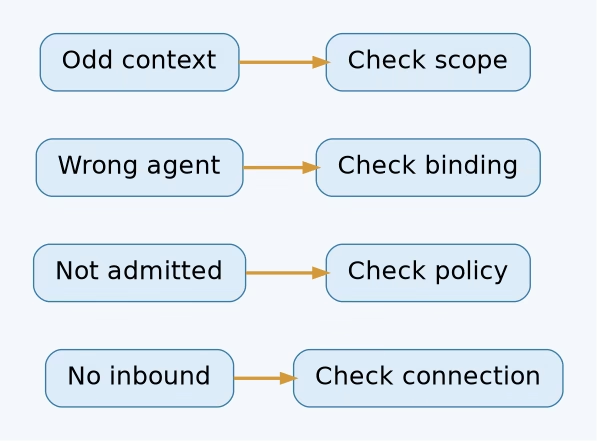
A correctly matched binding can still produce no visible reply. Work backward from the symptom.
- No inbound event: Check whether the channel account is connected with
openclaw channels status --probe. A binding cannot route an event the Gateway never received. - Event received but not admitted: Check DM pairing,
allowFrom, group policy, room allowlists, and sender rules. Group access is separate from DM pairing. - Admitted but not triggered: A room may require a mention. Send a direct mention as your first test rather than changing routing rules immediately.
- Wrong agent: Inspect exact peer rules before account and channel fallbacks. Check every field in a candidate binding, including account, team, guild, and roles.
- Right agent, odd context: Inspect DM or group scope. You may be looking at shared main-session history rather than a misrouted agent.
- Answer sent somewhere unexpected: Verify the message’s originating conversation and any explicit outbound target. A shared main session does not automatically mean a cross-channel reply.
Use openclaw logs --follow during a controlled test, and capture the incoming channel, account ID, canonical peer ID, selected agent, session key, and delivery result. Do not post private chat text into a public issue to diagnose a binding. The channel troubleshooting guide is the right companion when connection or group-admission behavior is unclear.
One more subtle case: a send receipt can report failure, suppression, or dry run. The channel routing docs say those outcomes do not update the conversation’s stored route and delivered transcript as a successful send would. A generated answer is not proof of delivery. Test the actual client.
A routing test that catches the common mistakes

Use a small test matrix before putting a shared inbox into service. Send one DM through each configured account, one message in a permitted group or room, one mention in a mention-gated room, and one thread reply if your channel supports threads. For each test, note the agent, session key, and destination. This quickly exposes default-account mistakes and unintended main-session sharing.
- Run
openclaw agents list --bindingsand confirm every targetagentIdexists. - Run
openclaw channels status --probeto check the accounts themselves. - Send a message from an allowed sender. Watch the Gateway logs for admission and selected binding.
- Reply in a second peer or thread. Check whether its session key is separate as intended.
- Confirm the message appeared in the originating app. A generated draft reply is not the same as a delivered reply.
Then test one denied sender. A binding should not make that sender eligible. If it does, review the channel access policy, not the routing precedence. For a wider look at access boundaries, see our Gateway security guide.
FAQ about OpenClaw channel routing
Does the model choose whether to answer on Slack or Telegram?
No. Normal replies go back to the originating channel and conversation. The model produces the content; the host controls the route. An explicit outbound send is a separate operation with its own selected channel and target.
Why do my Slack and Telegram DMs seem to remember each other?
They may be using the same agent’s main session. That is the default DM scope. Use a per-peer, per-channel-peer, or per-account-channel-peer scope when their histories should be separate.
Can a binding let a blocked person reach an agent?
No. Channel admission comes first. Pairing, allowlists, DM policy, and group policy decide whether an inbound message may proceed to agent selection.
What if several bindings match?
The more specific route wins, starting with an exact peer. Within the same precedence tier, the first matching binding in configuration order wins. All fields present in one binding must match.
Should every channel have a separate agent?
Not necessarily. One agent can serve several channels. Create separate agents when you need separate workspaces, auth, or behavior. Change session scope when the problem is shared conversation history within one agent.
Make the route visible before scaling it

A good routing setup is boring: an allowed message reaches the intended agent, lands in the intended session, and gets a reply in the same conversation. Write down that expectation for each account and special room. Then run the matrix above whenever you add a new agent, account, or peer binding. If a reply surprises you, you will know which layer to inspect first.
Start with the current OpenClaw routing reference, test one channel end to end, and only then add the next binding.
Visuals: AI-generated hero illustration and original editorial diagrams.