
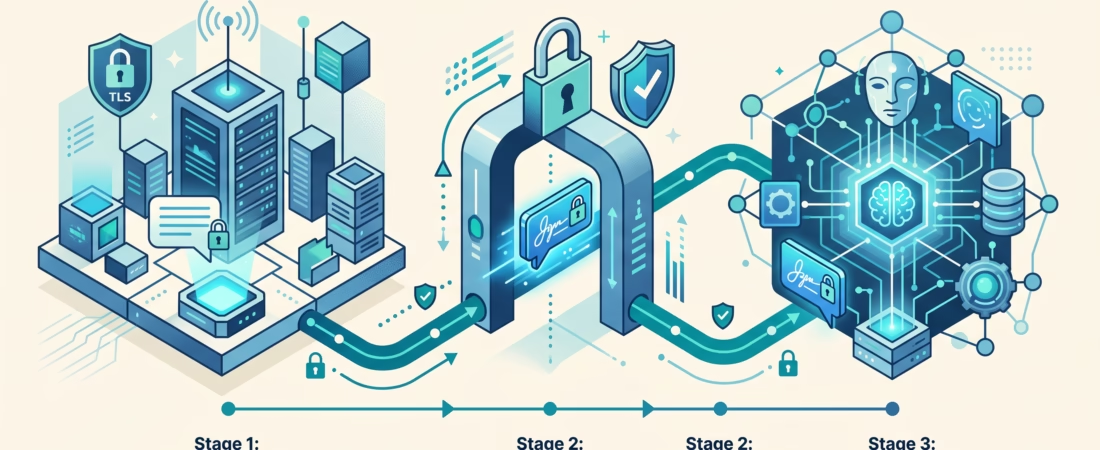
The OpenClaw Nextcloud Talk channel lets people reach an agent inside a self-hosted Talk installation. The first text reply is the milestone worth chasing. A healthy webhook does not prove that a sender was allowed, and an allowed message does not prove the bot can send a response. Treat those as separate checks and setup becomes much less mysterious.
This guide is for administrators who already run Nextcloud Talk and an OpenClaw Gateway. We will connect a Talk webhook bot, admit a test sender and room, then deal with file sharing and older webhook listeners. The current OpenClaw channel documentation is the source for the commands and defaults below; check it against your installed release before changing production configuration.
OpenClaw Nextcloud Talk channel at a glance
The integration is a downloadable plugin, @openclaw/nextcloud-talk. A person sends a Talk message; Nextcloud sends a signed webhook to OpenClaw; the Gateway verifies and stores the event; channel rules decide whether an agent turn may run. The reply goes back through Talk’s API. It is not returned as the webhook’s HTTP body.
That sequence matters when you troubleshoot. The webhook’s 200 response and x-openclaw-delivery-accepted: durable header say the event reached durable storage. They do not mean the room was allowlisted, a mention was present, or the agent answered. If storage fails, the docs say the webhook returns 500. If the signature is wrong, the request is rejected. Each result points to a different fix.
Text chat, DMs, rooms, reactions, and Markdown are documented channel capabilities. Native commands and threads are not. File shares are documented too, but the attachment implementation depends on a compatible host/plugin release and extra API credentials. Leave files out of the first smoke test.

Set up the OpenClaw Nextcloud Talk channel
1. Install the plugin and expose its webhook
Install the official package on the OpenClaw host:
openclaw plugins install @openclaw/nextcloud-talkThen publish the Gateway route /nextcloud-talk-webhook over HTTPS. Your reverse proxy should forward that route to the Gateway HTTP port, 18789 by default. Use a public URL that the Nextcloud server can reach, not merely one that opens in your laptop browser. For example, the callback might be https://agent.example.com/nextcloud-talk-webhook.
Keep the path exact. A proxy that changes a trailing slash, case, or query string can miss the listener. Also check that it forwards the signed request body intact. You do not need to expose the rest of the Gateway merely to reach this route; configure the proxy and Gateway authentication boundary deliberately. The OpenClaw security guide covers the wider Gateway exposure model.
2. Register a Talk bot with the response feature
On the Nextcloud server, create the bot with a shared secret and the external callback URL:
./occ talk:bot:install "OpenClaw" "<shared-secret>" "https://agent.example.com/nextcloud-talk-webhook" --feature webhook --feature response --feature reactionUse the same secret in OpenClaw. Store it as a secret or file-backed value rather than pasting it into screenshots, tickets, or shell history. The response feature is easy to miss: OpenClaw’s docs warn that replies fail with HTTP 401 without it. An existing bot can be repaired with ./occ talk:bot:state --feature webhook --feature response --feature reaction <botId> 1. Enable the bot in the target Talk room’s settings as well; registering it on the server is not the same as adding it to a conversation.
Nextcloud’s own Bots and Webhooks documentation explains the Talk-side bot model. If your Nextcloud version presents a different admin flow, consult that documentation and the local occ help before changing a live bot.
3. Configure the channel and probe it
Point OpenClaw at the Nextcloud base URL and provide the bot secret. The explicit CLI fields are:
openclaw channels add --channel nextcloud-talk \
  --base-url https://cloud.example.com \
  --secret-file /path/to/nextcloud-talk-secret
openclaw channels status --probe
The CLI also accepts --url and --token as aliases. If you configure JSON5 directly, the relevant keys live under channels.nextcloud-talk: enabled, baseUrl, botSecret, and your DM/room policies. A changed service environment may require restarting the Gateway so it reads new variables. The documented NEXTCLOUD_TALK_BOT_SECRET variable applies to the default account only.
For a first test, send a text message to the bot from a Talk user. Bots cannot initiate DMs, so the person must start the conversation. If a pairing code appears, approve it with openclaw pairing list nextcloud-talk and openclaw pairing approve nextcloud-talk <CODE>. Then send a new message. Pairing approval permits that DM; it does not automatically allow the same person to address the bot in every room.
4. Test a single room, then widen access carefully
Rooms are allowlisted by default and require a mention. Add one room token and keep mention gating on for your first group test:
{
  channels: {
    "nextcloud-talk": {
      rooms: {
        "room-token": { requireMention: true }
      }
    }
  }
}
Use the Talk room token, not its display name. Enable the bot in that room, have an admitted sender mention it, and watch for the reply. Once one room works, decide whether any others need access. The wildcard "*" is available as a room default, but a short explicit list is easier to audit. See our guide to OpenClaw group controls for the broader distinction between room admission, sender admission, and mention gates.
Why the Nextcloud Talk bot stays silent
Check in the order the message travels. Jumping straight to the model configuration often wastes time: most silent-bot reports are earlier in the chain.
No webhook reaches OpenClaw
Confirm that Nextcloud’s stored callback URL points to your public HTTPS route, and that the proxy forwards it to the Gateway. A new installation uses the Gateway’s HTTP listener, not a separate port 8788. Check the exact path and the Gateway logs. If you receive 429 during a burst, the documented listener budget is 64 concurrent unauthenticated body reads. Reduce or buffer upstream fan-in; that fixed budget is not a configuration knob. A rejected signature usually means the secrets differ or the signed request was altered.
The webhook is accepted, but no agent turn runs
A durable 200 is only receipt. Check DM pairing, groupPolicy, the room token in rooms, any sender allowlist, and whether the message mentioned the bot. The default DM policy is pairing; the default room policy is allowlist with mentions. Approval of a DM pairing code does not override room rules. If you are testing a DM and it behaves like a room, read the API-account note below: Talk’s webhook payload does not itself identify the conversation type.
The agent ran, but Talk shows no answer
Now check outbound delivery. The registered bot needs --feature response; its absence can return 401. Make sure the OpenClaw base URL matches the Nextcloud instance, that the bot is enabled in the conversation, and that the Gateway can reach Talk’s API. Look at the actual send error before retrying. A webhook acknowledgement cannot tell you whether the later API call succeeded.
If you need to trace a message into an agent session, the channel routing guide explains how admission, agent bindings, session scope, and reply destination differ. The simple rule here is to verify one hop at a time: callback, admission, agent turn, Talk response.
Secure DMs and rooms without locking out the test user
With dmPolicy: "pairing", an unknown sender receives a code and their message is not processed until approval. That is a sensible default for a personal or team agent. You can use dmPolicy: "allowlist" with allowFrom for known user IDs. Public DMs require both dmPolicy: "open" and allowFrom: ["*"]; don’t switch to that just to make a smoke test pass.
Allowlist entries accept a Nextcloud user ID such as alice or a typed Talk actor ID such as users/alice. Display names are not identity keys. Guest actors remain distinct from users, which is useful when a similar-looking name appears in logs. For rooms, groupPolicy and the room token decide where messages may run; per-room allowFrom can narrow who may speak. Keep requireMention: true unless the room is intentionally dedicated to the bot.
There is another subtlety: the bot webhook does not tell OpenClaw whether a conversation is a DM or a room. Set apiUser and apiPassword if you need room-type lookups. Without them, the channel treats every conversation as a room. That can make a DM seem mysteriously blocked by group policy. Use a dedicated Nextcloud account and an app password; give it only the room access its tasks require.
Files and voice need more than the bot secret
Text works with the webhook bot. File sharing is a second phase. Inbound files must be posted into the Talk conversation; uploading something to Nextcloud Files alone does not generate the supported Talk file-share webhook. After normal DM or room admission, mediaAllowFrom decides whose attachments may be downloaded. An omitted or empty root list fails closed. If the media gate blocks a file, an otherwise admitted caption can still travel as text.
Inbound retrieval also needs apiUser and an app password. The API user must be able to access the room share. OpenClaw checks that the file link matches the configured baseUrl origin and applies its network and size rules. If your Nextcloud host is on a trusted private network, the docs offer channels.nextcloud-talk.network.dangerouslyAllowPrivateNetwork: true; make that decision for the specific host, not as a generic workaround for every failed request.
Native outbound files also need that API account, writable Files storage, enough quota, and participation in the destination room. A file appears from the API user, while ordinary text still appears from the bot. With bot-only credentials, an eligible HTTP(S) attachment URL is sent as URL text, not uploaded as a native share. Local files cannot be sent that way. Explicit MP3 or WAV voice replies can use Talk’s voice-note presentation with the API account; ordinary audio files remain files.
One release caveat is worth checking before promising a file workflow to colleagues. The current channel docs describe a host API needed for inbound attachment cleanup and a coordinated host/plugin release qualification. They do not establish that every published host and plugin combination has that API. Check the installed versions and plugin compatibility first. Prove text messaging, then a small permitted file, then outbound sharing. If a share’s delivery is uncertain, inspect the room before retrying because the share operation may create a duplicate.
Moving an older webhook listener to the Gateway
Older installations may still have a legacyWebhook listener on port 8788. New installations do not open that separate port. Nextcloud stores the callback URL on its side, so updating OpenClaw does not rewrite the bot registration. Keep the external HTTPS URL stable if you can, and move the proxy upstream to the Gateway port while preserving the exact webhook path. Then verify delivery and remove the legacy pin. If Nextcloud connects directly, update its registered callback instead.
openclaw doctor --fix can migrate retired webhookPort and webhookHost settings into legacyWebhook. That does not change Nextcloud’s saved URL. Use openclaw channels status --probe and an actual Talk message after the cutover. Do not delete the old listener just because the Gateway starts: the real test is a complete message and reply.
FAQ
Can the bot start a direct message?
No. The Talk user must message the bot first. Under the default DM pairing policy, approve the resulting code before expecting an agent answer.
Does HTTP 200 mean the bot answered?
No. A durable-acceptance 200 confirms the webhook event was stored. Admission and outbound delivery happen later. Check the sender and room rules, then the Talk API response.
Why do replies fail with 401?
Check whether the Talk bot was registered with the response feature. The OpenClaw setup docs call out missing response permission as a cause of outbound 401.
Why is a DM handled like a room?
The webhook alone does not identify conversation type. Configure apiUser and apiPassword so OpenClaw can look it up.
Can I send files with only the bot secret?
Not as native Talk file shares. A dedicated Nextcloud API user with an app password, storage, and room access is required. Inbound files also need an explicit mediaAllowFrom policy and a compatible host/plugin release.
What to do next
Run one narrow end-to-end test: install the plugin, expose the signed callback, register a bot with response, approve one sender, and get one text reply in an allowed conversation. Save the callback URL, room token, and policy you tested. Only then add more rooms or file permissions. If the reply fails, start at the first checkpoint that did not complete, not at the last screen you happened to open.