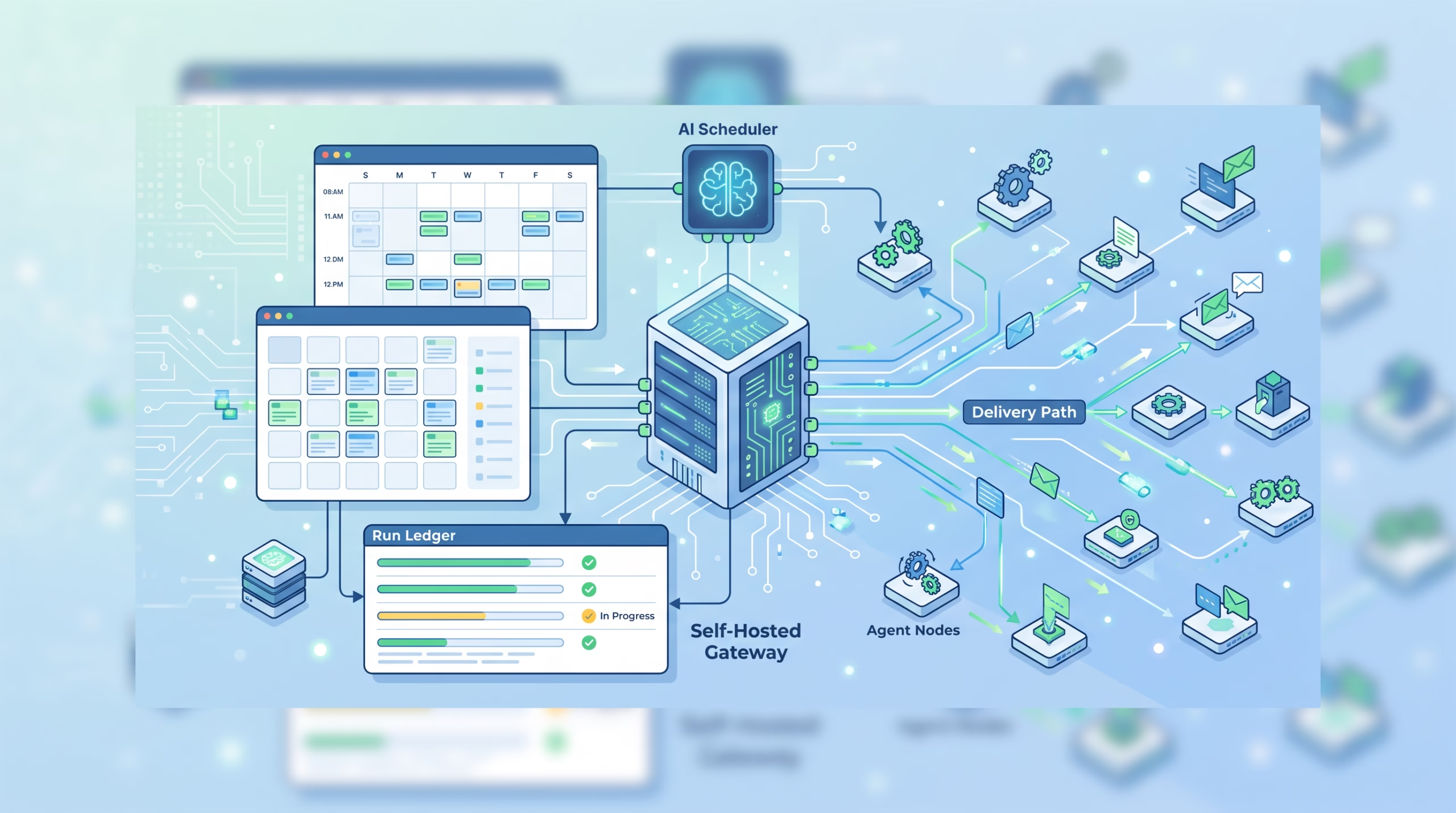

OpenClaw cron jobs are Gateway-owned automations, not little prompt files glued onto Unix cron. That difference is the whole story. The model may write the summary, check the inbox, inspect a queue, or send the report, but the Gateway owns the schedule, run record, timeout, delivery result, and recovery path.
That is the piece many operators miss at first. A scheduled AI agent is not only “run this prompt every morning.” It is also “remember the job after a restart, avoid duplicate runs, clean up the isolated session, prove whether the result was delivered, and leave enough evidence for a human to debug it later.”
OpenClaw’s automation docs are careful about those boring details. Good. Boring is what keeps recurring agent work from becoming a silent mess.
OpenClaw cron jobs are Gateway jobs first
The core rule is simple: OpenClaw automations run inside the Gateway process, not inside the model. The Gateway must be running for schedules to fire. The job definition, runtime state, and run history live in OpenClaw’s shared SQLite state database, so a Gateway restart does not erase the schedule.
That makes OpenClaw cron jobs closer to a managed scheduler than a chat shortcut. The agent can help create and edit jobs, and an isolated job may start a model-backed turn, but the clock belongs to the Gateway.
This separation matters because models are not reliable schedulers. They do not wake up on their own. They do not persist job state. They do not know whether a channel send completed unless the surrounding runtime records it. OpenClaw puts that responsibility where it belongs: in the automation runtime.
If you are operating a self-hosted agent, this is the mental model to keep:
- The schedule decides when a job should run.
- The payload decides what work the run performs.
- The session target decides where an agent-backed run happens.
- The delivery configuration decides what happens to the final output.
- The task and run history decide how you debug it later.
That is more machinery than a five-field crontab line. It needs to be. Agent jobs have more failure modes than shell scripts.
What happens when a job fires
When an automation becomes due, the Gateway admits a run for that job. Every automation run creates a background task record. That task is the activity ledger: it tells you that detached work was queued, started, completed, failed, timed out, was cancelled, or was later considered lost.
The task record is not the scheduler. It is the receipt. Automations decide when to run; background tasks record what happened.
The run gets a task record
For automation jobs, task status usually moves through queued, running, and then a terminal state such as succeeded, failed, timed_out, cancelled, or lost. The useful part is that automation tasks are reconciled with the automation runtime first and durable run history second.
In plain English: OpenClaw does not mark a job lost just because one process view is empty. After a grace window, maintenance checks persisted automation run logs and job state before declaring that the backing run disappeared. That is the right bias. A scheduler should be conservative about calling work lost, especially after restarts.
This is also why background tasks are worth reading when a cron job seems weird. The chat result may be missing, but the task ledger and run history can tell you whether execution failed, delivery failed, or reconciliation is still catching up.
Payload execution and delivery are separate
OpenClaw tracks payload execution and completion delivery separately. That sounds fussy until you hit the first failure that proves why it matters.
A command can run successfully and print output, but the configured channel delivery can fail. An isolated agent can produce a good final answer, while the external channel route is stale. A webhook can be refused by the outbound policy. If the runtime reported only “the job ran,” you would miss the part Boss actually cares about: did the result arrive?
The docs reflect this split. Run history keeps payload execution in status, while the whole run uses completionStatus. A delivery-only failure can leave execution as ok while completion is failed. That is not pedantry. It is the difference between debugging the prompt and debugging the delivery route.
The schedule decides when, the payload decides what
OpenClaw gives you several schedule shapes because not every recurring job is truly time-based. Some jobs should run once. Some should run every few minutes. Some should follow a cron expression. Some should fire when a watched process exits. Some should react to a stream of lines.
Schedule kinds
The schedule kinds are:
atfor a one-shot timestamp, including relative times like20m.everyfor a fixed interval such as10m,1h, or1d.cronfor 5-field or 6-field cron expressions, with optional timezone handling.on-exitfor a job that fires when a watched command exits.streamfor a long-lived command whose output lines trigger batches of work.
That last pair is easy to underestimate. on-exit and stream are event-driven shapes. They let the scheduler react to process state instead of pretending every workflow is a wall-clock workflow.
Recurring top-of-hour cron expressions are automatically staggered by up to five minutes unless you force exact timing. That is a good default for a Gateway that might host several jobs. A wall-clock stampede is rarely the hill worth defending.
Payload kinds
Every job carries exactly one payload kind:
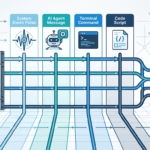
system event, which enqueues text into the main session without a model call by itself.agent message, which starts a model-backed agent turn.command, which runs a process on the Gateway host without a model call.script, which runs headless code-mode JavaScript with the owning agent’s tools.
This is where you should be honest about the job. If the work is deterministic and local, a command payload may be cleaner than asking a model to do it. If the job needs judgment, synthesis, or communication, an agent message makes sense. If it needs tool orchestration without a chat turn, a script payload may fit better.
The mistake is using the most powerful shape by default. Scheduled agent turns are useful, but they are also the widest surface area. Give the job the smallest payload that can do the work well.
What survives a restart
OpenClaw persists job definitions, runtime state, and run history in the shared SQLite state database. That means a normal restart does not lose the schedule. The interesting part is what OpenClaw does with overdue work when the Gateway comes back.
For overdue isolated agent-turn jobs, startup catch-up reschedules them instead of replaying them immediately. That keeps model and tool bootstrap work out of the channel-connect window. In practice, it means the Gateway can come back, connect channels, load its runtime, and then let due work proceed in a controlled way.
That is a sane operational trade. A scheduler that tries to replay everything during startup can turn recovery into the next outage.
One-shot jobs also have specific retention behavior. A one-shot created with --at can auto-delete after successful completion, but “successful” includes the delivery contract: delivery confirmed, delivery not requested, intentionally suppressed, or explicitly best-effort. If required delivery fails or stays unknown, OpenClaw retains the one-shot disabled for inspection instead of replaying it blindly.
That small detail tells you a lot about the design. OpenClaw would rather leave evidence than pretend the job is done.
How catch-up and duplicate runs are handled
Recurring automation creates a familiar risk: the same run accidentally starts twice. OpenClaw handles run identity explicitly. If you reuse a --run-id while the original Gateway run is still active, the duplicate is reported as in-flight instead of starting a second run.
That does not remove every idempotency problem. If your job sends money, changes production, or posts publicly, you still need application-level controls. But at the scheduler layer, duplicate admission is treated as a real concern, not a shrug.
OpenClaw also cleans up around isolated runs. On completion, isolated runs best-effort close tracked browser tabs and processes for their cron:<jobId> session, and dispose bundled MCP runtime instances created for that job. Cleanup failures do not override the run result, which is the right call: cleanup should be recorded, but it should not rewrite what happened during the job.
Timeouts are another guardrail. A saved --timeout-seconds value wins when set. Without it, isolated or detached agent-turn jobs are bounded by the scheduler’s own 60-minute watchdog before the much longer underlying agent-turn default would matter. Command jobs default to 10 minutes, and script payloads default to 5 minutes.
Those defaults are not just resource limits. They are an admission that unattended work needs a shorter leash than an interactive human session.
Why promotion starts from work you already saw
The best automation is often yesterday’s repeated manual request. OpenClaw’s promotion model leans into that: when you ask for substantially the same job several times, the agent can offer to turn it into a schedule.
That is better than creating a job from scratch because the proposed schedule inherits a known output shape. You already saw what the agent did. You are not approving an abstract prompt and hoping the future result looks reasonable.
The confirmation should restate the schedule and task in plain language, not hide behind a cron expression. For example: “Every weekday at 07:00 Europe/Vienna, I summarize overnight updates and post them here.” That sentence is what a human can approve.
After confirmation, the job is created enabled and run once as a visible test. If the test fails, OpenClaw removes the job and tells you. The docs make a point here that I agree with: disabled-pending-approval sounds safer, but an enabled supervised job is often safer in practice. A disabled job is quiet forever. A failing enabled job raises failure notifications and can be auto-disabled with a recorded reason.
Silence is not safety. Supervision is safety.
Cron syntax traps worth remembering
OpenClaw cron expressions are parsed by Croner. Croner supports standard cron behavior and extensions, including seconds and richer calendar modifiers. The operator trap to remember is day-of-month plus day-of-week logic.
In classic Vixie cron behavior, when both day-of-month and day-of-week are restricted, the expression matches when either field matches. Linux’s crontab manual gives the same rule: a command with both fields restricted runs when either field matches. OpenClaw’s docs call this out because it surprises people.
So this expression does not mean “9 AM on the 15th only if it is Monday”:
0 9 15 * 1It means “9 AM on every 15th, and 9 AM on every Monday.” If you need both conditions, OpenClaw points to Croner’s + day-of-week modifier, or you can schedule on one field and guard the other inside the job.
Timezone handling deserves the same caution. Offset-less timestamps are treated as UTC unless you add a timezone where the schedule type supports it. Cron expressions without --tz use the Gateway host timezone. That is fine when the host timezone is intentional. It is a mess when nobody checked.
Operator checklist
Before you trust an OpenClaw cron job, check these points:
- Name the job clearly enough that a tired operator can identify it later.
- Choose the narrowest payload kind that fits the work.
- Use an isolated session for recurring model-backed work unless the job truly belongs in the main session.
- Set a timeout when the default is too loose or too strict for the job.
- Decide whether delivery is required, best-effort, webhook-based, announced to a channel, or intentionally silent.
- For cron expressions, check timezone and day-field behavior before enabling the job.
- Run the job once manually and inspect both the output and the run history.
- When debugging, separate execution failure from completion-delivery failure.
The last point saves time. If the model failed, fix the model, prompt, tools, or sandbox. If delivery failed, fix the route, channel, webhook, or SSRF policy. Those are different problems.
FAQ
Are OpenClaw cron jobs the same as system cron?
No. System cron starts commands at matching times. OpenClaw automations are Gateway-managed jobs with persisted state, run history, task records, session targets, payload kinds, delivery modes, retries, failure alerts, and agent-aware cleanup.
Does the model run the schedule?
No. The Gateway scheduler owns the clock. A job may start a model-backed agent turn, but the model is not the scheduler.
What happens if the Gateway is down?
Schedules do not fire while the Gateway is down. Because job definitions and state persist, the Gateway can recover after restart. Overdue isolated agent-turn jobs are rescheduled rather than replayed immediately during startup.
Can a job succeed if it never sends a message?
Yes, if delivery was not requested, was intentionally suppressed, or was explicitly best-effort. If delivery was required and failed, the run can have successful execution but failed completion.
Should I use command payloads or agent messages?
Use command payloads for deterministic host work that does not need model judgment. Use agent messages when the job needs reading, synthesis, decision-making, or natural-language reporting. Do not spend model calls on work a shell command can do cleanly.
Final take
OpenClaw cron jobs work because the Gateway handles the unglamorous parts: time, state, admission, records, cleanup, delivery, and recovery. That is exactly where the value is. A recurring agent job without those pieces is just a prompt waiting to disappoint you later.
Start with a job you have already run manually. Promote it only after the output looks right. Then inspect the first scheduled run like an operator, not a fan: Did it execute? Did it finish? Did it deliver? Is the failure path loud enough? If the answers are yes, you have an automation worth keeping.