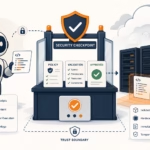

Opening Answer
AWS Transfer Family is worth considering when a data engineering team still depends on fragile SFTP servers, manual file handoffs, cron jobs, and scripts that quietly fail at 2 AM. It is not always cheaper than a small self-managed SFTP server, but it can be cheaper than operational risk when the business needs managed availability, direct S3/EFS integration, IAM-controlled access, auditability, workflow automation, and partner-friendly file exchange.
The management decision is simple: if SFTP is only a low-volume utility, a normal SFTP server may be enough. If SFTP is part of revenue reporting, bank files, vendor feeds, compliance data, or daily data pipelines, AWS Transfer Family deserves a serious cost-benefit discussion.
—
The Story: The Data Engineer Who Inherited "Just an SFTP Server"
A data engineer joins a growing company and inherits what everyone calls "just an SFTP server."
At first, it looks harmless.
A few vendors upload CSV files every night. A shell script moves them into a landing folder. Another cron job copies them to S3. Airflow reads from S3 and starts the downstream ETL pipeline. Finance gets reports in the morning. Operations gets inventory updates. Management sees dashboards.
Then the cracks appear.
One Monday, a vendor uploads a file with the same name twice. The second copy overwrites the first. Nobody notices until the dashboard looks wrong.
The next week, the EC2 disk fills up because archived files were never cleaned properly.
Then a partner asks for IP allowlisting, another asks for SSH key rotation, security asks for audit logs, and finance asks why the data platform team is spending time patching Linux instead of building pipelines.
The SFTP server was never the product. But it became a production dependency.
That is the exact point where AWS Transfer Family becomes a management conversation, not just an engineering preference.
—
What AWS Transfer Family Actually Provides
AWS Transfer Family is a managed file transfer service for SFTP, FTPS, FTP, AS2, and browser-based web app transfers into AWS storage such as Amazon S3 and Amazon EFS.
For data engineering teams, the most important part is this: files can land directly in S3 or EFS without maintaining a custom Linux SFTP box, local disk staging layer, patching routine, or hand-written transfer daemon.
There are two common patterns:
- Inbound partner SFTP to AWS
Partners connect to an AWS-managed SFTP endpoint and upload files directly into S3 or EFS.
- Outbound or pull-based SFTP connectors
AWS Transfer Family SFTP connectors connect from AWS to remote partner SFTP servers. They can list, retrieve, send, delete, rename, or move files on the remote server.
This matters because many enterprises cannot simply tell every partner to use S3 pre-signed URLs or APIs. SFTP remains the integration language of banks, healthcare vendors, logistics providers, ERPs, and legacy SaaS tools.
—
Management Summary: Traditional SFTP vs AWS Transfer Family
| Area | Traditional SFTP Server | AWS Transfer Family |
|---|---|---|
| Server management | Team owns EC2/VM, OS, patching, SSH hardening | AWS manages SFTP endpoint infrastructure |
| Storage | Local disk, mounted volume, or custom sync to S3 | Native S3 or EFS backend |
| Scaling | Engineer-designed; often manual | Managed endpoint quotas and AWS service scaling |
| Security | Linux users, SSH keys, firewall, scripts | IAM roles, service-managed users or external identity providers |
| Auditability | Syslog/custom logs | CloudWatch, CloudTrail, S3 metadata/events |
| Automation | Cron scripts, custom daemons | S3 events, Lambda, Transfer workflows, EventBridge patterns |
| Cost profile | Lower infrastructure cost at small scale | Higher baseline endpoint cost, lower ops burden |
| Best fit | Low-risk, low-volume, internal transfers | Partner data exchange, compliance, production data pipelines |
—
Pricing: What Management Needs to Know
Pricing must be discussed separately for SFTP server endpoints and SFTP connectors.
AWS examples for US East (N. Virginia) show these key pricing dimensions:
1. Managed SFTP server endpoint cost
For an SFTP-enabled Transfer Family endpoint, AWS pricing examples use:
- $0.30 per hour per enabled protocol
- Around $216 per month for one SFTP protocol endpoint running 24×7
- $0.04 per GB uploaded/downloaded over SFTP in the example
Example from AWS pricing: one SFTP endpoint with users downloading 1 GB/day comes to $217.20/month before additional S3/EFS, logging, identity provider, or network-related charges.
2. SFTP connector cost
SFTP connectors are priced differently. AWS examples use:
- $0.001 per connector call
- $0.40 per GB sent or retrieved using SFTP connectors
AWS gives an example where listing files five times per day and retrieving 10 files of 1 GB each per listing costs $601.65/month. Almost all of that cost is the connector data transfer charge, not the API call charge.
Another AWS example retrieves 10 files of 1 GB each per day and deletes them at source afterward. The monthly cost is $120.60, mostly from the 300 GB/month retrieved through SFTP connectors.
3. Managed workflow cost
If Transfer Family workflows are used, such as PGP decrypt, AWS examples use:
- $0.10 per GB processed by a decrypt workflow step
This is not expensive for small feeds, but it matters for large encrypted data pipelines.
4. Additional AWS charges
Management should not approve Transfer Family using only the endpoint line item. AWS states that standard charges still apply for services such as:
- Amazon S3 requests and storage
- Amazon EFS usage
- Route 53 lookups
- API Gateway and Lambda if used for identity providers
- Secrets Manager for keys
- CloudTrail and CloudWatch logs/events
- VPC Lattice charges if SFTP connectors use VPC egress
So the real cost model is:
Monthly cost = endpoint/protocol hours
             + SFTP data transfer GB
             + connector calls
             + connector data transfer GB
             + workflow processing GB
             + S3/EFS/storage/logging/identity/network charges
             + operational support cost
—
Cost Scenarios for a Data Engineering Team
Scenario A: Small internal transfer utility
A team receives 2 GB/day from one internal system.
Approximate Transfer Family endpoint cost:
Endpoint: $216/month
SFTP data: 2 GB/day × 30 × $0.04 = $2.40/month
Estimated Transfer Family subtotal: $218.40/month
A small EC2 SFTP server may look cheaper on raw infrastructure. If this is non-critical and internal-only, management may decide not to move.
Scenario B: Partner-facing production ingestion
A company receives finance, logistics, or compliance files from 20 partners.
The raw monthly Transfer Family cost may still start around a few hundred dollars, but the value case changes:
- no OS patching window
- no local disk full incidents
- native landing in S3
- cleaner audit trail
- easier event-driven ETL
- fewer custom scripts
- better partner isolation
For production data feeds, the question is not "Can we run SFTP cheaper?" It is "What does one missed file, wrong report, or failed compliance feed cost us?"
Scenario C: Pulling large files from external partner SFTP servers
This is where connectors can become expensive.
If a pipeline retrieves 50 GB/day using SFTP connectors:
Connector data: 50 GB/day × 30 × $0.40 = $600/month
Connector calls: usually small unless there are very high file counts
If the same data can be delivered by the partner directly into your Transfer Family endpoint or an S3-native mechanism, the architecture may be cheaper.
—
Limitations and Gotchas Compared with a Normal SFTP Server
AWS Transfer Family is managed, but it is not a drop-in replacement for every Linux SFTP feature.
1. S3 is not a real POSIX file system
When S3 is the backend, directories are represented by prefixes. AWS documentation notes that S3 does not have a true hierarchy like a traditional file system.
This affects expectations around:
- directory behavior
- rename/move patterns
- file locking assumptions
- permission semantics
- clients that expect full POSIX behavior
If the workload needs symbolic links, ownership changes, or deeper file-system semantics, EFS may be a better backend than S3.
2. Some SFTP commands are not supported on S3
With S3 storage, commands such as chmod, chown, chgrp, and symbolic links are not supported. EFS supports more traditional file-system operations.
For data engineering pipelines, this is usually acceptable because files are immutable landing objects. For application-style SFTP workloads, it may be a blocker.
3. Multi-connection uploads can fail with S3 backend
AWS warns that if a client uses multiple connections for a single upload to an S3-backed Transfer Family server, large uploads can fail unpredictably. This must be disabled for affected clients.
This is important when partners use GUI clients such as FileZilla, WinSCP, or custom SFTP libraries with parallel transfer settings.
4. Interrupted uploads can leave partial objects
If a transfer is interrupted, AWS Transfer Family may write a partial object to S3. The pipeline should validate file size, checksum, manifest, or completion markers before processing.
A good ingestion design should avoid processing *.csv immediately and instead require patterns such as:
- upload data file
- upload
_SUCCESSmarker - validate object size/checksum
- move from landing to validated prefix
- trigger ETL only after validation
5. SFTP connectors have hard limits
AWS SFTP connector quotas include:
- maximum pending transfer queue size: 1,000
- maximum file size: 150 GiB
- maximum transfer time per file: 12 hours
- maximum request wait time per file: 12 hours
- maximum connector bandwidth per account: 50 MBps
- maximum directory listing items: 200,000
By default, connectors process one file at a time, although they can be configured to process up to five files in parallel when the remote server supports concurrent sessions.
For very high-volume ingestion, connectors need careful design. Distribute workloads across connectors, avoid enormous single listings, and monitor throttling.
6. Account and endpoint quotas still matter
AWS service quotas include:
- 10,000 concurrent sessions per server
- 5 TB maximum individual file size for server endpoints using S3 object limits
- 1,800-second idle connection timeout
- 50 servers per account by default
- 100 connectors per account by default
- 10 VPC endpoint servers per account
Some quotas are adjustable, but not all. The architecture should check quotas before management commits to a migration timeline.
7. Authentication is different from a normal Linux SFTP server
A traditional SFTP server can use local Linux users, PAM, LDAP, custom SSHD settings, and many server-level tricks.
AWS Transfer Family instead uses service-managed users or supported identity provider patterns. This is cleaner for cloud governance, but migration may require rethinking existing user and key management.
8. It does not remove partner coordination
Transfer Family gives you a better endpoint, but it does not magically fix partner behavior.
You still need to manage:
- SSH key exchange
- partner IP allowlisting if required
- naming conventions
- file delivery schedules
- retry expectations
- duplicate file handling
- schema drift
- operational runbooks
The biggest wins come when Transfer Family is paired with a disciplined ingestion contract.
—
Recommended Architecture for Data Engineering

The key design principle is: do not process files merely because they arrived. Process them because they passed validation.
—
Decision Framework for Management
Choose AWS Transfer Family when:
- SFTP feeds are business-critical
- partners require SFTP and cannot move to APIs/S3
- files should land directly in S3 or EFS
- the team needs audit logs and cloud-native monitoring
- SSH key/user management needs stronger governance
- operational burden is slowing the data team
- you need event-driven ingestion into Lambda, Glue, Airflow, or Step Functions
- compliance prefers managed services over manually patched servers
Stay with normal SFTP when:
- transfer volume is tiny
- downtime has low business impact
- the server is internal-only
- Linux-level customizations are required
- monthly managed endpoint cost is not justified
- there is no need for S3/EFS-native integration
Avoid SFTP connectors when:
- you need to pull very large daily volumes and can negotiate direct push instead
- connector data pricing at $0.40/GB becomes materially higher than alternatives
- remote servers cannot support concurrency or reliable listing
- files exceed connector limits
- partner-side APIs or object-storage delivery are available
—
The Business Case: What to Present to Management
A data engineer should not present AWS Transfer Family as "new SFTP."
Present it as a risk reduction and data platform modernization move.
Current-state risks
- manual server patching
- unclear ownership of SSH keys
- local disk pressure
- cron job failure
- weak file validation
- hard-to-reconstruct audit trail
- fragile handoff from SFTP to S3
- delayed incident detection
Target-state benefits
- managed SFTP endpoint
- direct S3/EFS landing
- IAM-based access boundaries
- CloudWatch and CloudTrail visibility
- event-driven ETL trigger pattern
- partner-level folder isolation
- lower operational toil
- cleaner compliance story
Financial framing
Management should compare three costs:
- Infrastructure cost — Transfer endpoint, connector, S3/EFS, logging, workflow processing.
- Engineering cost — patching, monitoring, scripting, support, incident handling.
- Business risk cost — missed files, wrong reports, SLA penalties, audit gaps, delayed decisions.
If management only compares EC2 monthly price against Transfer Family endpoint price, Transfer Family may look expensive. If they include operational risk and engineering time, it often becomes easier to justify.
—
Migration Plan
Phase 1: Discovery
Inventory every SFTP flow:
- partner name
- file names and patterns
- size and daily volume
- upload/download direction
- authentication method
- IP allowlisting
- current cron/scripts
- downstream ETL dependency
- SLA and business owner
Phase 2: Cost model
Estimate:
- number of endpoints
- enabled protocols
- GB uploaded/downloaded
- connector GB if pulling from remote servers
- number of connector calls
- workflow GB for decrypt/processing
- S3 storage/request costs
- CloudWatch/CloudTrail costs
- Lambda/API Gateway/Secrets Manager costs for custom identity
Phase 3: Pilot
Pick one production-like but low-risk partner feed.
Design the S3 prefix structure:
s3://company-data-landing/sftp/vendor_name/yyyy/mm/dd/raw/
s3://company-data-landing/sftp/vendor_name/yyyy/mm/dd/validated/
s3://company-data-landing/sftp/vendor_name/yyyy/mm/dd/quarantine/
Add validation before ETL.
Phase 4: Run in parallel
Run old and new paths for one or two cycles. Compare:
- file counts
- file sizes
- checksums
- processing time
- failure handling
- operational alerts
Phase 5: Cutover
Move one partner at a time. Keep rollback simple. Update runbooks and dashboards.
—
Internal Links to Add
- Amazon S3 Files: What Data Engineers Actually Need to Know — https://wcblog.in/amazon-s3-files-what-data-engineers-need-to-know/
- S3 Files for Lambda: a real workspace for serverless AI agents — https://wcblog.in/s3-files-for-lambda-serverless-ai-agents/
- How to Copy AWS S3 Data to Redshift Using the COPY Command — https://wcblog.in/aws-s3-to-redshift-copy-command/
—
FAQ
Is AWS Transfer Family cheaper than running our own SFTP server?
Not always. A small self-managed SFTP server can be cheaper on raw infrastructure. AWS Transfer Family becomes compelling when you include operational support, security, auditability, direct S3/EFS integration, incident risk, and partner-facing reliability.
What is the biggest hidden cost in AWS Transfer Family?
For server endpoints, the baseline hourly endpoint charge is the most visible cost. For SFTP connectors, data transfer at the connector GB rate can dominate the bill. Additional S3, EFS, CloudWatch, CloudTrail, Lambda, API Gateway, Secrets Manager, Route 53, and VPC Lattice charges may also apply.
Can AWS Transfer Family fully replace a Linux SFTP server?
It can replace many partner-facing SFTP use cases, especially when files should land in S3 or EFS. It may not replace workloads that depend on Linux-specific SSHD customization, POSIX permissions, symbolic links, or complex server-side file-system behavior.
Should data engineering teams use S3 or EFS behind Transfer Family?
Use S3 for data lake ingestion, immutable landing files, analytics pipelines, and event-driven ETL. Use EFS when clients need more traditional file-system semantics such as symbolic links or stronger directory behavior.
Are SFTP connectors a good idea for every remote partner server?
No. Connectors are useful when the partner cannot push files to you. But connector data transfer pricing and connector limits must be checked carefully. If large daily volumes are involved, negotiate partner push into your endpoint or use an object-storage/API-based exchange if possible.
What is the safest first pilot?
Choose one partner feed with moderate volume, clear file naming, low compliance risk, and a known downstream pipeline. Run Transfer Family in parallel with the current SFTP process until file counts, checksums, and processing results match.
—
Conclusion
Traditional SFTP is simple until it becomes part of the data platform. Once business teams depend on daily partner files, the SFTP server is no longer a utility box — it is an ingestion gateway.
AWS Transfer Family is not automatically the cheapest option. But for production data engineering, it offers something more important than a lower VM bill: a managed, auditable, cloud-native path from partner file exchange into S3, EFS, and downstream pipelines.
The right management recommendation is not "replace every SFTP server immediately." It is:
Start with one high-value partner feed, model the real cost, validate the limits, run a parallel pilot, and migrate only where the operational risk reduction justifies the managed service cost.
That is how a data engineer turns an old SFTP problem into a practical data platform improvement.
—
Sources
- AWS Transfer Family pricing: https://aws.amazon.com/aws-transfer-family/pricing/
- AWS Transfer Family SFTP connectors: https://docs.aws.amazon.com/en_us/transfer/latest/userguide/creating-connectors.html
- AWS SFTP connector quotas: https://docs.aws.amazon.com/transfer/latest/userguide/scale-and-limits-sftp-connector.html
- AWS Transfer Family transfer client limitations and supported commands: https://docs.aws.amazon.com/transfer/latest/userguide/transfer-file.html
- AWS Transfer Family service quotas: https://docs.aws.amazon.com/general/latest/gr/transfer-service.html
════════════════════════════════════════════════