
Opening answer
S3 Files can be an alternative to SFTP when the file exchange happens inside AWS and the consumers are compute workloads such as Lambda, EC2, ECS, EKS, Fargate, or Batch. It is not a full SFTP replacement for external partners, legacy vendors, username/password SFTP workflows, or public internet file drops. For data engineering teams, the real decision is simple: use SFTP when humans or external systems need an SFTP endpoint; consider S3 Files when AWS workloads need shared file-system access to S3 data without building download-upload-sync logic.
The story: the SFTP server nobody wanted to own
A data engineering team inherits a familiar pattern.
Every night, a partner drops CSV files into an SFTP server. A shell script pulls the files, lands them in object storage, triggers validation, and then moves processed output to another folder for downstream systems.
At first, this looks harmless.
Then the small operational issues start piling up:
- SSH key rotation becomes a calendar event.
- The SFTP VM needs patching.
- Disk space alerts fire during month-end loads.
- The same file is downloaded, copied, uploaded, and renamed across multiple stages.
- One application expects a file path, another expects an S3 URI, and a third keeps its own temporary working directory.
- Management asks why a “simple file transfer” has become a recurring support topic.
This is where the wrong question usually appears:
“Can we replace SFTP with S3?”
The better question is:
“Which parts of this workflow actually need SFTP, and which parts only need shared file access?”
That distinction matters.
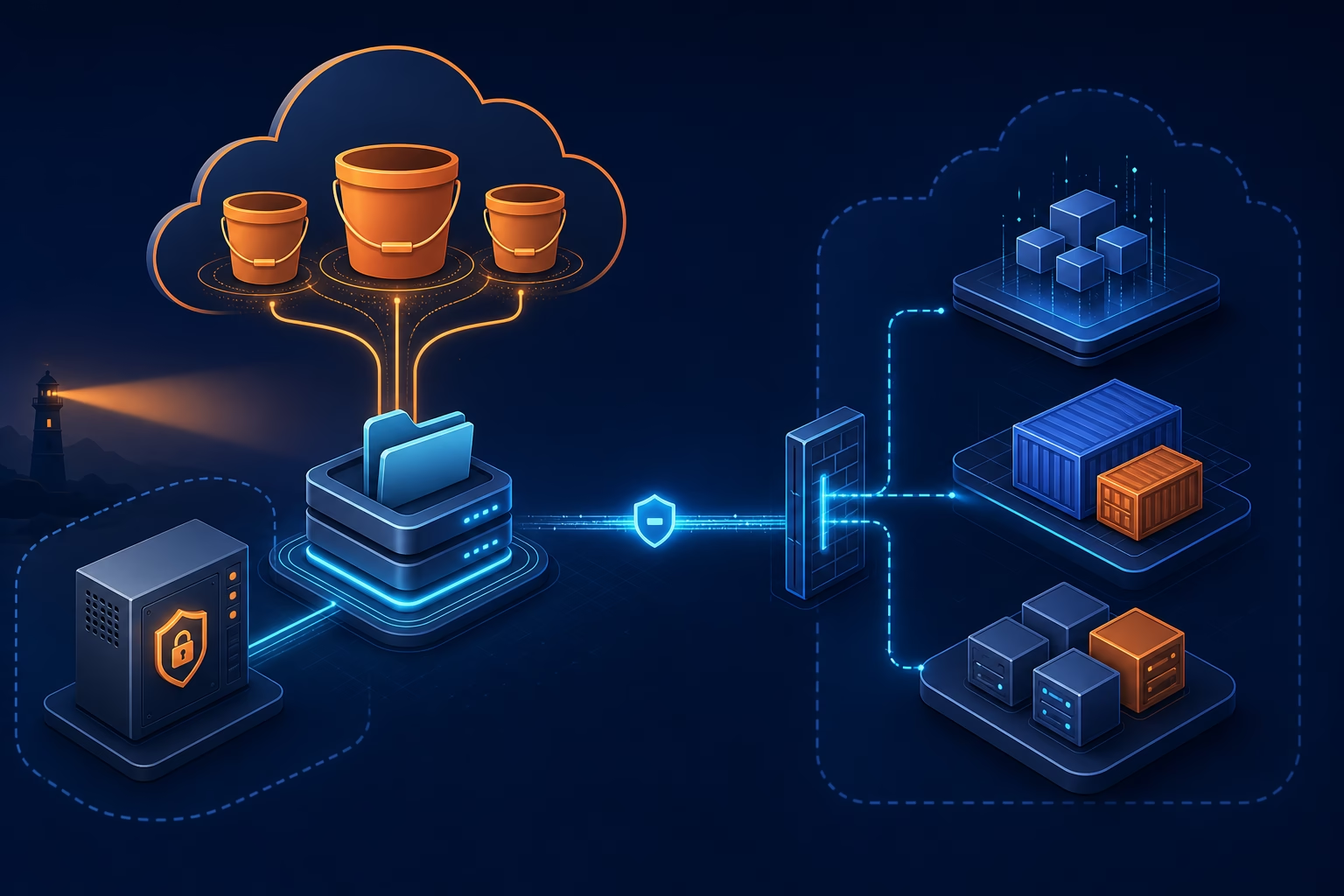
SFTP is a protocol and access pattern. S3 is object storage. S3 Files sits in between: it lets AWS compute resources access S3 data through file-system operations, while the source of truth remains the S3 bucket.
That makes S3 Files useful in some places — but not everywhere.
What is S3 Files?
Amazon S3 Files is a shared file system connected to an S3 bucket or bucket prefix. Applications mount it and work with files using normal file operations such as listing directories, reading files, writing files, renaming files, and organizing directories.
Under the hood, the authoritative data remains in S3. S3 Files uses a high-performance storage layer for active file data and metadata, then synchronizes changes between the file system and the S3 bucket.
AWS describes S3 Files as a way to give AWS compute resources direct file-system access to data in S3, with file-system semantics and low-latency access.
That means a Python script, container, Lambda function, or batch job can work with paths like:
/mnt/s3files/inbound/customer_a/2026-05-17/orders.csvinstead of constantly translating everything into:
s3://data-lake-landing/inbound/customer_a/2026-05-17/orders.csvFor engineers, that is not just syntax. It changes how legacy tools, file-based libraries, AI agents, ETL jobs, and shared workspaces can interact with data.
SFTP vs S3 Files: they solve different problems
A normal SFTP setup solves this problem:
“How can an external system securely send or receive files over the SFTP protocol?”
S3 Files solves this problem:
“How can AWS workloads access S3 data as a shared file system without manually copying objects around?”
Those are not the same.
SFTP is best when the other side requires SFTP
Use SFTP when:
- A vendor only supports SFTP.
- A bank, insurer, government department, or legacy partner mandates SFTP.
- Users need SSH-key-based access.
- File exchange happens across organizational boundaries.
- You need a managed SFTP endpoint, audit trail, and partner-facing integration.
For AWS-native managed SFTP, AWS Transfer Family is still the obvious service to evaluate.
S3 Files is best when the workload is already inside AWS
Use S3 Files when:
- Lambda functions need a shared workspace.
- ECS, EKS, Fargate, EC2, or Batch jobs need file-system access to S3 data.
- Existing tools expect local file paths instead of S3 APIs.
- Multiple compute jobs need to read/write the same working dataset.
- You want S3 to remain the durable storage layer, but applications need file semantics.
- You want to reduce download-process-upload boilerplate in pipelines.
This is the management-friendly way to explain it:
SFTP is for external file exchange. S3 Files is for internal AWS file-based processing on top of S3.
Where S3 Files can replace SFTP-like workflows
S3 Files can replace some SFTP-style patterns when the original SFTP server was not truly needed for external protocol compatibility.
1. Internal batch jobs exchanging files
Many teams use SFTP internally because one system writes a file and another system reads it later.
Example:
- Job A creates a daily extract.
- Job B validates the extract.
- Job C transforms it.
- Job D archives it.
If all jobs run inside AWS, using SFTP between them is usually unnecessary. S3 Files can provide a shared file-system view over the S3 landing bucket, while S3 remains the durable storage layer.
A better architecture may look like this:
Producer job -> S3 Files mount -> S3 bucket -> Consumer jobInstead of:
Producer job -> SFTP server disk -> sync script -> S3 bucket -> another sync script -> consumer jobThe benefit is not just fewer servers. It removes an entire class of brittle file movement scripts.
2. Legacy tools that only understand file paths
Some ETL tools, vendor utilities, Python packages, ML libraries, and older shell scripts expect a local or mounted file path.
They do not natively understand S3 URIs.
Without S3 Files, engineers often add wrapper code:
# Download object from S3
# Process local file
# Upload result to S3
# Delete local temp file
That code is boring, repeated, and easy to get wrong under failure conditions.
With S3 Files, the application can use file paths while S3 remains the backend storage layer. This can simplify migration of old file-based workloads into AWS.
3. Lambda workflows with shared state
Lambda traditionally has /tmp, but that is local to the execution environment and not a shared durable workspace across functions.
S3 Files allows Lambda functions to mount S3-backed file systems. That can help when multiple Lambda functions need to collaborate on the same working set, especially in multi-step pipelines or agentic workloads.
For example:
- One Lambda function receives a manifest.
- Several parallel functions inspect or transform files.
- A final function writes validation reports and output files.
- The final durable copy is visible in S3.
This is not the same as giving a partner an SFTP login. It is an internal compute collaboration pattern.
4. Containerized data processing
ECS, EKS, Fargate, and Batch workloads often deal with libraries that assume a file system.
S3 Files can be useful when containers need:
- shared input directories,
- output folders,
- scratch-like working areas,
- model artifacts,
- document batches,
- or file-heavy preprocessing steps.
Instead of baking custom S3 sync logic into every container, the platform team can expose a mounted file system linked to a controlled S3 prefix.
5. Management reporting and finance exports
Some internal finance, audit, or BI flows still run on files: CSV, Excel, PDF, ZIP, XML, or fixed-width exports.
If the data producers and consumers already run in AWS, S3 Files can provide a cleaner shared-file pattern than maintaining an internal SFTP server.
But if a third-party finance platform only supports SFTP, S3 Files will not solve that integration by itself.
Where S3 Files should not replace SFTP
This is the part management needs to hear clearly.
1. External partners that require SFTP
If a partner says, “Give us SFTP host, username, and SSH key,” S3 Files is not the answer.
S3 Files is mounted by AWS compute resources. It is not a public SFTP endpoint.
For partner-facing SFTP, evaluate AWS Transfer Family, a managed SFTP product, or a controlled self-managed SFTP server depending on cost, compliance, and operational requirements.
2. Human file exchange over SFTP clients
If users expect tools like FileZilla, WinSCP, Cyberduck, or command-line sftp, S3 Files is not a direct replacement.
S3 Files is designed for compute workloads, not as a human-facing SFTP login surface.
3. Cross-company security boundaries
SFTP gives a simple external boundary: host, port, credentials, directories, and logs.
S3 Files is better suited to AWS-side workloads inside your VPC and IAM model. It can be secure, but it is not the same operational model as giving each partner a restricted SFTP home directory.
4. Workflows that rely on SFTP protocol behavior
Some partner systems depend on exact protocol behavior:
- atomic file rename after upload,
- directory polling,
.donemarker files,- SSH key authentication,
- allowlisted IPs,
- scripted SFTP commands,
- or compliance-approved transfer procedures.
S3 Files may support file-system operations, but it does not make an external system speak SFTP.
5. Non-AWS or hybrid consumers without AWS network integration
If the consumer runs outside AWS and cannot mount or access AWS resources cleanly, S3 Files may introduce more networking and access complexity than it removes.
Architecture pattern: SFTP only at the edge, S3 Files inside
The most practical answer is often not “SFTP or S3 Files.”
It is:
Keep SFTP at the partner boundary. Use S3 and S3 Files inside the AWS data platform.
That means the partner still uses SFTP if required, but the internal pipeline stops treating SFTP as the central workspace.

This hybrid pattern is usually easier to defend in a management discussion:
- Partners do not need to change immediately.
- The internal platform becomes more AWS-native.
- SFTP is reduced to an edge integration, not the processing backbone.
- The team avoids big-bang migration risk.
Pricing angle: where the cost moves
S3 Files does not mean “free file system.” It changes the cost model.
With a traditional SFTP server, management usually pays for:
- EC2 or VM cost,
- attached disk,
- backups,
- patching,
- monitoring,
- firewall and network controls,
- operational support,
- high availability design,
- and engineer time.
With AWS Transfer Family, management pays for managed endpoint usage, data transfer, connectors/workflows if used, and the downstream S3/storage costs.
With S3 Files, the cost shifts again. AWS documentation explains that S3 Files billing includes:
- storage for active data resident on the high-performance storage layer,
- data access charges when reading/writing through that high-performance layer,
- standard S3 request and storage charges,
- and related AWS costs depending on the compute and network architecture.
The important management message:
S3 Files can reduce operational cost and copy/sync complexity, but it should be estimated based on active working-set size, read/write patterns, small-file behavior, and compute usage — not just raw S3 storage cost.
Example cost thinking
Imagine a pipeline with 10 TB in S3 but only 200 GB actively processed during a daily cycle.
That is the kind of workload where S3 Files can be interesting, because the high-performance layer is tied to the active working set rather than copying the entire dataset into a separate file system.
But if a workload constantly rewrites a huge number of small files, repeatedly scans directories, or keeps most of the dataset hot all month, the economics need careful testing.
The right proof of concept should measure:
- active data resident in the high-performance layer,
- file-system read/write access volume,
- S3 GET/PUT/LIST request volume,
- Lambda/ECS/EC2 compute cost,
- VPC/networking cost where applicable,
- and operational time saved by removing sync scripts or SFTP servers.
Limitations and gotchas data engineers should test
1. It is not an SFTP endpoint
This is the biggest misunderstanding.
S3 Files gives file-system access to S3 data for AWS compute. It does not expose an SFTP server to partners.
2. You need AWS compute and network planning
S3 Files requires proper AWS-side setup: file system, mount targets, IAM permissions, security groups, and compatible compute resources.
For Lambda, AWS documentation notes that the function and mount target must be in the same VPC, and mount targets are needed in the subnets where the function runs.
That means this is not a zero-architecture feature. Platform teams still need to design access correctly.
3. Versioning and encryption prerequisites matter
AWS documentation says the linked S3 bucket must have versioning enabled and must use supported server-side encryption such as SSE-S3 or SSE-KMS.
That is good for durability and synchronization, but it affects governance, lifecycle policies, and storage-cost review.
4. File-system semantics are useful, but not magic
S3 Files supports file-system semantics such as POSIX permissions, file locking, and NFS 4.1/4.2 access. That helps file-based applications.
But data engineers should still test edge cases:
- concurrent writes,
- rename-heavy workflows,
- many small files,
- recursive directory scans,
- temporary files,
- partial writes,
- and recovery after failed jobs.
5. S3 remains object storage underneath
This is a feature and a constraint.
The authoritative data remains in S3, which is excellent for durability, lifecycle, governance, and analytics integration. But teams should not assume every old NAS/SFTP behavior maps perfectly to an S3-backed system.
6. Small files need special attention
S3 Files is designed to optimize active file access, and AWS documentation describes thresholds for what is loaded into high-performance storage. Small files and metadata-heavy workloads often behave differently from large sequential reads.
If your pipeline has millions of tiny files, benchmark it before presenting a savings number.
Decision framework for management
Use this framework in a design review.
Choose SFTP / AWS Transfer Family when:
- external partners require SFTP,
- the protocol itself is part of the contract,
- users need SFTP clients,
- compliance expects an SFTP endpoint,
- each partner needs isolated SFTP-style access,
- or migration risk is higher than operational savings.
Choose S3 Files when:
- workloads run inside AWS,
- applications need file paths,
- S3 is already the source of truth,
- multiple compute jobs need shared file access,
- download-upload boilerplate is slowing the team down,
- legacy file-based tools need to run against S3 data,
- or the team wants to reduce internal SFTP server dependency.
Choose a hybrid pattern when:
- partners still need SFTP,
- internal processing should move to S3-native workflows,
- management wants lower operational risk,
- and the team wants gradual migration instead of a hard cutover.
In most real companies, the hybrid model wins first.
Recommended migration plan
Phase 1: Map the current file flows
Document:
- who sends files,
- who receives files,
- which flows are external,
- which are internal,
- file sizes,
- file counts,
- frequency,
- retention,
- failure handling,
- and compliance constraints.
Do not start with tooling. Start with file ownership.
Phase 2: Split edge transfer from internal processing
Mark each workflow as one of these:
- External SFTP required — keep SFTP or AWS Transfer Family.
- Internal AWS workload — candidate for S3 Files.
- Analytics-native workload — use S3 APIs, Glue, Spark, Athena, dbt, or event-driven processing directly.
Phase 3: Build a small S3 Files proof of concept
Pick a low-risk internal workflow.
Good candidates:
- validation pipeline,
- report generation,
- file-based ML preprocessing,
- Lambda multi-step workspace,
- ECS batch processing job,
- or old script that currently downloads from S3 and uploads results back.
Measure before and after:
- code removed,
- runtime,
- failure rate,
- operational steps,
- AWS cost,
- and recovery behavior.
Phase 4: Keep SFTP at the boundary if needed
If vendors still require SFTP, do not force the wrong migration.
Use SFTP only as the ingress/egress edge, land the files in S3, and let internal workloads use S3/S3 Files patterns.
Phase 5: Standardize the pattern
If the proof of concept works, define a reusable platform pattern:
- approved S3 bucket layout,
- IAM role model,
- encryption rules,
- lifecycle policies,
- mount target strategy,
- logging and monitoring,
- naming conventions,
- and rollback plan.
That is what turns a nice experiment into a production architecture.
Practical example: replacing internal SFTP with S3 Files
Before:
- A nightly extract lands on an internal SFTP server.
- A cron job copies it to a processing EC2 instance.
- A Python script validates the file.
- The script uploads output to S3.
- Another job downloads it again for transformation.
- Engineers monitor disk space and failed syncs.
After:
- The extract lands directly in S3 or through AWS Transfer Family into S3.
- S3 Files exposes the landing prefix as a mounted file system.
- Validation jobs read and write through file paths.
- Output remains synchronized back to S3.
- Downstream analytics use the S3 bucket directly.
- The SFTP server is removed from internal processing.
The partner-facing interface may remain unchanged, but the internal architecture becomes much cleaner.
That is the realistic value of S3 Files.
Final recommendation
Do not position S3 Files as a universal SFTP replacement. That will create pushback from security, operations, and partner-integration teams — and they will be right.
Position it like this:
S3 Files is a practical alternative to internal SFTP-style file sharing when AWS workloads need shared file-system access to S3 data. Keep SFTP for external protocol-based exchange; use S3 Files to simplify internal processing, reduce copy/sync scripts, and modernize file-heavy data pipelines.
For a data engineering team presenting this to management, the proposal should not be “remove SFTP everywhere.”
The proposal should be:
- Keep SFTP where partners require it.
- Stop using SFTP as an internal processing layer.
- Use S3 as the durable source of truth.
- Use S3 Files where applications need file paths and shared workspace behavior.
- Validate cost and performance with a focused proof of concept.
That is a safer, more credible, and more useful migration strategy.
FAQ
Can S3 Files fully replace SFTP?
No. S3 Files does not provide an SFTP endpoint for external partners or human SFTP clients. It can replace some internal SFTP-style workflows where AWS compute resources need shared file-system access to S3 data.
When should we use AWS Transfer Family instead of S3 Files?
Use AWS Transfer Family when external users, vendors, or systems require SFTP, FTPS, FTP, or AS2-style managed transfer into AWS. Use S3 Files when internal AWS workloads need mounted file access to S3 data.
Is S3 Files cheaper than running an SFTP server?
It depends on active working-set size, read/write volume, request patterns, compute usage, and operational savings. S3 Files can reduce server management and copy/sync complexity, but it has its own storage and access charges.
Does S3 Files keep data in S3?
Yes. The authoritative data remains in S3. S3 Files provides a file-system view and synchronizes active file-system changes with the linked S3 bucket or prefix.
Can Lambda use S3 Files?
Yes. AWS Lambda supports mounting Amazon S3 buckets as file systems with S3 Files, subject to setup requirements such as compatible VPC, mount targets, permissions, and regional availability.
Is S3 Files good for data engineering pipelines?
Yes, in selected cases. It is useful when pipelines are file-heavy, AWS-native, and need shared file paths. For analytics-native processing, direct S3 APIs, Spark, Glue, Athena, or table formats may still be cleaner.
Related reading
- AWS Transfer Family SFTP: Pricing, Limits, and the Management Case
- S3 Files for Lambda: a real workspace for serverless AI agents
- Amazon S3 Files: What Data Engineers Actually Need to Know
References
- AWS S3 Files documentation: https://docs.aws.amazon.com/AmazonS3/latest/userguide/s3-files.html
- AWS S3 Files prerequisites: https://docs.aws.amazon.com/AmazonS3/latest/userguide/s3-files-prereq-policies.html
- AWS S3 Files metering: https://docs.aws.amazon.com/AmazonS3/latest/userguide/s3-files-metering.html
- AWS S3 pricing page: https://aws.amazon.com/s3/pricing/
- AWS Lambda S3 Files configuration: https://docs.aws.amazon.com/lambda/latest/dg/configuration-filesystem-s3files.html
- AWS announcement: Lambda functions can mount S3 buckets as file systems with S3 Files: https://aws.amazon.com/about-aws/whats-new/2026/04/aws-lambda-amazon-s3/
- AWS S3 Files product page: https://aws.amazon.com/s3/features/files/